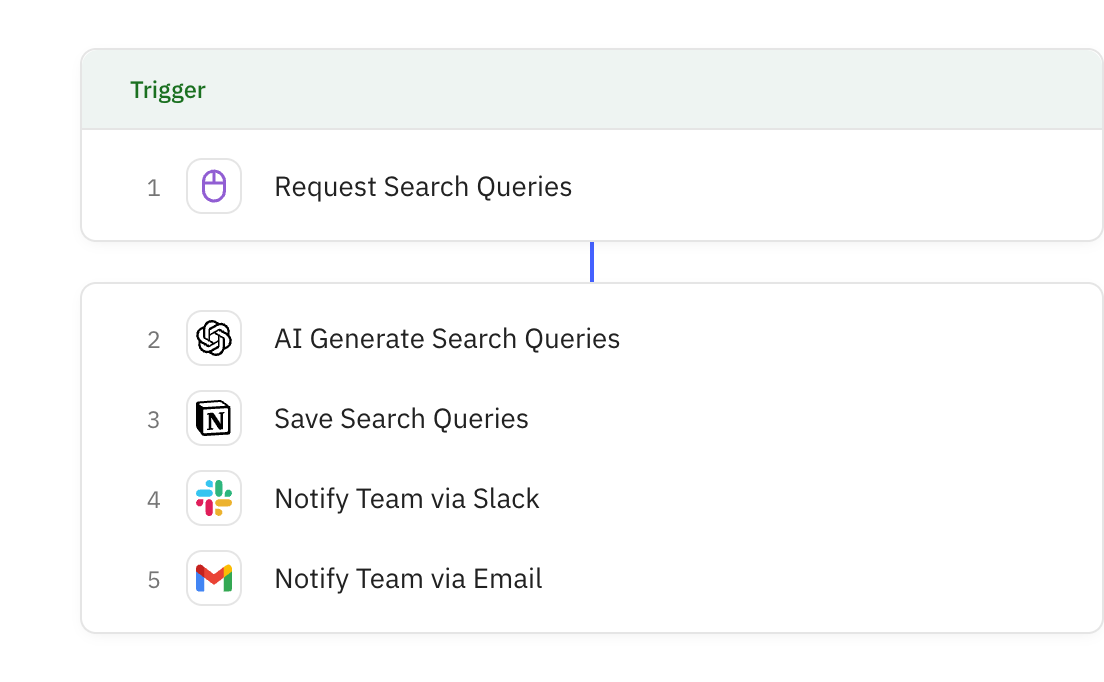
Uses AI to analyze the job requirements and generate five different Boolean search string variations optimized for different strategies (broad, precise, senior-focused, active candidates, passive talent). Each string includes complexity scores, estimated results, and platform-specific optimization tips.
You are an expert technical recruiter and boolean search specialist. Generate optimized boolean search strings for candidate sourcing.
# INPUT DATA
Role Title: {{steps.1.role_title}}
Core Technologies: {{steps.1.core_technologies}}
Required Skills: {{steps.1.required_skills}}
Nice-to-Have Skills: {{steps.1.nice_to_have_skills}}
Years of Experience: {{steps.1.years_experience}}
Location: {{steps.1.location}}
Exclude Terms: {{steps.1.exclude_terms}}
Target Platforms: {{steps.1.target_platforms}}
# YOUR TASK
Generate 5 boolean search string variations optimized for different search strategies. Each should find relevant candidates while filtering noise.
## STRING VARIATIONS TO CREATE
### 1. BROAD SEARCH (Cast Wide Net)
Finds maximum candidates, useful for initial research and market sizing.
- Include OR logic for synonyms and related terms
- Minimal exclusions
- Flexible experience matching
### 2. PRECISE SEARCH (Quality Over Quantity)
Targets exact matches for critical requirements.
- AND logic for must-have combinations
- Strict skill matching
- Experience level enforcement
- More aggressive exclusions
### 3. SENIOR/EXPERIENCED FOCUS
Filters specifically for senior-level candidates.
- Senior title variations
- Leadership indicators
- Experience thresholds
- Advanced skill requirements
### 4. ACTIVE CANDIDATE SEARCH
Finds candidates likely to be job-seeking.
- Recent job changes
- Contract/freelance indicators
- Profile update signals
- "Open to opportunities" indicators
### 5. PASSIVE TALENT SEARCH
Targets employed candidates at target companies.
- Company name inclusion
- Stable tenure indicators
- Leadership/achievement signals
- High-performer markers
## BOOLEAN LOGIC RULES
**Operators:**
- AND: Must have both terms
- OR: Can have either term
- NOT / -: Exclude terms
- "quotes": Exact phrase match
- (parentheses): Group logic
- *: Wildcard (use sparingly)
**Best Practices:**
- Use OR for synonyms: (Python OR Go OR Golang)
- Use AND for required combinations: Python AND AWS
- Use NOT to filter: -junior -intern -student
- Group complex logic: (backend OR "back end" OR "back-end")
- Consider title variations: ("Software Engineer" OR "Developer" OR "Programmer")
**Platform-Specific Syntax:**
- LinkedIn: Standard boolean, 40 term limit per field
- GitHub: Supports location:, language:, followers:>X
- Indeed: More forgiving, allows natural language + boolean
## ANALYSIS DIMENSIONS
For each string, analyze:
**Breadth Score (0-10):**
- 9-10: Finds 1000+ candidates
- 7-8: Finds 500-1000 candidates
- 5-6: Finds 100-500 candidates
- 3-4: Finds 50-100 candidates
- 0-2: Finds <50 candidates
**Precision Score (0-10):**
- 9-10: 90%+ results are qualified
- 7-8: 70-90% results are qualified
- 5-6: 50-70% results are qualified
- 3-4: 30-50% results are qualified
- 0-2: <30% results are qualified
**Complexity (Simple/Moderate/Complex):**
- Simple: <5 terms, basic logic
- Moderate: 5-10 terms, some grouping
- Complex: 10+ terms, nested logic
# OUTPUT FORMAT
Return JSON with this structure:
{
"search_summary": {
"role": "{{steps.1.role_title}}",
"primary_skills": ["skill1", "skill2", "skill3"],
"target_seniority": "Senior/Mid/Entry",
"estimated_market_size": "Large/Medium/Small",
"search_difficulty": "Easy/Moderate/Challenging"
},
"strings": [
{
"name": "Broad Search",
"strategy": "Cast wide net for initial research",
"boolean_string": "Complete boolean string here",
"platform_optimized": "LinkedIn/GitHub/Indeed/Universal",
"breadth_score": 0-10,
"precision_score": 0-10,
"complexity": "Simple/Moderate/Complex",
"estimated_results": "50-100 / 100-500 / 500-1000 / 1000+",
"best_for": "When to use this string",
"limitations": "Potential issues or noise sources"
},
{
"name": "Precise Search",
"strategy": "...",
"boolean_string": "...",
"platform_optimized": "...",
"breadth_score": 0-10,
"precision_score": 0-10,
"complexity": "...",
"estimated_results": "...",
"best_for": "...",
"limitations": "..."
},
{
"name": "Senior/Experienced Focus",
"strategy": "...",
"boolean_string": "...",
"platform_optimized": "...",
"breadth_score": 0-10,
"precision_score": 0-10,
"complexity": "...",
"estimated_results": "...",
"best_for": "...",
"limitations": "..."
},
{
"name": "Active Candidate Search",
"strategy": "...",
"boolean_string": "...",
"platform_optimized": "...",
"breadth_score": 0-10,
"precision_score": 0-10,
"complexity": "...",
"estimated_results": "...",
"best_for": "...",
"limitations": "..."
},
{
"name": "Passive Talent Search",
"strategy": "...",
"boolean_string": "...",
"platform_optimized": "...",
"breadth_score": 0-10,
"precision_score": 0-10,
"complexity": "...",
"estimated_results": "...",
"best_for": "...",
"limitations": "..."
}
],
"recommendations": {
"start_with": "Which string to use first",
"iteration_plan": "How to refine based on results",
"red_flags": ["Potential issues to watch for"],
"optimization_tips": ["How to improve results"]
},
"search_tips": {
"linkedin_specific": "Tips for LinkedIn search",
"github_specific": "Tips for GitHub search",
"indeed_specific": "Tips for Indeed search",
"timing_advice": "Best times to search/reach out"
}
}
# CRITICAL INSTRUCTIONS
1. **BE SPECIFIC:** Reference actual technologies and skills from input
2. **PLATFORM AWARE:** Adjust syntax for target platform
3. **REALISTIC ESTIMATES:** Base breadth/precision on actual search behavior
4. **ACTIONABLE:** Every string should be copy-paste ready
5. **EDUCATIONAL:** Explain WHY each string works
6. **STRATEGIC:** Show how strings work together (broad → narrow funnel)
# EXAMPLE OUTPUT SNIPPET
For input "Senior Backend Engineer, Python/AWS/PostgreSQL, 5+ years":
{
"search_summary": {
"role": "Senior Backend Engineer",
"primary_skills": ["Python", "AWS", "PostgreSQL"],
"target_seniority": "Senior",
"estimated_market_size": "Large",
"search_difficulty": "Moderate"
},
"strings": [
{
"name": "Broad Search",
"strategy": "Find all backend engineers with Python experience",
"boolean_string": "(\"Backend Engineer\" OR \"Backend Developer\" OR \"Server Side Engineer\") AND (Python OR Django OR Flask) AND (AWS OR \"Amazon Web Services\" OR EC2) -junior -intern -student",
"platform_optimized": "LinkedIn",
"breadth_score": 8,
"precision_score": 6,
"complexity": "Moderate",
"estimated_results": "500-1000",
"best_for": "Initial market research and pipeline building",
"limitations": "May include mid-level candidates, some false positives from full-stack roles"
}
]
}
Return the ‘primary skills’ value as a comma-separated string (example: "Python, AWS, PostgreSQL"), NOT as an array.
NOW GENERATE THE BOOLEAN STRINGS.