











































Linear + WooCommerce integrations

Linear logoLinear > WooCommerce
Trigger
Last triggered
Linear logoIssue status changed
WooCommerce logoCreate customer
Overview
Connect Linear to WooCommerce in just a few clicks, for free, with Relay.app. Relay.app provides seamless integration between Linear, WooCommerce, and many other popular SaaS applications.
Check below for example workflows using Linear and WooCommerce, as well as a list of the triggers and actions Relay.app supports today. Just let us know if we're missing anything you need.
Known for its combination of simplicity and power, Relay.app is a tool that people love for its deep & easy-to-use integrations, powerful AI features combined with human oversight, robust workflow essentials, and first-class customer support.

Screenshots of Linear and WooCommerce integrations in Relay.app

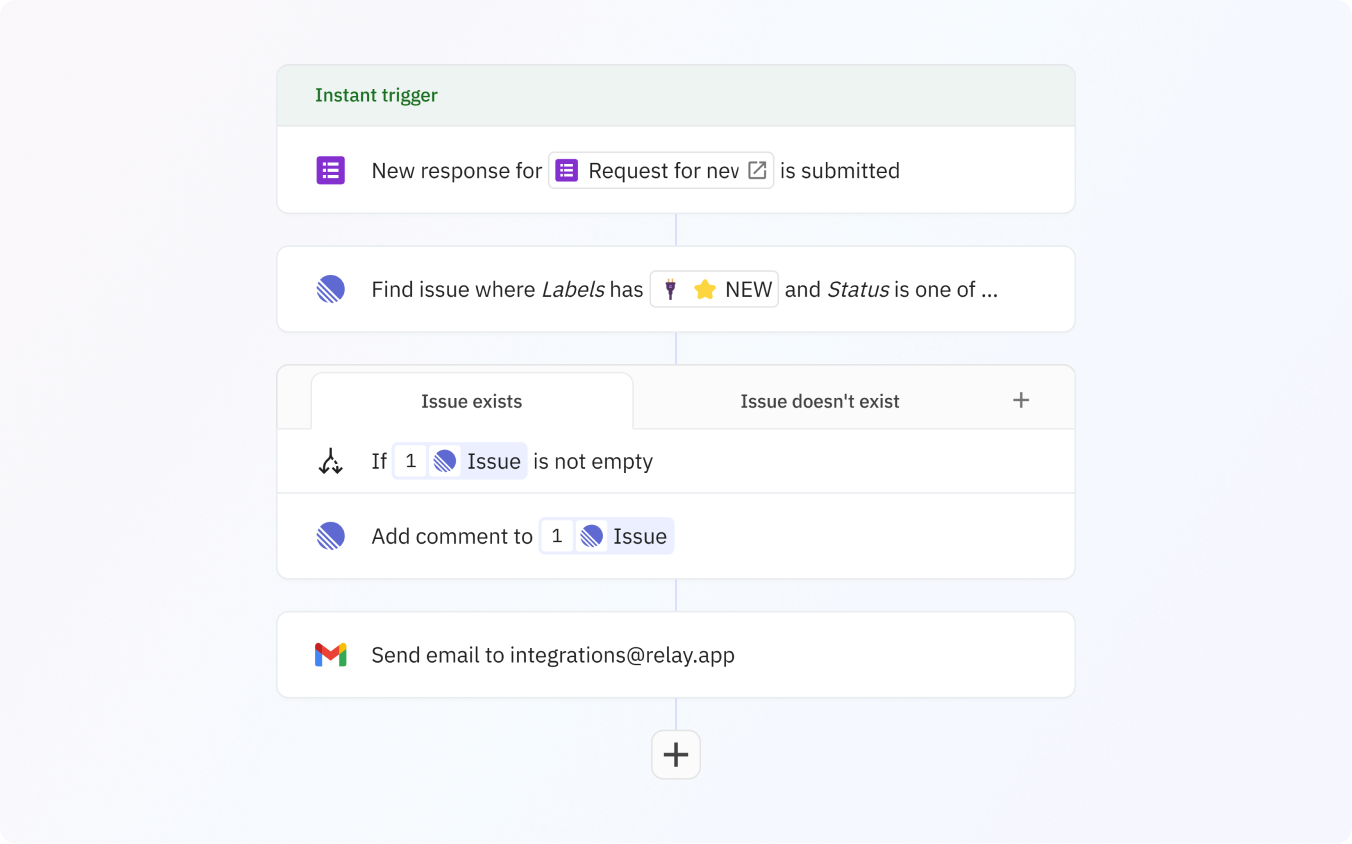
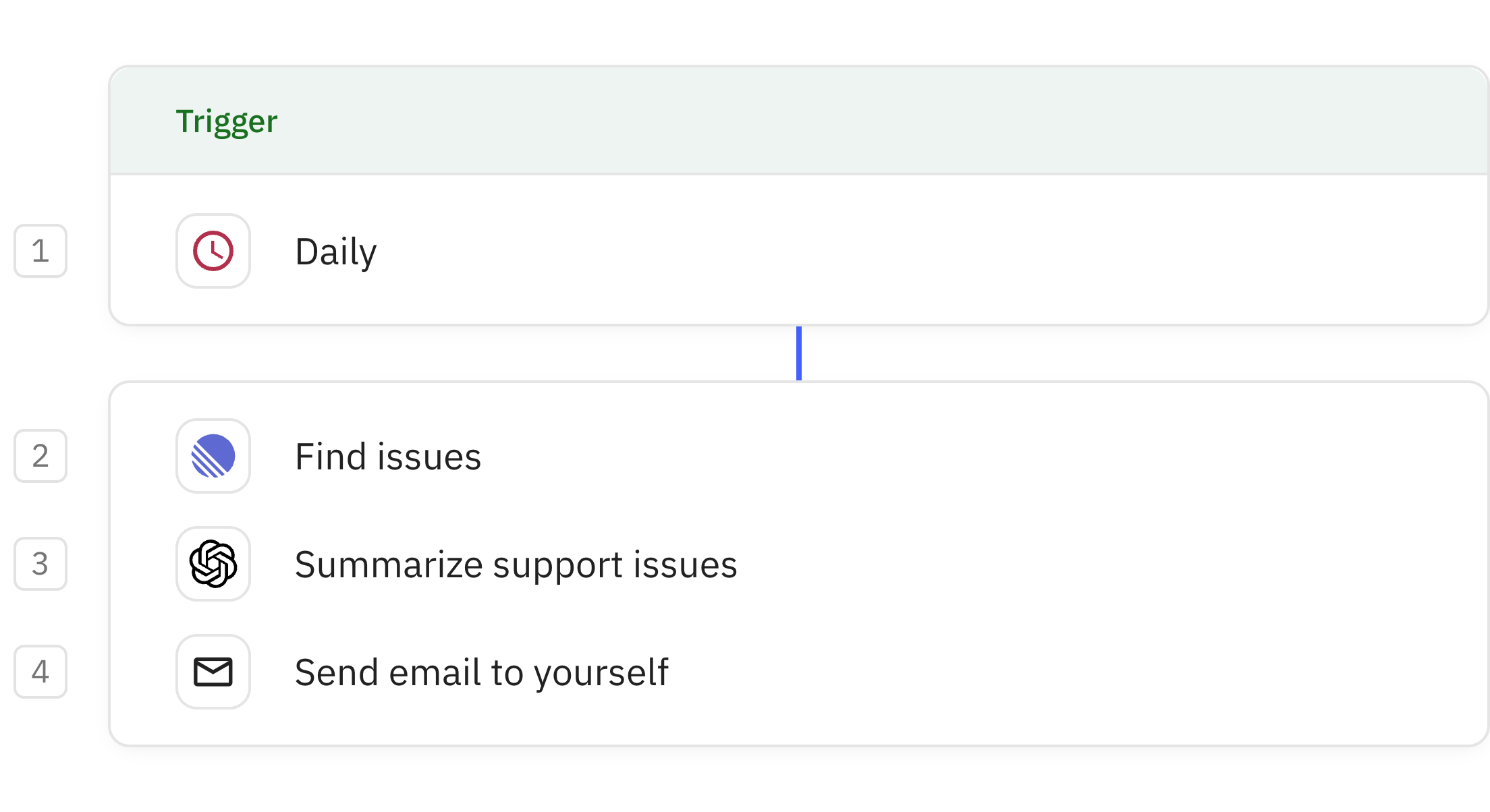
Find Linear issues and add comments to them by integrating them in your workflow
Preview of Find Linear issues and add comments to them by integrating them in your workflow
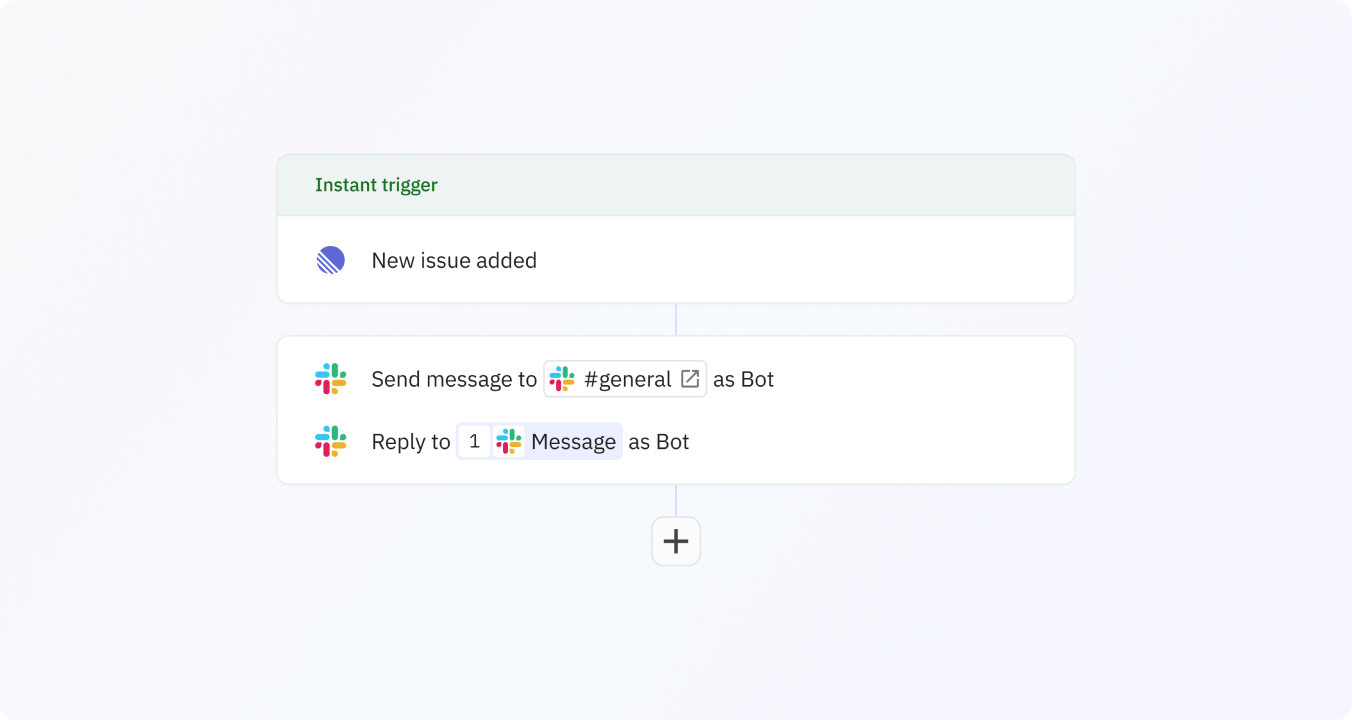
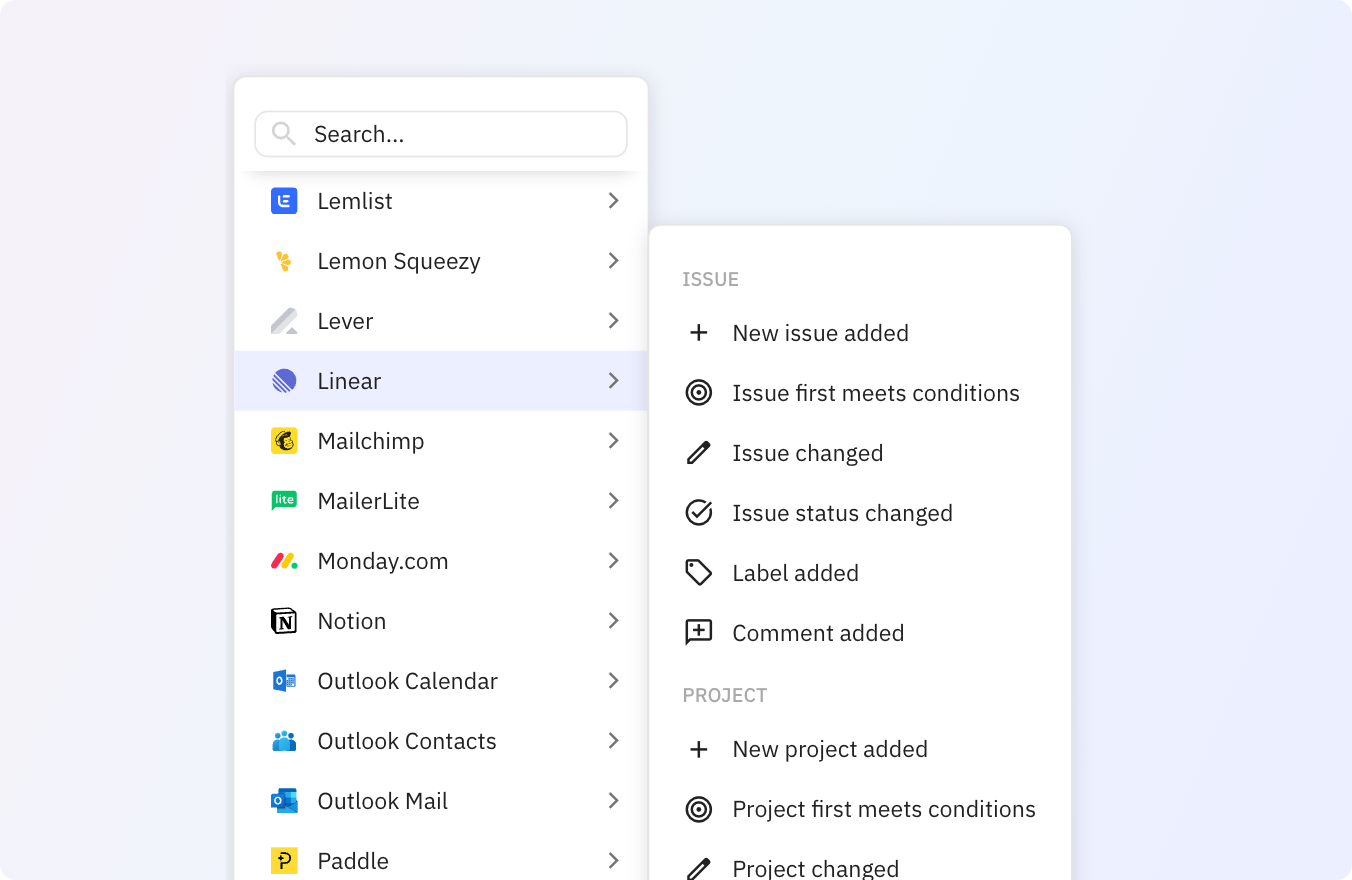
Preview of Trigger a workflow when a new issue has been created
Preview of Use Relay.app's Linear integrations to trigger actions across your apps
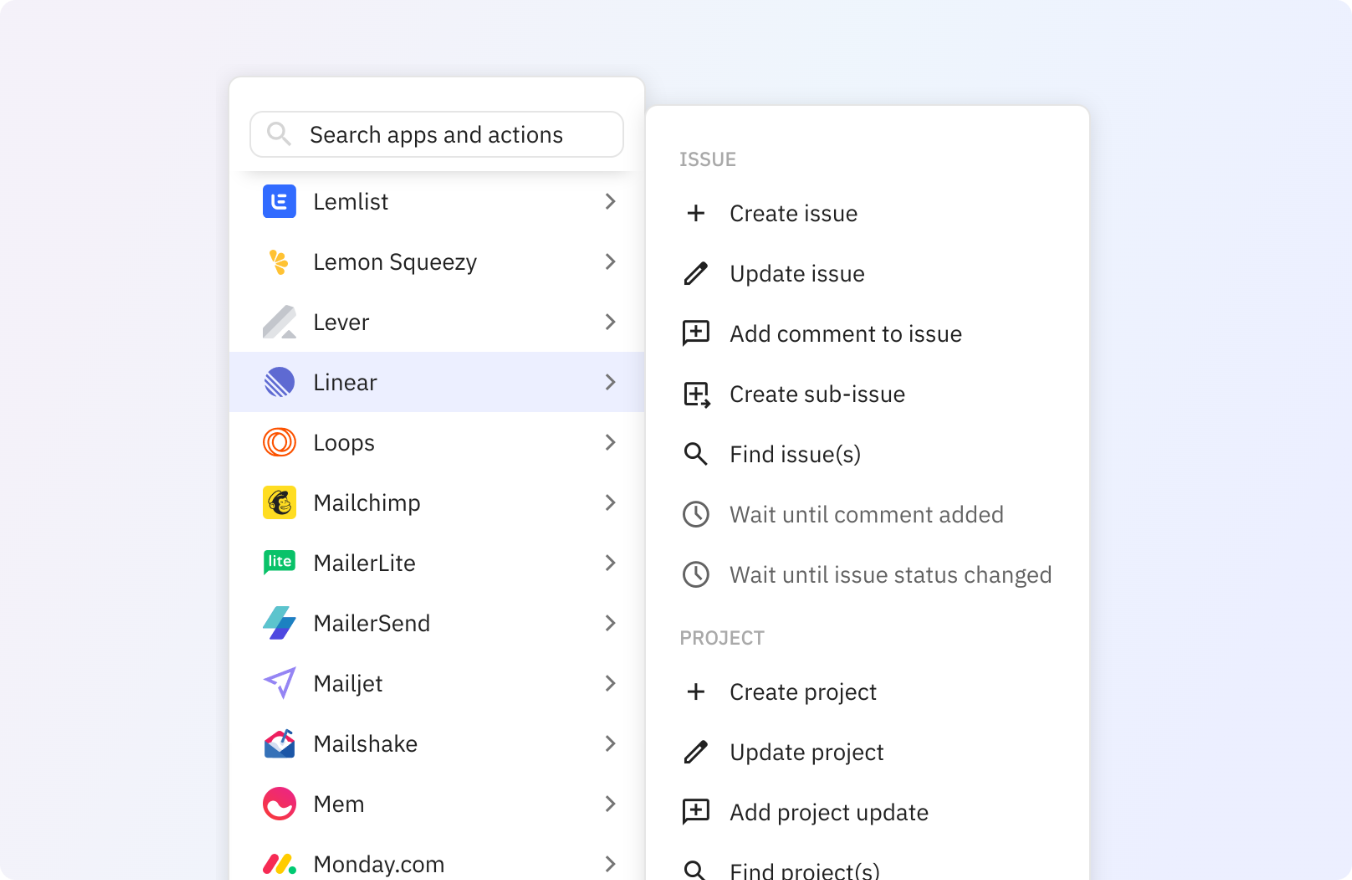
Preview of Use any of these Linear actions in your Relay.app workflows

Example Linear + WooCommerce workflows

Linear iconarrow_forwardWooCommerce icon

Automatically create customer in WooCommerce for each issue status changed in Linear

Linear iconarrow_forwardWooCommerce icon

Update customer automatically in WooCommerce for each comment added in Linear

Linear iconarrow_forwardWooCommerce icon

Create product automatically in WooCommerce for each label added in Linear

Linear iconarrow_forwardWooCommerce icon

Automatically update product in WooCommerce for each issue added in Linear

Linear iconarrow_forwardWooCommerce icon

Create order automatically in WooCommerce for each project added in Linear

Linear Triggers
Issue
Linear logo
add_comment
Comment added
Linear logo
edit
Issue changed
Linear logo
target
Issue first meets conditions
Linear logo
task_alt
Issue status changed
Linear logo
sell
Label added
Linear logo
add
New issue added
Project
Linear logo
add
New project added
Linear logo
edit
Project changed
Linear logo
target
Project first meets conditions
WooCommerce Actions
Customer
WooCommerce logo
add
Create customer
WooCommerce logo
edit
Update customer
Order
WooCommerce logo
add
Create order
WooCommerce logo
search
Find order(s)
WooCommerce logo
edit
Update order
Product
WooCommerce logo
add
Create product
WooCommerce logo
search
Find product(s)
WooCommerce logo
edit
Update product
WooCommerce Triggers
No WooCommerce triggers yet
Request trigger
Linear Actions
Issue
Linear logo
add_comment
Add comment to issue
Linear logo
new_label
Add label to issue
Linear logo
add
Create issue
Linear logo
tab_new_right
Create sub-issue
Linear logo
search
Find issue(s)
Linear logo
move_group
Move issue to team
Linear logo
label_off
Remove label from issue
Linear logo
edit
Update issue
Linear logo
schedule
Wait until comment added
Linear logo
schedule
Wait until issue status changed
Project
Linear logo
add_comment
Add project update
Linear logo
add
Create project
Linear logo
search
Find project(s)
Linear logo
edit
Update project

Create your own Linear + WooCommerce integration

Select a trigger in Linear
Select an action in WooCommerce
Create your workflow

FAQ

  • What is Relay.app?

    Relay.app is a modern, easy-to-use automation tool. Build workflows that connect and automate actions across all the apps you already use. Relay.app has deep integrations, rich workflow tools, and human-in-the-loop steps for bringing human decisions, tasks, and approvals into automated workflows. Learn more about Relay.app's features.

  • How do I connect Linear to WooCommerce with Relay.app?

    1. Create a free Relay.app account
    2. Set a trigger in Linear or WooCommerce to kick off new workflow runs
    3. Add one or more actions to run in your workflow
    4. Authorize Linear and WooCommerce to connect to Relay.app
    5. Turn on your workflow and start getting more done with less manual work

    Check above for some example workflows, or visit our help center for more details on how to get started.

  • Is Relay.app a Make.com alternative for connecting Linear to WooCommerce?

    Yes. Make is a powerful automation platform with a visual scenario editor. But if you’re looking for a way to connect Linear to WooCommerce that combines ease of use with the ability to integrate AI and human decision making seamlessly into your workflow, along with exceptional support, Relay.app is the go-to automation tool for your business.

    For more info check out our article comparing Relay.app to Make or our comparison of Make alternatives.

    Of course we're biased, but we believe Relay.app is the best way to connect and automate Linear and WooCommerce—give it a try and let us know what you think.

See why people love Relay.app

Photo of Salama💯
Salama💯
@SalamaErgossum
X logo

Just ran my first automation workflow with @relay !

I wanted to send newsletters from Outlook to Notion, and it was so easy I almost cried—after struggling and giving up with other tools like Make.

Huge thanks to @relay for empowering non-tech folks like me!

Photo of Marco Elizalde
Marco Elizalde
Twitter verified logo
@marcoETmx
X logo

I discovered @relay and it is incredible

Photo of Peter Jauhal
Peter Jauhal
via email

Relay is a fantastic app. I keep finding new uses for it everyday. I am not a programmer but I can make some really complicated work flows work pretty quickly.

Photo of Lucas Grey
Lucas Grey
Twitter verified logo
@ImLucasGrey
X logo

Falling in love with @relay. Tried make and zapier and this uiux worked the simplest. It gets the job done.

Automated our waitlist collection and replying process.
Used gpt in the workflow to parse the replies to our waitlist email qtns & saved them into our notion database.

Photo of Rafa
Rafa
Twitter verified logo
@rafanocode
X logo

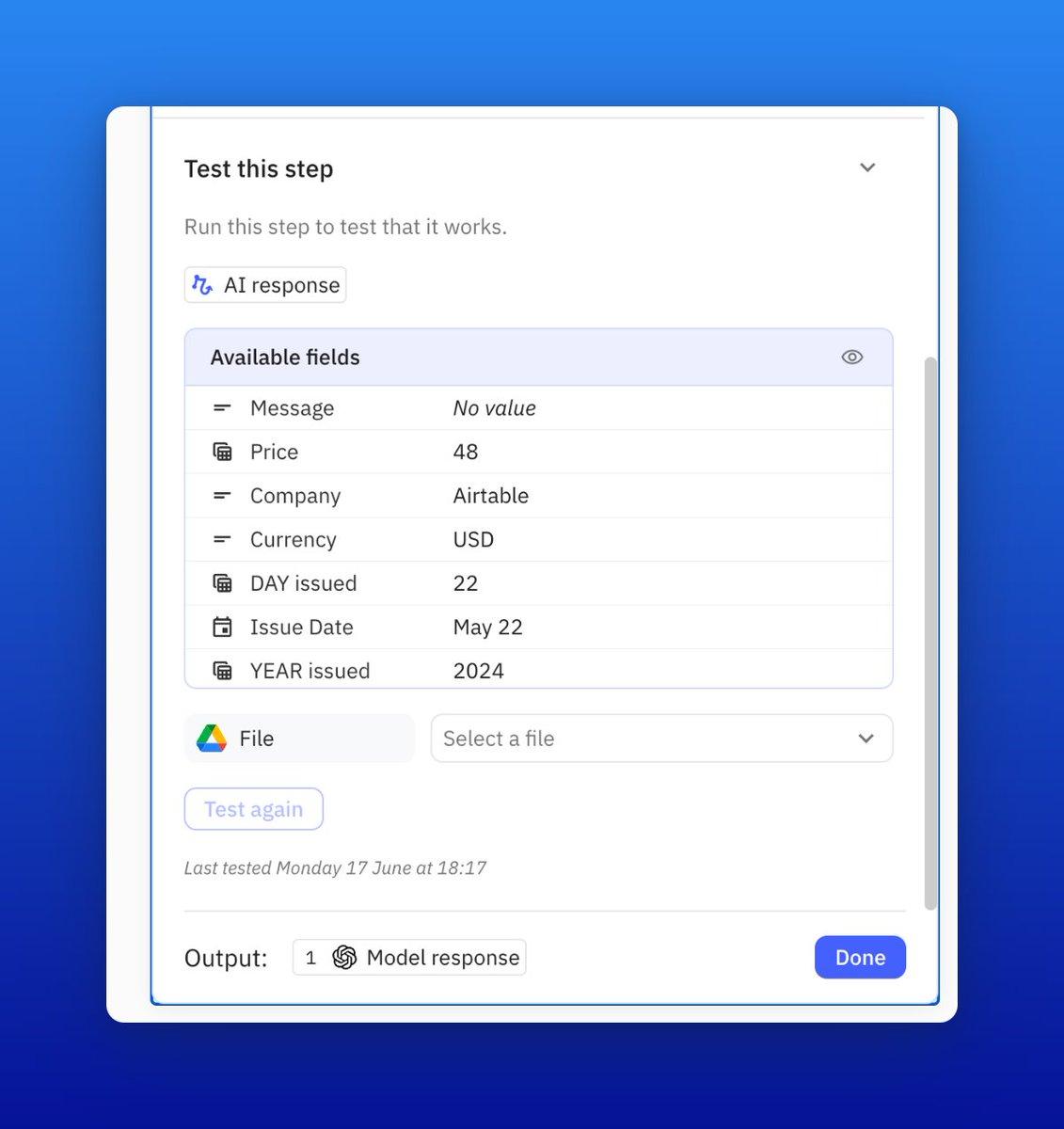
I truly appreciate how @relay presents testing info. You can easily see what you are testing, and the messages are very clear if there's an error.

They are definitely creating a fantastic tool!

Screenshot showing how to test a step in an automated workflow in Relay.app
Photo of Duke Dao
Duke Dao
@dummy_coder
X logo

.@relay is just straight out awesome. Give it a try

Photo of Benjamin Borowski👨‍🚒
Benjamin Borowski👨‍🚒
Twitter verified logo
@typeoneerror
X logo

Relay's "human in the loop" model is super effective for teams. Not only is this the best designed UI for automation building on the market, they've really thought about how not everything can be automated. Fantastic for building operationalized SOPs.

Photo of Notion Coach
Notion Coach
Twitter verified logo
@NotionCoach
X logo

Finally getting a chance to explore @relay and wow, UX feels leaps ahead of Zapier/Make.

Photo of Maayan
Maayan
Co-Founder at Elementary

You saved me thousands of dollars in engineering work.

Photo of Eva (Ziki) Zivanovic
Eva (Ziki) Zivanovic
Twitter verified logo
@ZikiDoesNotion
X logo

If you’re never heard of @relay you’re missing out BIG TIME.

Relay.app is an automation app that has been getting a lot of traction lately.
And for good reason.

What makes them unique on the market is their Human-In-The-Loop functionality.

This functionality basically allows your company to add intermediate manual steps that can add unique judgment, context, and perspective.

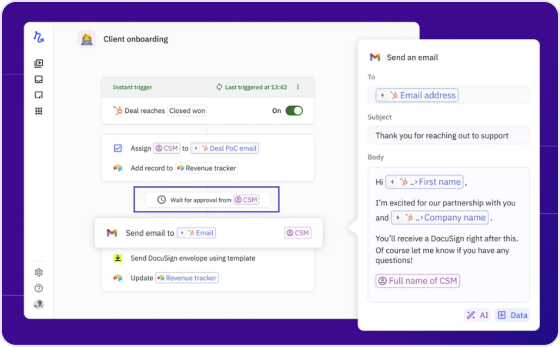
Client onboarding workflow screenshot in Relay.app

New to Relay.app? Learn how to automate your first workflow

What will you automate?

Sign up and get started with your first Relay.app workflow today.
Background imageBackground image