











































Box + WordPress (Self-Hosted) integrations

Connect Box to WordPress (Self-Hosted) in just a few clicks, for free, with Relay.app. Relay.app provides seamless integration between Box, WordPress (Self-Hosted), and many other popular SaaS applications.
Check below for example workflows using Box and WordPress (Self-Hosted), as well as a list of the triggers and actions Relay.app supports today. Just let us know if we're missing anything you need.
Known for its combination of simplicity and power, Relay.app is a tool that people love for its deep & easy-to-use integrations, powerful AI features combined with human oversight, robust workflow essentials, and first-class customer support.

Example Box + WordPress (Self-Hosted) workflows

Box iconarrow_forwardWordPress (Self-Hosted) icon

Automatically create post in WordPress (Self-Hosted) for each folder added by you in Box

Box iconarrow_forwardWordPress (Self-Hosted) icon

Update post automatically in WordPress (Self-Hosted) for each file added by you in Box

Box iconarrow_forwardWordPress (Self-Hosted) icon

Create page automatically in WordPress (Self-Hosted) for each comment added in Box

Box iconarrow_forwardWordPress (Self-Hosted) icon

Update post automatically in WordPress (Self-Hosted) for each folder added by you in Box

Box iconarrow_forwardWordPress (Self-Hosted) icon

Create page automatically in WordPress (Self-Hosted) for each folder added by you in Box

Box Triggers
Comment
Box logo
add
Comment added
File
Box logo
add
File added by you
Folder
Box logo
add
Folder added by you
WordPress (Self-Hosted) Actions
Page
WordPress (Self-Hosted) logo
add
Create page
WordPress (Self-Hosted) logo
search
Find page(s)
WordPress (Self-Hosted) logo
edit
Update page
Post
WordPress (Self-Hosted) logo
add
Create post
WordPress (Self-Hosted) logo
search
Find post(s)
WordPress (Self-Hosted) logo
edit
Update post
WordPress (Self-Hosted) Triggers
No WordPress (Self-Hosted) triggers yet
Request trigger
Box Actions
Comment
Box logo
add
Add comment
Box logo
edit
Edit comment
File
Box logo
add_box
Add shared link to file
Box logo
content_copy
Copy file
Box logo
search
Find file(s)
Box logo
lock
Lock file
Box logo
move_up
Move file
Box logo
delete
Trash file
Box logo
lock_open
Unlock file
Box logo
edit
Update file
Box logo
upload_file
Upload file
File request form
Box logo
content_copy
Copy file request form
Folder
Box logo
add_box
Add shared link to folder
Box logo
content_copy
Copy folder
Box logo
add
Create folder
Box logo
search
Find folders
Box logo
lock
Lock folder
Box logo
move_up
Move folder
Box logo
delete
Trash folder
Box logo
edit
Update folder
Task
Box logo
assignment
Assign task
Box logo
add
Create task
Box logo
edit
Update task

Create your own Box + WordPress (Self-Hosted) integration

Select a trigger in Box
Select an action in WordPress (Self-Hosted)
Create your workflow

Connect Box to your other apps

Intercom + Box integrations
Intercom
Automate Google Groups + Box
Google Groups
Connect Notion to Box
Notion
Integrate Asana with Box
Asana
Sync Google Sheets with Box
Google Sheets
Zendesk + Box automations
Zendesk
How to use HubSpot + Box
HubSpot
Pipedrive + Box integrations
Pipedrive
Automate Calendly + Box
Calendly
Connect Google Drive to Box
Google Drive
Integrate Trello with Box
Trello
Sync 1Password with Box
1Password
ActiveCampaign + Box automations
ActiveCampaign
How to use Anthropic + Box
Anthropic
Apify + Box integrations
Apify
Automate Apollo + Box
Apollo
Connect AssemblyAI to Box
AssemblyAI
Integrate Attio with Box
Attio
Sync Axiom.ai with Box
Axiom.ai
Baserow + Box automations
Baserow
How to use beehiiv + Box
beehiiv
bitly + Box integrations
bitly
Automate Bloobirds + Box
Bloobirds
Connect Bluesky to Box
Bluesky
Integrate Brevo with Box
Brevo
Sync Browse.ai with Box
Browse.ai
BuildKite + Box automations
BuildKite
How to use Cal.com + Box
Cal.com
CallRail + Box integrations
CallRail
Automate Canva + Box
Canva
Connect Cartesia to Box
Cartesia
Integrate Chargebee with Box
Chargebee
Sync ClickSend with Box
ClickSend
ClickUp + Box automations
ClickUp
How to use Close + Box
Close
Coda + Box integrations
Coda
Automate Codacy + Box
Codacy
Connect CodeScene to Box
CodeScene
Integrate Confluence with Box
Confluence
Sync ConvertKit with Box
ConvertKit
DeepSeek + Box automations
DeepSeek
How to use Deepsource + Box
Deepsource
Dialpad + Box integrations
Dialpad
Automate Discord + Box
Discord
Connect Documint to Box
Documint
Integrate DocuSign with Box
DocuSign
Sync Dovetail with Box
Dovetail
Drip + Box automations
Drip
How to use Dropbox + Box
Dropbox
ElevenLabs + Box integrations
ElevenLabs
Automate Facebook Lead Ads + Box
Facebook Lead Ads
Connect Fathom to Box
Fathom
Integrate Fathom with Box
Fathom
Sync Fibery with Box
Fibery
Figma + Box automations
Figma
How to use Fillout + Box
Fillout
Fireflies.ai + Box integrations
Fireflies.ai
Automate Folk + Box
Folk
Connect Follow Up Boss to Box
Follow Up Boss
Integrate Freshdesk with Box
Freshdesk
Sync Front with Box
Front
GitHub + Box automations
GitHub
How to use Gmelius + Box
Gmelius
GoHighLevel + Box integrations
GoHighLevel
Automate Gong + Box
Gong
Connect Google Contacts to Box
Google Contacts
Integrate Google Forms with Box
Google Forms
Sync Google Gemini with Box
Google Gemini
Google Meet + Box automations
Google Meet
How to use Google My Business + Box
Google My Business
Google Tasks + Box integrations
Google Tasks
Automate Granola + Box
Granola
Connect Groq to Box
Groq
Integrate Gumroad with Box
Gumroad
Sync Harmonic with Box
Harmonic
Harvest + Box automations
Harvest
How to use Help Scout + Box
Help Scout
HeyGen + Box integrations
HeyGen
Automate ImgBB + Box
ImgBB
Connect Incident.io to Box
Incident.io
Integrate Instagram with Box
Instagram
Sync Instantly with Box
Instantly
Jotform + Box automations
Jotform
How to use Kit (ConvertKit) + Box
Kit (ConvertKit)
LambdaTest + Box integrations
LambdaTest
Automate Lemlist + Box
Lemlist
Connect Lemon Squeezy to Box
Lemon Squeezy
Integrate Lever with Box
Lever
Sync LinearB with Box
LinearB
LinkedIn + Box automations
LinkedIn
How to use Loops + Box
Loops
Luma + Box integrations
Luma
Automate Mailchimp + Box
Mailchimp
Connect MailerLite to Box
MailerLite
Integrate MailerSend with Box
MailerSend
Sync Mailjet with Box
Mailjet
Mailshake + Box automations
Mailshake
How to use ManyChat + Box
ManyChat
Mem + Box integrations
Mem
Automate Microsoft Excel + Box
Microsoft Excel
Connect Microsoft OneDrive to Box
Microsoft OneDrive
Integrate Microsoft Planner with Box
Microsoft Planner
Sync Missive with Box
Missive
Mistral + Box automations
Mistral
How to use Mixpanel + Box
Mixpanel
Monday.com + Box integrations
Monday.com
Automate New Relic + Box
New Relic
Connect Northflank to Box
Northflank
Integrate olostep with Box
olostep
Sync Outlook Calendar with Box
Outlook Calendar
Outlook Contacts + Box automations
Outlook Contacts
How to use Outlook Mail + Box
Outlook Mail
Paddle + Box integrations
Paddle
Automate PandaDoc + Box
PandaDoc
Connect Paperform to Box
Paperform
Integrate Perplexity with Box
Perplexity
Sync Pipefy with Box
Pipefy
PostHog + Box automations
PostHog
How to use Qlty + Box
Qlty
QuickBooks Online + Box integrations
QuickBooks Online
Automate QuickMail + Box
QuickMail
Connect Quo (OpenPhone) to Box
Quo (OpenPhone)
Integrate Qwen with Box
Qwen
Sync Railway with Box
Railway
Ramp + Box automations
Ramp
How to use Reddit + Box
Reddit
Relay.app + Box integrations
Relay.app
Automate Retable + Box
Retable
Connect RingCentral to Box
RingCentral
Integrate SalesIntel with Box
SalesIntel
Sync ScrapingBee with Box
ScrapingBee
Sharepoint + Box automations
Sharepoint
How to use ShipHero + Box
ShipHero
Shopify + Box integrations
Shopify
Automate Signeasy + Box
Signeasy
Connect Skyflow to Box
Skyflow
Integrate Smartlead.ai with Box
Smartlead.ai
Sync SmartSuite with Box
SmartSuite
Smartwaiver + Box automations
Smartwaiver
How to use Snowflake + Box
Snowflake
Square + Box integrations
Square
Automate Stripe + Box
Stripe
Connect Supabase to Box
Supabase
Integrate Syften with Box
Syften
Sync Tally with Box
Tally
Teams + Box automations
Teams
How to use Telegram + Box
Telegram
Tella + Box integrations
Tella
Automate The Swarm + Box
The Swarm
Connect Things to Box
Things
Integrate TickTick with Box
TickTick
Sync TidyCal with Box
TidyCal
Tiktok + Box automations
Tiktok
How to use Todoist + Box
Todoist
Toggl + Box integrations
Toggl
Automate Tremendous + Box
Tremendous
Connect Twilio to Box
Twilio
Integrate Typeform with Box
Typeform
Sync Wave with Box
Wave
Webflow + Box automations
Webflow
How to use WhatsApp notifications + Box
WhatsApp notifications
WooCommerce + Box integrations
WooCommerce
Automate Wordpress.com + Box
Wordpress.com
Connect X (Twitter) to Box
X (Twitter)
Integrate xAI with Box
xAI
Sync Xero with Box
Xero
Xodo Sign + Box automations
Xodo Sign
How to use YouTube + Box
YouTube
Zite + Box integrations
Zite
Automate Zoom + Box
Zoom
Connect Zoom Events to Box
Zoom Events
Integrate Airtable with Box
Airtable
Sync Google Docs with Box
Google Docs
Slack + Box automations
Slack
How to use Google Slides + Box
Google Slides
Google Calendar + Box integrations
Google Calendar
Automate OpenAI + Box
OpenAI
Connect App Store to Box
App Store
Integrate Google Play Store with Box
Google Play Store
Sync Greenhouse with Box
Greenhouse
Salesforce + Box automations
Salesforce
How to use Gmail + Box
Gmail
Jira + Box integrations
Jira
Automate Linear + Box
Linear
Connect Ashby to Box
Ashby

FAQ

  • What is Relay.app?

    Relay.app is a modern, easy-to-use automation tool. Build workflows that connect and automate actions across all the apps you already use. Relay.app has deep integrations, rich workflow tools, and human-in-the-loop steps for bringing human decisions, tasks, and approvals into automated workflows. Learn more about Relay.app's features.

  • How do I connect Box to WordPress (Self-Hosted) with Relay.app?

    1. Create a free Relay.app account
    2. Set a trigger in Box or WordPress (Self-Hosted) to kick off new workflow runs
    3. Add one or more actions to run in your workflow
    4. Authorize Box and WordPress (Self-Hosted) to connect to Relay.app
    5. Turn on your workflow and start getting more done with less manual work

    Check above for some example workflows, or visit our help center for more details on how to get started.

  • Is Relay.app a Zapier alternative for connecting Box to WordPress (Self-Hosted)?

    Yes. Relay.app is a modern alternative to Zapier. Relay.app has deeper integrations, additional features, more flexibility, and better pricing.

    Zapier is a better fit for some use cases, as a featureful workflow automation tool that has been around for a long time. For example, if you need an integration with a less commonly used app, Zapier may already have the one you need.

    For a more detailed comparison, check out our article comparing Relay.app to Zapier or our comparison of Zapier alternatives.

    Of course we're biased, but we believe Relay.app is the best way to connect and automate Box and WordPress (Self-Hosted)—give it a try and let us know what you think.

See why people love Relay.app

Photo of Salama💯
Salama💯
@SalamaErgossum
X logo

Just ran my first automation workflow with @relay !

I wanted to send newsletters from Outlook to Notion, and it was so easy I almost cried—after struggling and giving up with other tools like Make.

Huge thanks to @relay for empowering non-tech folks like me!

Photo of Marco Elizalde
Marco Elizalde
Twitter verified logo
@marcoETmx
X logo

I discovered @relay and it is incredible

Photo of Peter Jauhal
Peter Jauhal
via email

Relay is a fantastic app. I keep finding new uses for it everyday. I am not a programmer but I can make some really complicated work flows work pretty quickly.

Photo of Lucas Grey
Lucas Grey
Twitter verified logo
@ImLucasGrey
X logo

Falling in love with @relay. Tried make and zapier and this uiux worked the simplest. It gets the job done.

Automated our waitlist collection and replying process.
Used gpt in the workflow to parse the replies to our waitlist email qtns & saved them into our notion database.

Photo of Rafa
Rafa
Twitter verified logo
@rafanocode
X logo

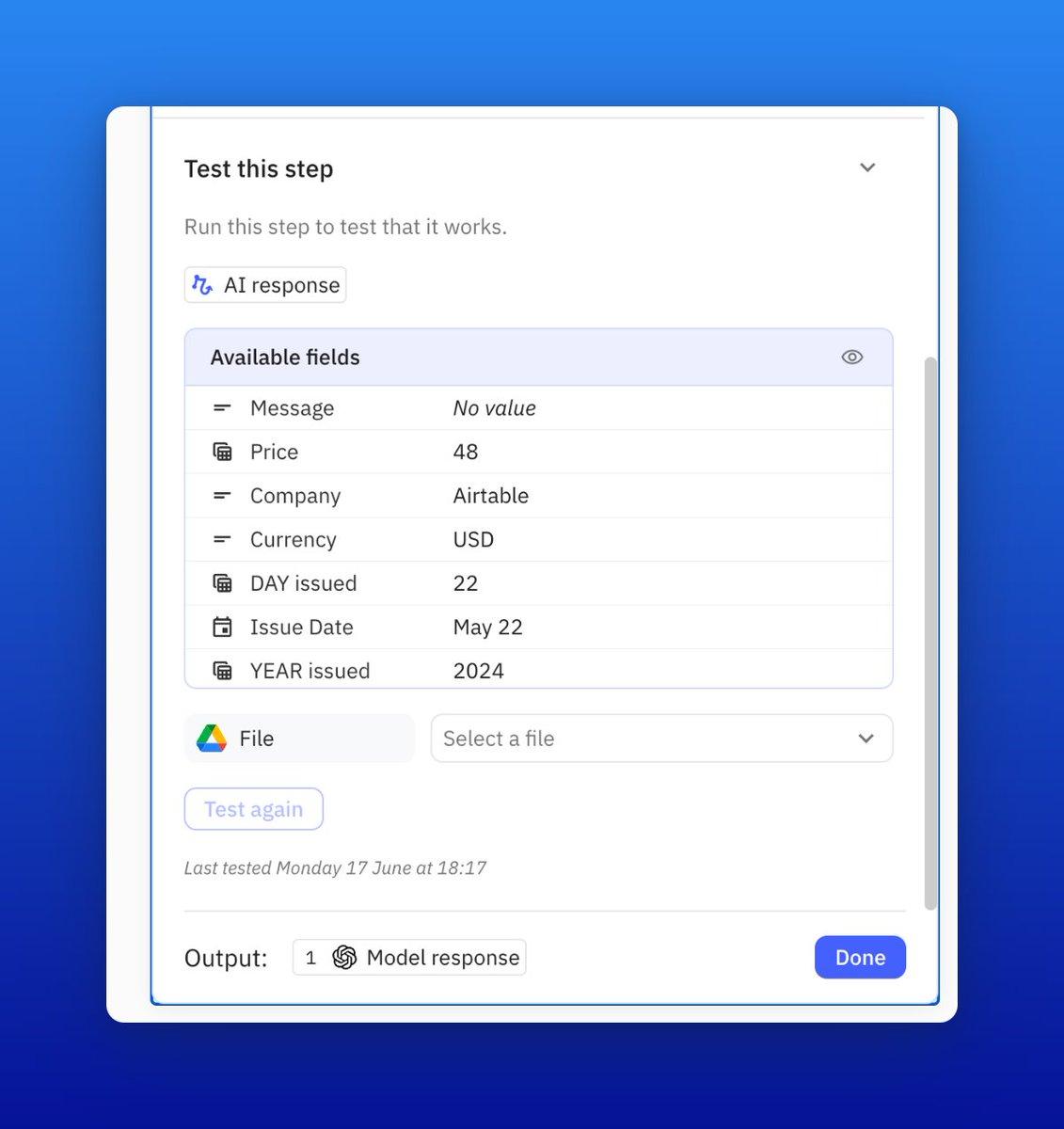
I truly appreciate how @relay presents testing info. You can easily see what you are testing, and the messages are very clear if there's an error.

They are definitely creating a fantastic tool!

Screenshot showing how to test a step in an automated workflow in Relay.app
Photo of Duke Dao
Duke Dao
@dummy_coder
X logo

.@relay is just straight out awesome. Give it a try

Photo of Benjamin Borowski👨‍🚒
Benjamin Borowski👨‍🚒
Twitter verified logo
@typeoneerror
X logo

Relay's "human in the loop" model is super effective for teams. Not only is this the best designed UI for automation building on the market, they've really thought about how not everything can be automated. Fantastic for building operationalized SOPs.

Photo of Notion Coach
Notion Coach
Twitter verified logo
@NotionCoach
X logo

Finally getting a chance to explore @relay and wow, UX feels leaps ahead of Zapier/Make.

Photo of Maayan
Maayan
Co-Founder at Elementary

You saved me thousands of dollars in engineering work.

Photo of Eva (Ziki) Zivanovic
Eva (Ziki) Zivanovic
Twitter verified logo
@ZikiDoesNotion
X logo

If you’re never heard of @relay you’re missing out BIG TIME.

Relay.app is an automation app that has been getting a lot of traction lately.
And for good reason.

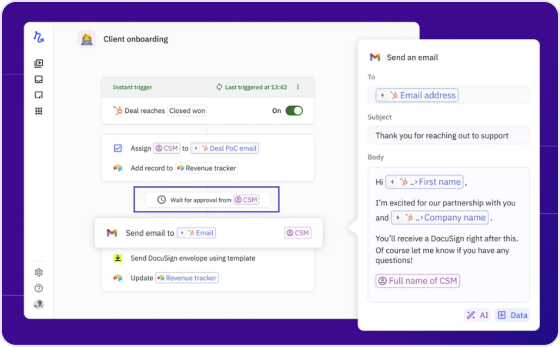
What makes them unique on the market is their Human-In-The-Loop functionality.

This functionality basically allows your company to add intermediate manual steps that can add unique judgment, context, and perspective.

Client onboarding workflow screenshot in Relay.app

New to Relay.app? Learn how to automate your first workflow

What will you automate?

Sign up and get started with your first Relay.app workflow today.
Background imageBackground image