Every state of the customer lifecycle is an opportunity to improve activation or retention. You should be automating this!
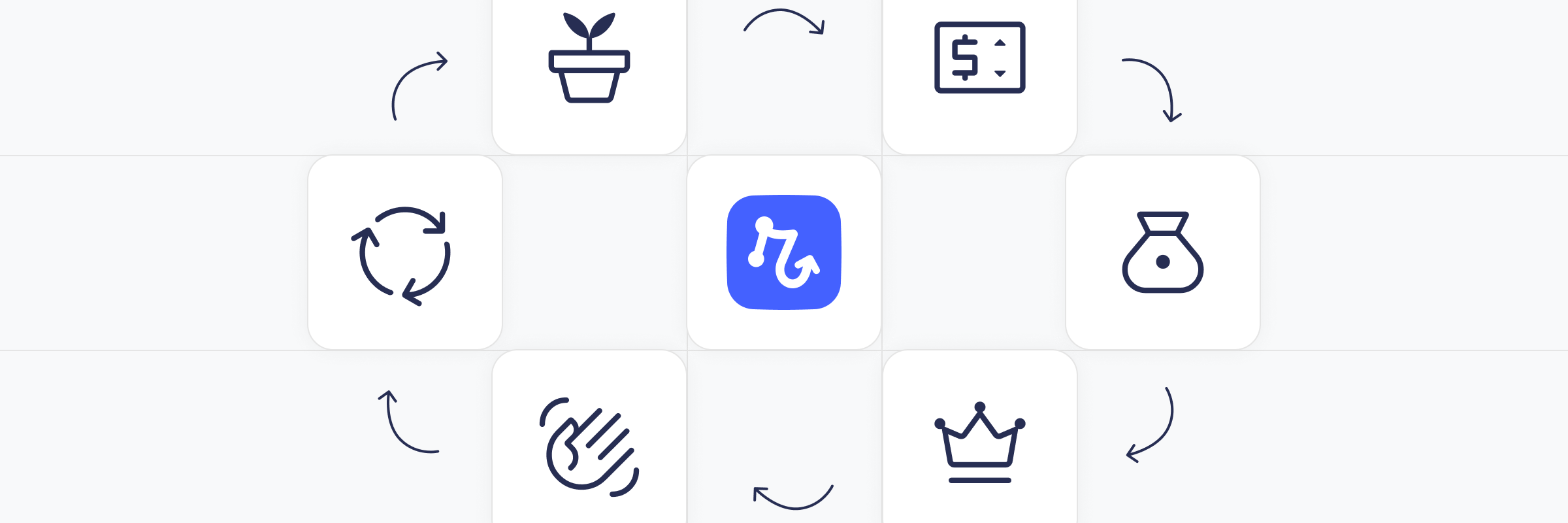

Every stage of the customer lifecycle, from sign up, to conversion to paid, to upgrade, to churn, is your team's cue to kick off the relevant tasks for customer activation or retention. But this can be a lot of tasks, for a lot of customers! It's hard to do consistently and timely if you're doing it manually. And skipping taking action at any stage will leave opportunities on the table.
That's why you need to automate these tasks. At each of these lifecycle moments, a well designed AI workflow can help you act quickly, reduce work for you, avoid human error, and ultimately make the customer more successful.
I'll walk you through the six most important lifecycle events in the customer journey and give examples of high value automations that you will likely want at each stage, from table-stakes operational updates to high leverage campaigns.
TL;DR
First, a quick summary if you only have a minute. This post covers the key automations to build at each of the six stages of the customer lifecycle. At each stage, you'll run baseline automations (CRM update, revenue dashboard sync, team notification) and stage-specific automations:
Free signup: Welcome email sequence, onboarding task assignment, behavioral re-engagement triggers
Paywall hit: Immediate targeted conversion email, trial offer, sales alert for high-value accounts
New paying customer: Paid welcome sequence, internal kickoff task, review request seeding
Upgrade: Feature unlock confirmation, advocacy and referral pipeline trigger
Churn: Cancellation survey, graceful offboarding email, delayed win-back sequence
Reactivation: "Welcome back" sequence, elevated success team attention for the first 60 days
The baseline: Every lifecycle event needs these 3 basic automations
Before getting into stage-specific playbooks, there's a set of automations that should fire on every lifecycle event without exception:
CRM update: The customer record should reflect the new status, timestamp, and any relevant metadata (like plan name, trigger source, MRR delta) the moment the event fires.
Revenue dashboard sync: MRR, ARR, churn rate, and expansion revenue metrics should update in real time. No one should be pulling these manually.
Slack notification: The right channel (e.g.
#new-customers,#churn) should get a formatted message: who, what plan, what changed, and a direct link to the CRM record. Keep it skimmable.
On top of this base, you can add more advanced automations that correspond to the lifecycle stage.
Stage 1: New user from a free signup
What happened
Someone just created an account. They haven't paid anything. This is your highest-volume event and your best shot at converting a curious person into a long-term customer.
High-leverage automations
1. Welcome email sequence. Don't send one email; send a short drip campaign. Something like:
Day 0: A warm welcome with the single most important thing to do first.
Day 2: A nudge toward the "aha moment" (the action that correlates most with conversion).
Day 5: Social proof, like a customer story relevant to their use case if you captured it at signup.
Day 10: A check-in offer, such as a short onboarding call or a live demo.
2. Onboarding task assignment. If you have a success or sales team, automatically create an onboarding task in your project management tool for high-fit signups, like those from target industries, company sizes, or traffic sources. Don't have a person touch every free user, but do flag the ones worth it.
3. In-app behavior tracking. Trigger additional automations based on what the user does (or doesn't do) inside the product. If they haven't completed a key setup step within 48 hours, fire a specific re-engagement email. Behavioral triggers consistently outperform time-based ones.
Stage 2: Paywall triggered
What happened
A free user hit a feature or usage limit. This is the highest-intent signal a non-paying user can send: They want to do something your product does, and they've run into a gate. This moment is often wasted!
High-leverage automations
1. Immediate conversion email. Send a targeted email within minutes, not a generic upgrade prompt, but one specifically about the feature they just tried to use. "You just tried to use [feature]. Here's what you'd unlock with [Plan]." Include a direct link to upgrade.
2. Trial offer trigger. If conversion rates from paywall to paid are low, consider automatically offering a time-limited trial of the paid tier at the moment of paywall friction. Capture the intent while it's hot.
3. Sales alert for high-value accounts. If a paywall trigger comes from a company with >50 employees, or from a domain that matches a target account list, fire a real-time Slack alert to the relevant sales rep with context: What feature they hit, how active they've been, and a link to the CRM record. These are your warmest leads!
Stage 3: New paying customer
What happened
All right, someone converted! This is your most important event. Celebrate it, operationalize it, and set up the relationship for long-term success immediately.
High-leverage automations
1. Paid welcome sequence. Different from the free welcome.
Day 0: Confirmation + what to expect next.
Day 1: "Getting started" guide focused on the feature that drove conversion.
Day 3: Introduce advanced features they haven't touched.
Day 7: Check-in from a real person (or a well-written email that feels like one).
Day 14: Ask for feedback on what's working and what isn't.
2. Internal kickoff task. For higher-ACV customers, automatically create a customer kickoff task for the success team the moment payment is confirmed. Assign it automatically to the right person based on territory or vertical, with the customer context pre-populated.
3. Review request seeding. Add the new customer to a review request email sequence targeting G2, Capterra, or other relevant review sites. New customers who just had a positive conversion experience are your best reviewers, so don't wait too long to ask.
Stage 4: Upgrade
What happened
An existing paying customer moved to a higher plan, nice! This is pure expansion revenue, and it tells you something important: The customer is finding value and wants more. It also flags them as an advocate candidate.
High-leverage automations
1. Upgrade confirmation + feature unlock email. Immediately confirm the upgrade and highlight what's now available to them. Make it feel like a moment, not just a receipt.
2. Advocacy pipeline trigger. Automatically add upgraded customers to your NPS or advocacy workflow. Upgrade is the highest-intent positive signal you have. This is the right time to ask for a referral, a case study, or a testimonial.
Stage 5 (hopefully never happens!): Churn
What happened
A customer cancelled. This is the hardest event to process, but it's also one of the richest sources of signal. The automation goal here is twofold: capture the learning, and create a future re-entry point.
High-leverage automations
1. Cancellation survey. Before the cancellation is confirmed (ideally in the cancellation flow itself), capture the reason. This data should flow automatically into your CRM and into a churn reason dashboard that the product and leadership teams review weekly.
2. Offboarding email. A graceful exit email that confirms cancellation, explains what happens to their data, and, importantly, leaves the door open. "If things change, you can reactivate anytime. We'll keep your data for 30 days." Tone matters enormously here. Avoid guilt or sounding desperate.
3. Delayed win-back sequence. Add churned customers to a win-back sequence that starts 30 days after churn. Not immediately! Let the frustration, if there was any, cool.
Day 30: A "we've been listening" email highlighting what's changed or improved.
Day 60: A targeted offer (discount, extended trial) based on what plan they were on.
Day 90: A final check-in.
4. Competitive intelligence trigger. If the churn reason indicates they moved to a specific competitor, tag the CRM record.
Stage 6: Reactivation
What happened
A churned customer came back! This is an underappreciated event. Reactivated customers often have higher LTV than first-time converters because they know the product and made a deliberate decision to return.
High-leverage automations
1. Reactivation welcome sequence. This should be different from the standard new customer welcome. Acknowledge that they've been away. "Welcome back" is more powerful than "Welcome."
Day 0: Warm acknowledgment + what's changed since they left.
Day 2: Highlight new features or improvements released during their absence.
Day 5: check-in from the CSM or founder.
2. High-priority success flag. Mark the reactivated account for elevated attention in the first 60 days. They churned once, so the goal is to understand what's different this time and make sure they get to value faster than they did in their first run.
How do you build these?
If this all sounds good to you, but you're not sure how to get the ball rolling with automation, then Relay.app is your place to start. Its suitable for people of all technical abilities, from novice to developer.
About
Relay.app
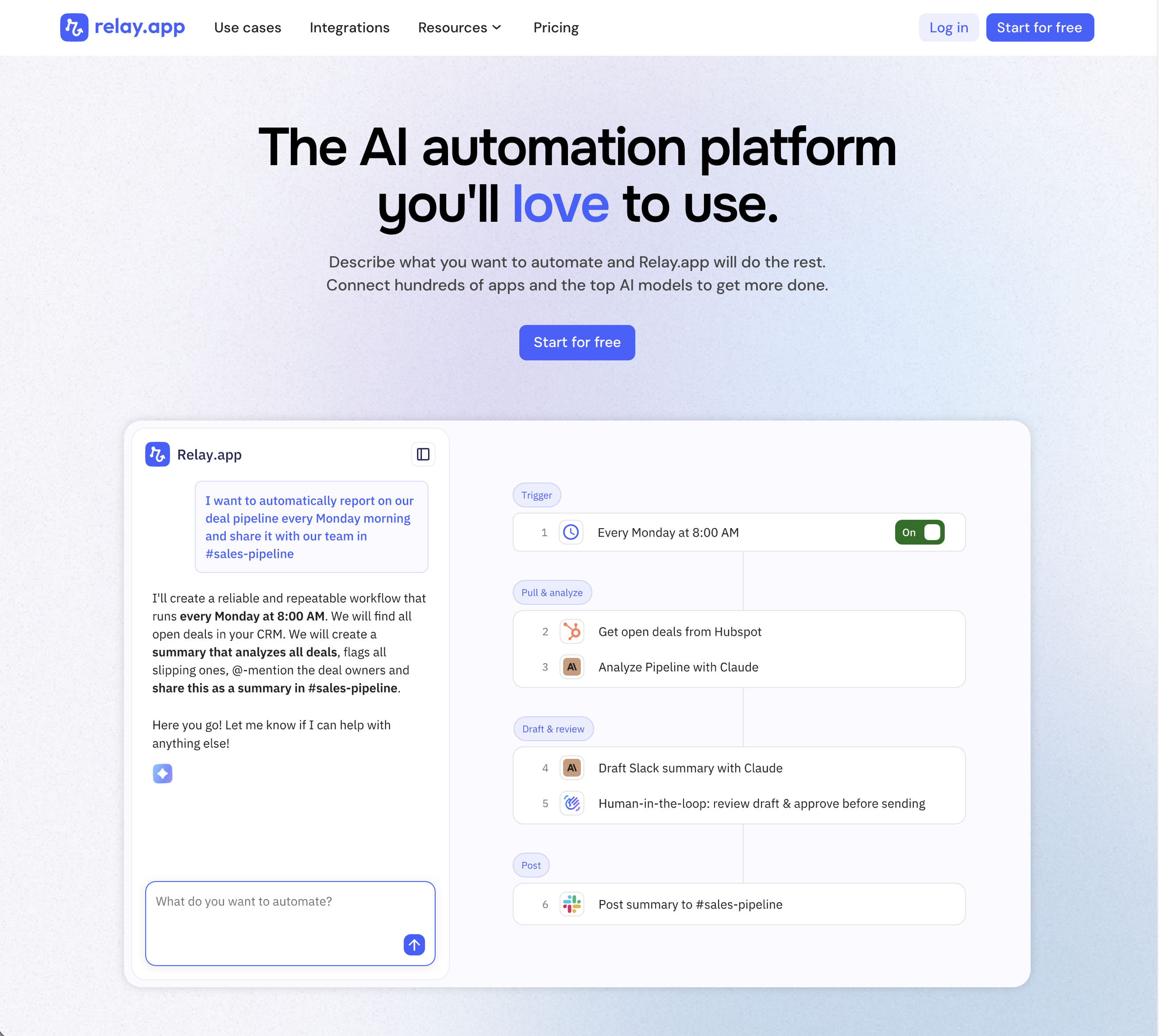
Relay.app is the most intuitive way to automate with AI. Just describe what you want to automate, and Relay.app will build a reliable, visual workflow for you. Relay.app connects with 200+ apps and all the top AI models. Non-technical users who have struggled with less user-friendly tools like Zapier or Make can easily create AI workflows in minutes, while longtime automation experts have all the advanced tools they need to build complex flows.
Product details
Designed to be intuitive to use: Relay.app is thoughtfully designed for individuals and teams of all technical abilities, from novice to expert.
An AI assistant optimized to build workflows for you: Chat with the AI assistant to build, test, and optimize workflows. It will proactively spot issues and make suggestions for you.
Hundreds of native integrations, plus custom API calls: 200+ deeply built, first-class native integrations. Don't see your app on the list? Just describe what you need and Relay.app's AI assistant will write a custom API call for you.
Collaborative building: Share workflows and app connections across your team for seamless multiplayer automation.
Human-in-the-loop oversight: Bring a teammate in when you need real life approvals, data entry, or manual review.
Universal AI credits for any AI model: Access the best models from OpenAI, Anthropic, and more using included AI credits.
Predefined processes for token efficiency: Set up a token-free structure for repeated work and limit AI tool calls to just the places you need them.
Technical power: Advanced users can go further with rich native tables, custom JavaScript steps, MCP servers, and custom HTTP requests.
Pricing
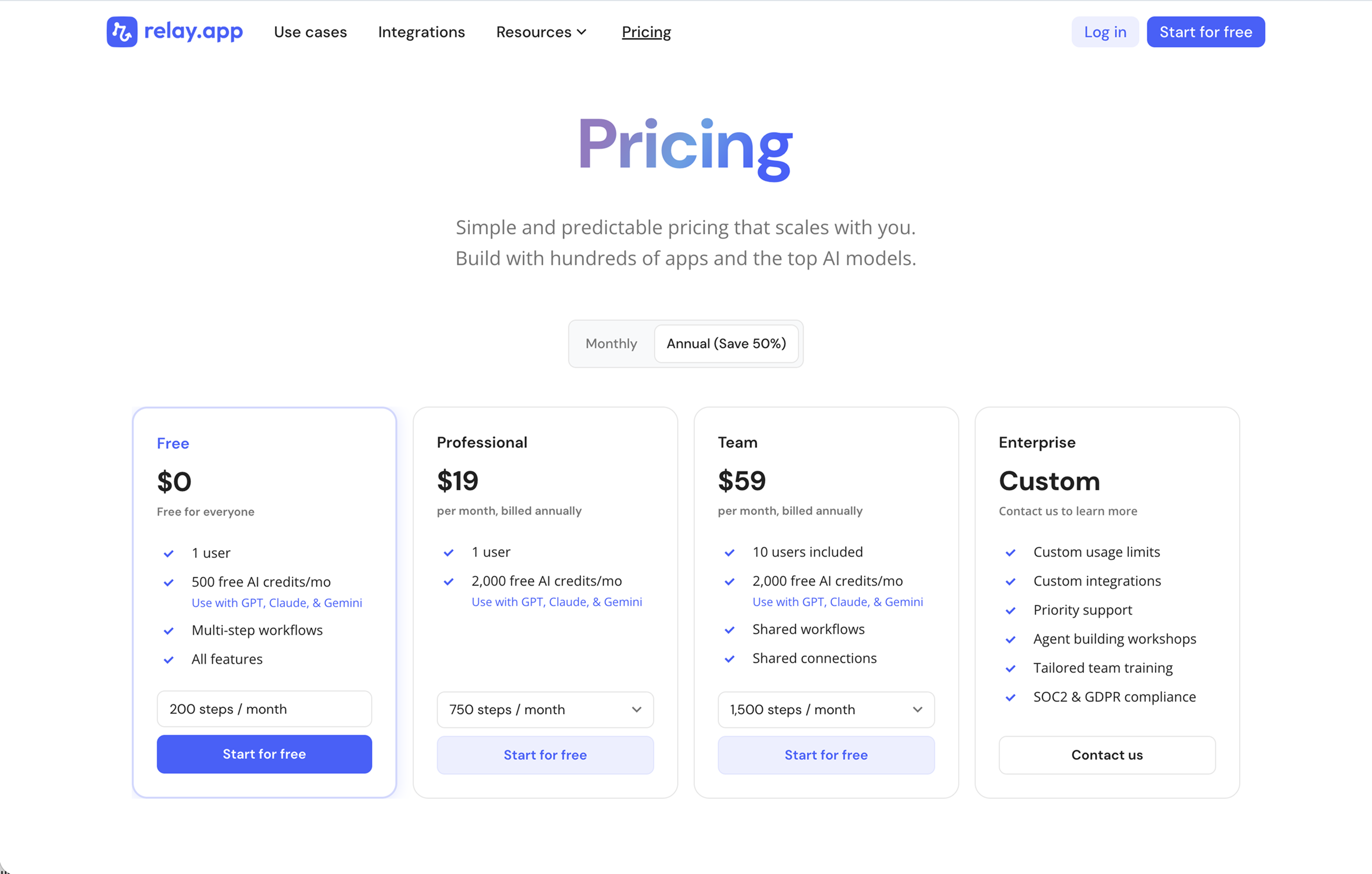
Relay.app's plans scale with your usage and team, starting with a generous free tier. All plans include free test runs that refresh every week so you can make sure everything works perfectly before you start paying.
Free: $0/month for 1 user, 200 steps, and 500 AI credits
Professional: $19/month (billed annually) for 1 user, 750 steps, and 2,000 AI credits
Team: $59/month (billed annually) for up to 10 users, 1,500 steps, and 2,000 AI credits
Enterprise: Custom pricing for organizations with advanced usage or security requirements
Putting it together
The highest-performing lifecycle automation stacks share a few characteristics. They use a single source of truth (typically your CRM) as the system that all events write to and all logic reads from. They distinguish between operational automations (the plumbing) and engagement automations (the campaigns), and they build the former before layering in the latter. And they treat every lifecycle event not just as a moment to respond to, but as a data point that makes the next interaction smarter.
The six stages above aren't independent. A user who hit the paywall twice before converting should get a different welcome than one who upgraded the same day they signed up. Start simple, instrument everything, and let the data tell you where to invest next.
Annika Crowley
Founding Designer

Annika is the Founding Designer at Relay.app. Prior to Relay.app, Annika led design for Gmail & Google Chat, where she designed AI tools like Smart Compose. Before Google, Annika worked at startups including an AI calendar company called Timeful.
FAQs
Which Relay.app plan should I start with?
Relay.app has a free plan, so start there. Once you reach the free plan's step or AI credit limit, upgrade to a paid plan. The difference between the Professional and Team plan is the number of users. Upgrade to Professional if it's just you, and upgrade to Team if you're working with others. And we suggest going with annual billing because it comes with a good discount! Learn more at www.relay.app/pricing.
What's the best AI automation tool for small businesses and entrepreneurs?
For small businesses and entrepreneurs or solopreneurs, Relay.app has the best combination of ease of use, AI capabilities, and value. It has a generous free plan to get started, built-in AI credits (so you don't need separate OpenAI or Anthropic subscriptions), and human-in-the-loop features that keep you in control of AI-driven processes. Other strong options include Zapier (if you need connections to niche or legacy tools) and Make.com (if you're a power user who wants maximum flexibility at a lower price point).
What does human-in-the-loop mean?
Human-in-the-loop means adding checkpoints in your workflows where a person can review, approve, or provide input before the automation continues. This is particularly useful for AI-powered workflows, where an AI output needs human judgment for high-stakes decisions. Relay.app lets you add approval steps, data input forms, and AI output reviews anywhere in a workflow, all manageable from Slack or email.
Do I need technical skills to debug and maintain automations in Relay.app?
No. Relay.app's AI assistant can proactively detect issues in your workflows and suggest fixes, so you don't need to understand error codes or API responses. You can also chat naturally with the AI assistant and ask questions about what happened in any past run. This makes Relay.app one of the easiest platforms to maintain long-term, even for non-technical users.