Looking for a Zapier alternative? We ranked the 10 best automation tools in 2026, including AI agent builders, open-source options, and free plans to fit every budget and skill level.

Ready for an alternative to Zapier?
For over a decade, Zapier has been the default choice for workflow automation. It boasts 8,000+ integrations, practically invented the "connect your apps" category, and remains the name most people think of first.
But even loyal Zapier users are starting to look elsewhere. Here's why:
Price — Zapier's task-based pricing adds up fast. Every action step in a multi-step workflow counts as a task, and the Professional plan starts at $19.99/month for just 750 tasks. Zapier has also introduced separate pricing for AI Agents, meaning teams running both traditional Zaps and AI agents need to budget for two subscription types. A team running 50,000 tasks/month can easily spend $400-$600/month before agent costs.
AI capabilities — Zapier was built for simple trigger-action workflows. It has added AI features like Copilot and Agents, but newer tools are purpose-built for agentic AI, with multi-model support, multi-agent orchestration, and workflows that go far beyond what Zapier offers.
User experience — The interface isn't as clean or intuitive as newer platforms. Building a successful multi-step automation still feels clunky compared to tools that let you describe what you want in plain language.
Control and governance — As AI agents take on more complex work, keeping a human in the loop is critical. Zapier has added some governance controls, but several alternatives on this list make human-in-the-loop a first-class feature, not an afterthought.
Whether you're looking for a more modern interface, serious AI agent capabilities, an open-source platform, or simply better pricing, this list covers the 10 best Zapier alternatives in 2026. We'll compare their pricing, features, and ideal use cases to help you find the right automation tool for your needs.
TL;DR
First, if you only have 30 seconds, here's what you need to know:
If you're looking for the best all-around experience at a great price, start with Relay.app.
If you want to build multi-agent AI workflows on a visual canvas, go with Gumloop.
If you're an engineer who wants to self-host or need open-source flexibility, choose n8n.
If you're a power user who needs maximum visual control over complex automations, choose Make.
What to look for in a Zapier alternative
If you're seeking a Zapier alternative, you probably already have a specific frustration in mind. Maybe it's cost, maybe it's complexity, maybe it's the feeling that your automation tool hasn't kept up with the AI revolution. But if you're new to the market, here's what we think matters most in 2026, and what we used as criteria for the tools we reviewed:
👍 Ease of use: The whole point of no-code automation is to save time without programming. Look for an intuitive interface and a smooth builder. The best tools in 2026 let you create workflows just by describing what you want in plain language, a massive UX leap over Zapier's form-based setup.
🔌 Integrations and MCP support: Make sure the platform supports all the apps you need. Zapier still leads with 8,000+ integrations, but competitors are catching up fast, with many now offering 1,000 to 3,000+ native connectors. In 2026, also check for Model Context Protocol (MCP) support, which lets AI agents dynamically connect to external tools and data sources through a universal standard. If a tool doesn't natively support an app, look for webhooks, custom API connectors, or MCP servers.
🤖 AI and agent capabilities: This is where the market has shifted the most. The best Zapier alternatives offer built-in AI agent builders, multi-model support (OpenAI, Anthropic, Gemini, DeepSeek, and more), and agentic workflows that go far beyond simple trigger-action chains. Look for multi-agent orchestration, AI credits included in the plan, and the ability to build agents without managing your own API keys.
🛡️ Human-in-the-loop and governance: As AI agents take on more complex tasks, keeping a human in control is non-negotiable. Look for platforms with built-in approval steps, review flows, and governance features like audit logs, RBAC, and SOC 2 compliance. Several alternatives on this list make human-in-the-loop a core feature, not a bolted-on afterthought.
💸 Pricing and value: Automation tools use wildly different pricing models. Some count "tasks" or "operations," others use credits, and some offer flat tiers or even lifetime deals. Calculate the real cost for your usage. Some Zapier competitors have free plans with generous limits (or even unlimited self-hosted usage) which can save a lot. Also watch how AI features are priced. Some tools include AI credits in every plan, while others charge separately per model or per token.
💡 Note: Every tool on this list offers a free plan or free trial. Explore and experiment to find the Zapier alternative that fits your needs.
The 10 best Zapier alternatives
1.
Relay.app
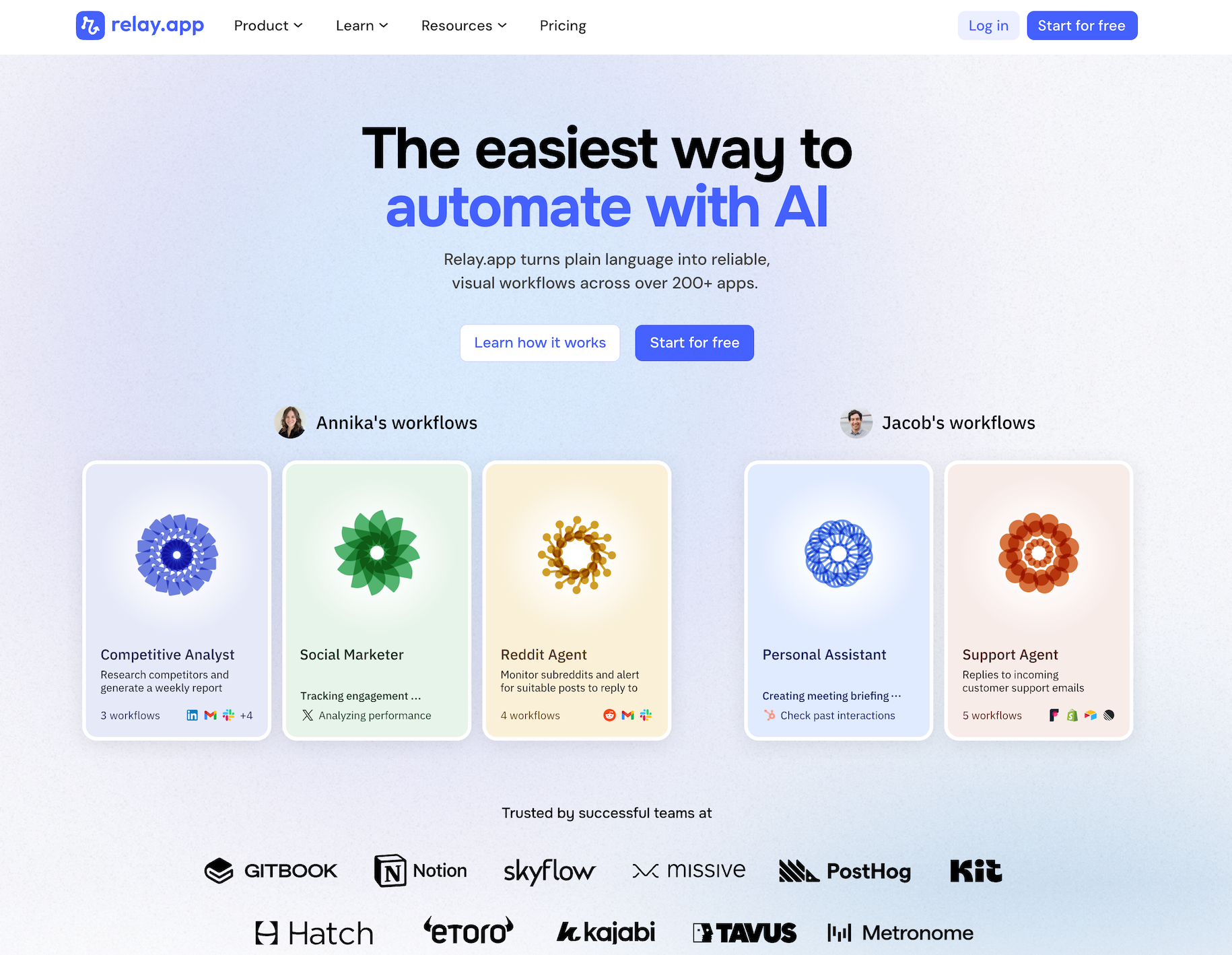
Relay.app is the easiest way to automate with AI. It turns plain language into reliable, visual workflows across over 200 apps. Non-technical users who have struggled with complex tools like Zapier or Make can create reliable AI workflows in minutes just by using plain language. Relay.app handles everything from creation to analysis, while built-in human-in-the-loop features ensure that you stay in control when the stakes are high.
Product details
Ease of use: Relay.app is designed for teams of all technical abilities to automate in minutes.
AI Agent creation: Use natural language to build and improve complex AI workflows effortlessly.
Human-in-the-loop: Add checkpoints to pause workflows for human approval or data entry when needed.
Collaborative features: Share workflows and app connections across your team for seamless multiplayer automation.
Built-in AI models: Access the best models from OpenAI, Anthropic, and more using included AI credits.
Stateful data with Tables: Store and update structured data directly within Relay.app to use across flows.
Technical power: Advanced users can leverage custom JavaScript, MCP servers, and custom HTTP requests.
200+ native integrations: Deeply connected with popular tools like Notion, Gmail, and HubSpot.
Pricing
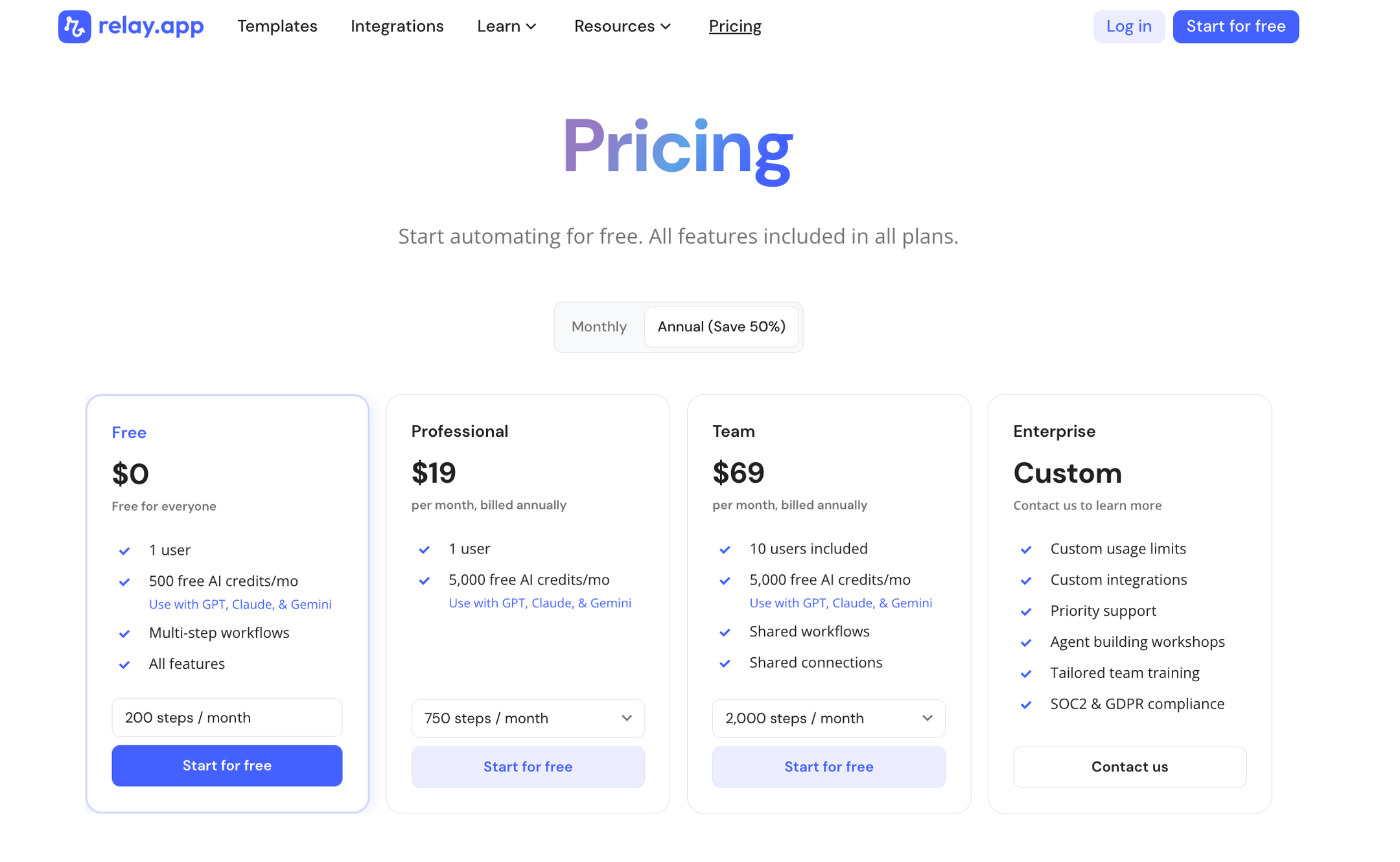
Relay.app offers a range of plans including a generous free tier. All plans include free test runs so you can validate your workflows before they go live.
Free: $0/month for 1 user, 200 steps, and 500 AI credits
Professional: $19/month (billed annually) for 1 user, 750 steps, and 2,000 AI credits
Team: $59/month (billed annually) for up to 10 users, 1,500 steps, and 2,000 AI credits
Enterprise: Custom pricing for organizations with advanced usage or security requirements
2.
Gumloop
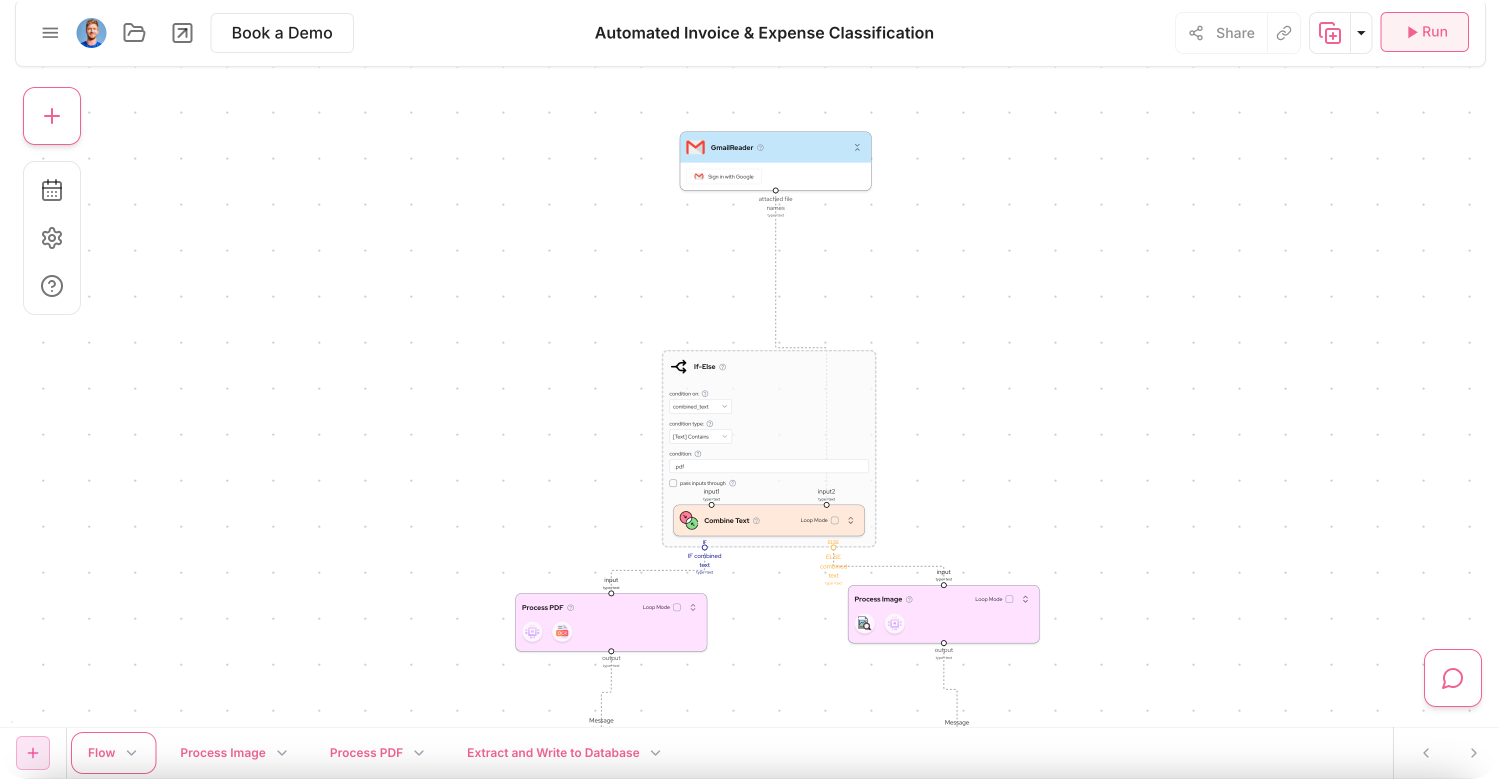
Gumloop is an AI agent platform where teams build, deploy, and manage specialized agents using a visual canvas. Gumloop lets you drag, drop, and connect modular nodes to orchestrate multi-agent workflows for sales, support, data analysis, and operations. It includes built-in access to multiple AI models (OpenAI, Anthropic, Gemini, DeepSeek, and more), plus features like MCP nodes, custom nodes, and a Workflow Builder Agent. Gumloop also emphasizes their security for enterprise customers.
Product details
About Gumloop:
Multi-agent orchestration: Visual canvas for building and connecting specialized AI agents across sales, support, data, and ops.
All AI models under one subscription: Access OpenAI, Anthropic, Gemini, DeepSeek, and more with no per-model fees.
Slack-native interaction: Team members can tag @Gumloop in Slack to interact with agents like co-workers.
Enterprise-grade security: SOC 2 Type II, GDPR, VPC deployments, RBAC, audit logging, and Gumstack AI gateway for centralized monitoring.
Steeper learning curve: The node-based canvas is powerful but takes more time to master than simpler chat-based tools.
Requires technical thinking: Even though it's no-code, understanding programming logic helps you use it effectively.
Pricing
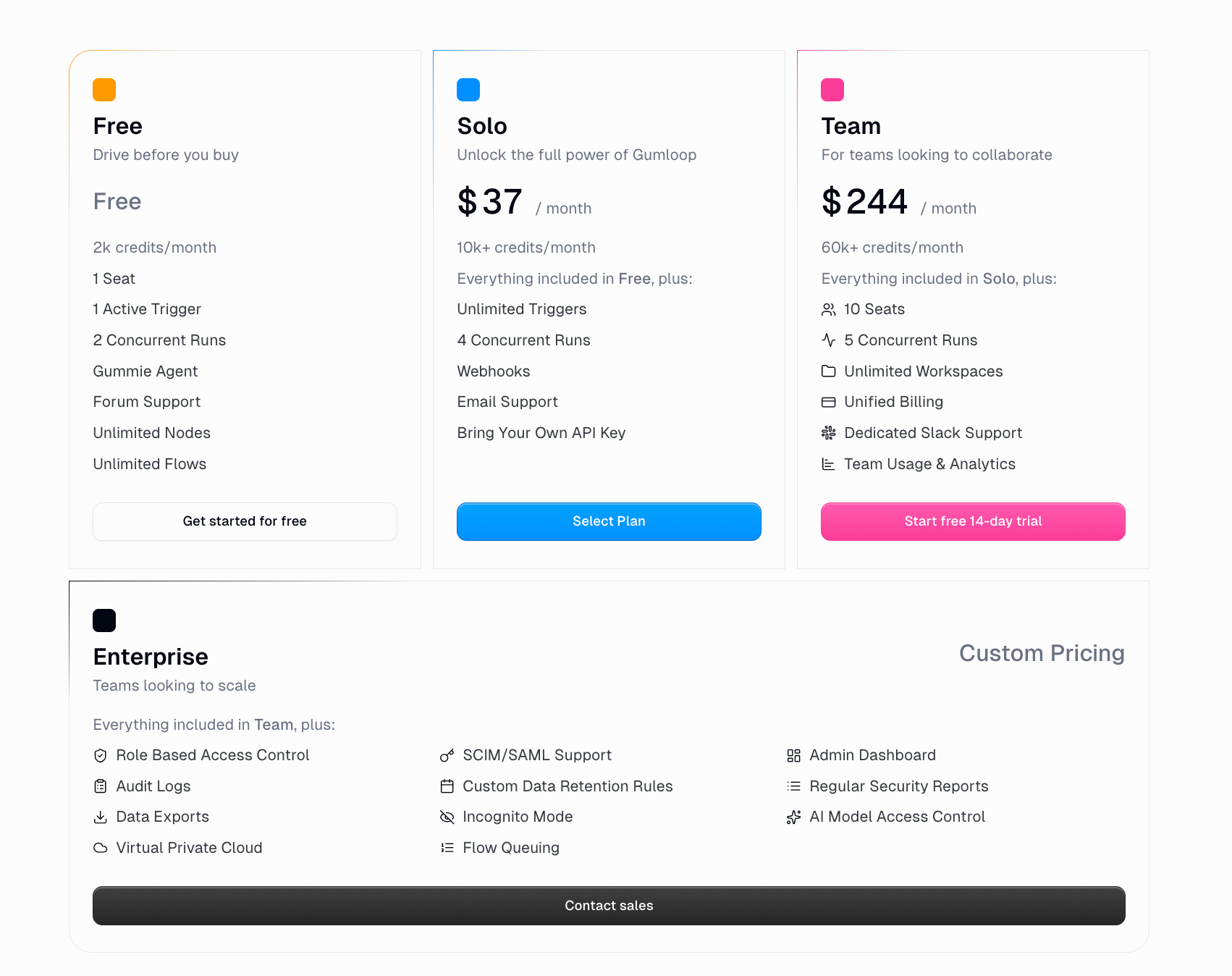
Free: $0/month – 5k credits, 1 seat, 1 active trigger, 2 concurrent runs, Workflow Builder Agent.
Pro: $37/month – 20k+ credits, unlimited seats, unlimited teams, 5 concurrent runs, BYOK support, dedicated Slack support (250k+ credits/mo).
Enterprise: Custom pricing – RBAC, SCIM/SAML, audit logs, VPC, AI model access control, incognito mode, custom data retention, and more.
3.
n8n
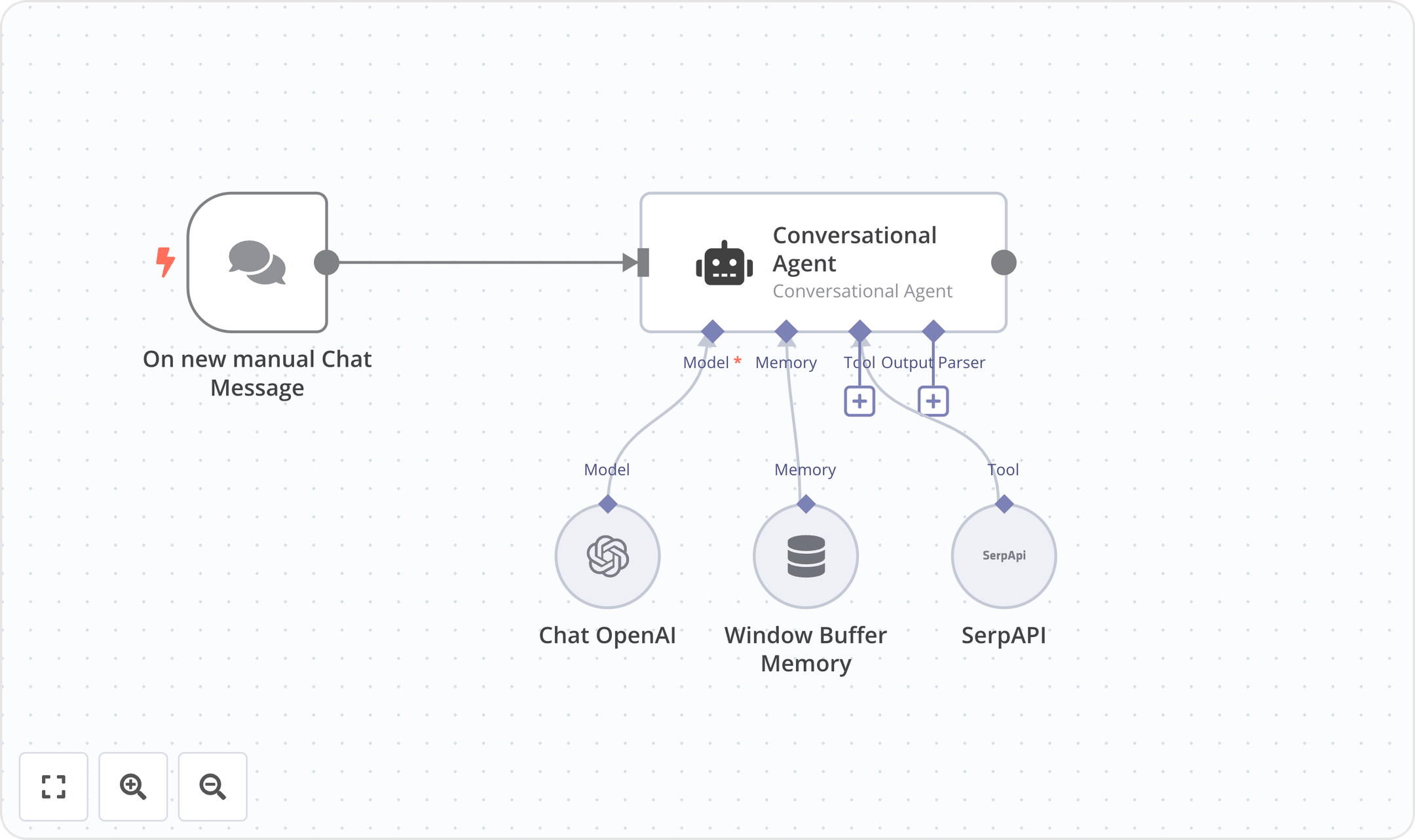
n8n is an open-source workflow automation platform built for technical teams. It combines a visual workflow editor with the ability to write custom JavaScript or Python code, giving technical users incredible flexibility in building automations. n8n has over 500 integrations, 1,700 templates, and self-hosting options, making it a popular tool for IT Ops, DevOps, SecOps, and Sales.
Product details
Code with no-code flexibility: Write JavaScript or Python alongside a visual UI editor.
Self-hosting available: Deploy with Docker and access the full source code on GitHub for total data control.
Execution-based pricing: Pay per full workflow run, not per step or task, making costs more predictable.
Large open-source community: n8n has a huge community with over 200k members who share templates and support.
Steep learning curve: Best suited for technical users. Non-technical team members will struggle with the code-oriented approach.
Pricing
Community Edition: Free. Self-hosted via GitHub, with standard features.
Starter: $20/mo (billed annually). Includes 2.5K executions, 5 concurrent executions, unlimited users, 1 shared project, 50 AI Builder credits, and forum support.
Pro: $50/mo (billed annually). Includes custom executions, 20 concurrent executions, 3 shared projects, 150 AI Builder credits, admin roles, global variables, workflow history, and 7-day insights.
Business: $800/mo (billed annually). Includes 40K executions (self-hosted), 6 shared projects, SSO/SAML/LDAP, Git version control, environments, 30-day insights, and scaling options.
Enterprise: You'll need to contact sales for pricing. Includes custom executions, 200+ concurrent, unlimited shared projects, 1,000 AI Builder credits, external secret store, log streaming, extended data retention, 365 days of insights, dedicated support with SLA, and invoice billing.
Startup Plan: n8n offers 50% off their Business tier for companies with fewer than 20 employees.

4.
Make
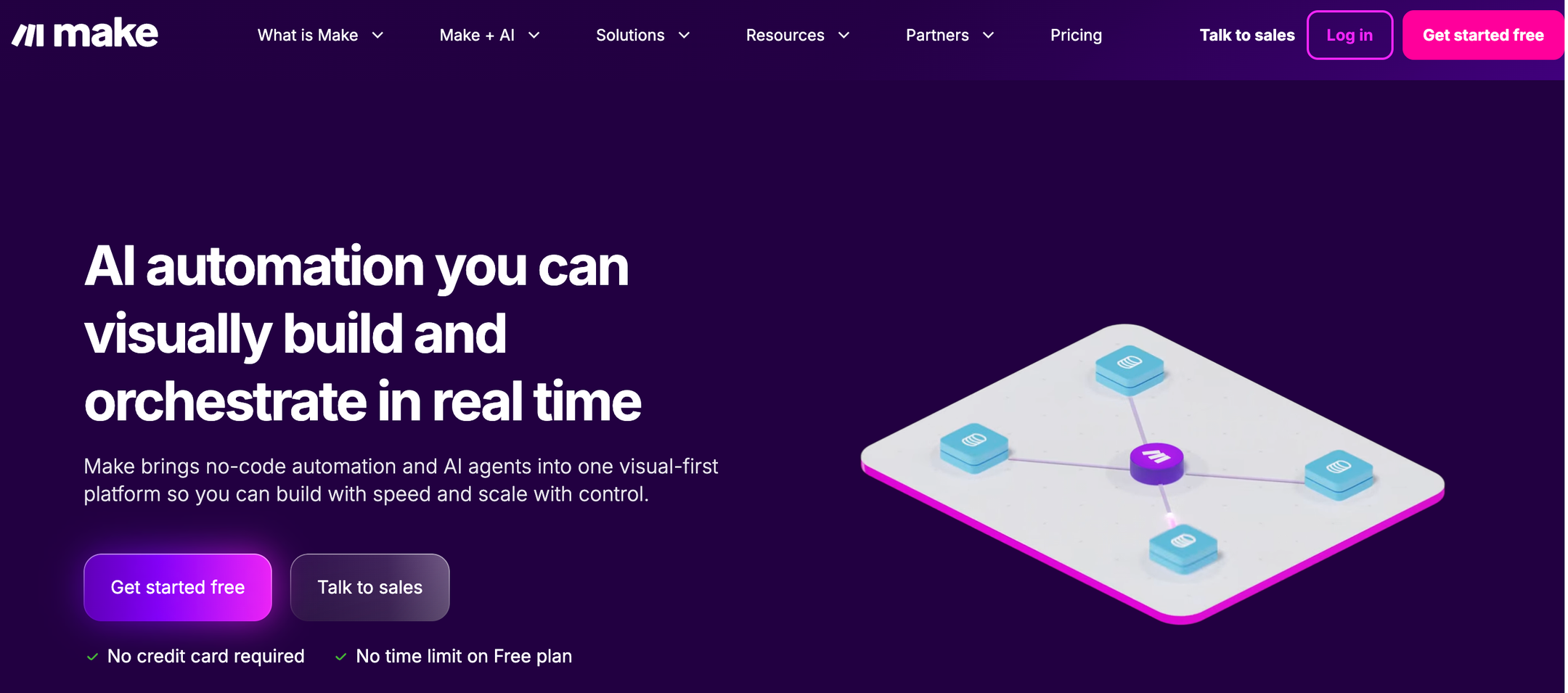
Make is a visual-first no-code automation platform that lets you design complex workflows on a canvas by connecting modules from 3,000+ apps. It supports advanced logic like branching, filtering, iteration, and error handling, making it popular with power users who need more control than simpler tools offer. Make has recently expanded into AI with beta AI Agents, an AI Toolkit, MCP server support, and 400+ AI app integrations including OpenAI, DeepSeek, and Perplexity. Make is well-suited for technical users and teams that need to build sophisticated, multi-step automations with granular control over every step.
Product details
It's a powerful visual scenario builder: The canvas-based editor lets you see exactly how data flows through your automation. Great for debugging and complex logic.
Advanced workflow logic: Supports branching, filtering, iteration, and error handling that most simpler tools can't match.
Strong integration library: Connects with 3,000+ apps, with deep action support across most of them.
Generous pricing relative to complexity: Make offers more operations per dollar than Zapier, making it attractive for higher-volume automations.
Steep learning curve: Make's power comes at a cost. Non-technical users typically need 10–20 hours before feeling comfortable, and concepts like routers, iterators, and aggregators take real investment to learn.
Pricing
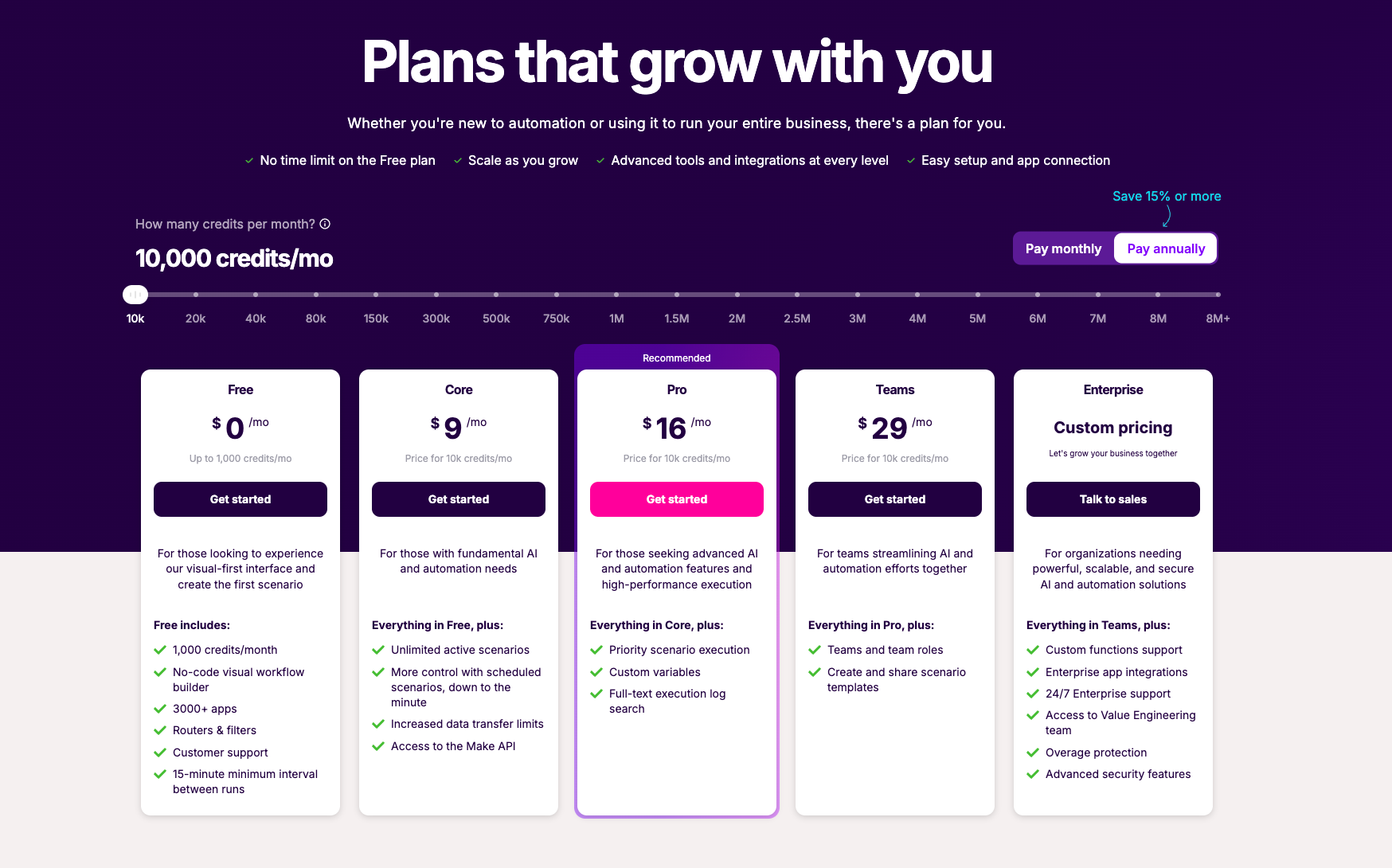
Free: $0/month – 1,000 credits/month
Core: $9/month – 10,000 credits/month
Pro: $16/month – 10,000 credits/month plus priority execution and advanced features
Teams: $29/month – 10,000 credits/month plus team collaboration
Enterprise: Custom pricing
5.
Pipedream
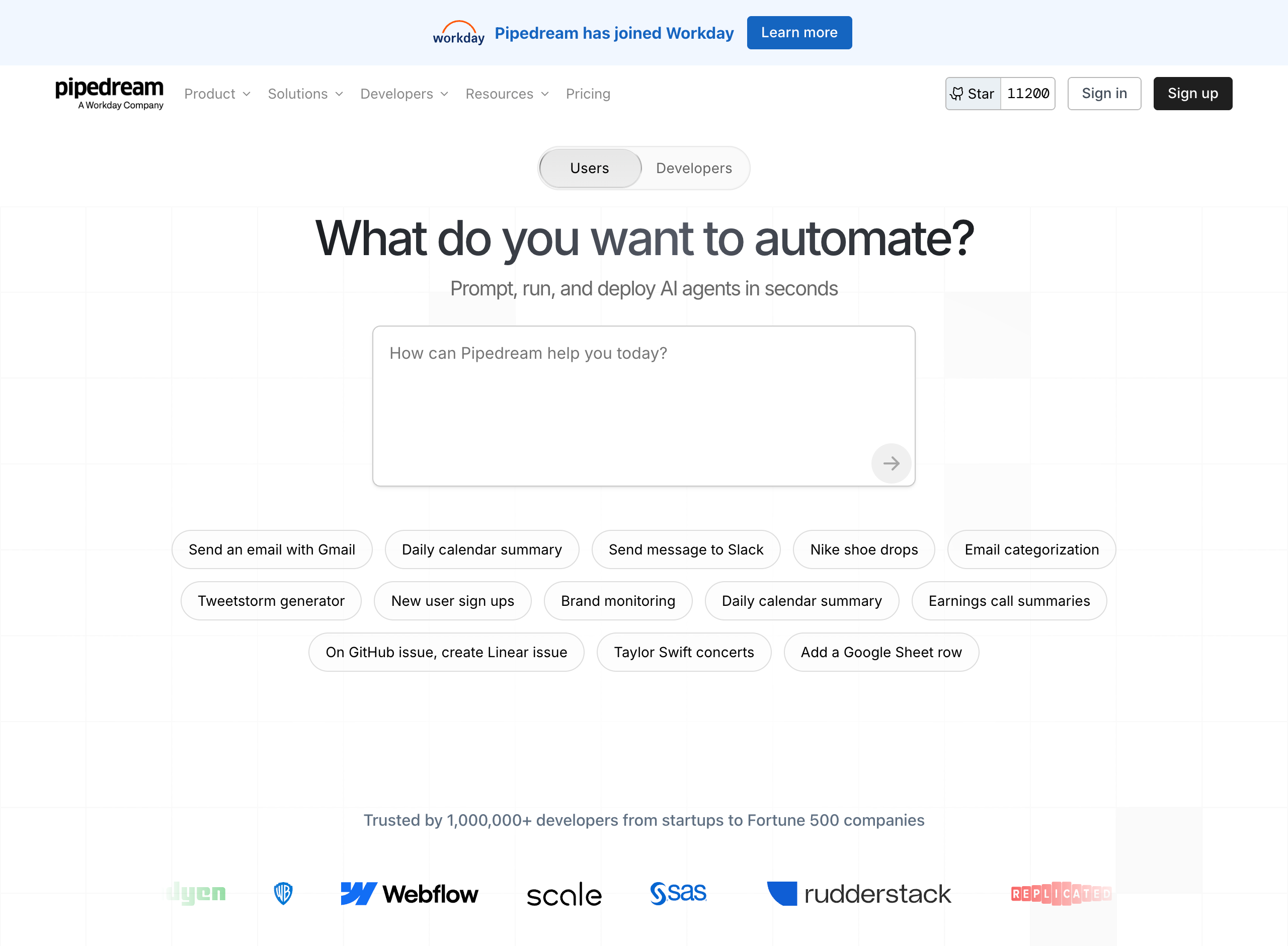
Pipedream is a developer-focused automation and integration platform that lets you connect APIs, AI models, databases, and over 3,000 apps through code-based workflows. It supports writing custom logic in Node.js, Python, Go, and Bash, making it a powerful option for technical users who want full control over their automations. Pipedream also offers an AI Agent Builder for prompting, running, and deploying AI agents, MCP servers that expose 10,000+ tools to any AI assistant, and the Pipedream Connect SDK. In 2025, Pipedream was acquired by Workday, signaling a shift toward enterprise use cases.
Product details
Massive integration library: Connects to over 3,000 apps with 10,000+ pre-built triggers and actions.
Full code flexibility: Write custom logic in Node.js, Python, Go, or Bash, ideal for developers who need fine-grained control.
Strong security posture: SOC 2 Type II, HIPAA, and GDPR compliant, suitable for teams handling sensitive data.
Generous free tier: Get started at no cost with 100 credits/month and unlimited workflow testing.
Developer-oriented: The code-first approach and technical UI can be intimidating for non-technical users.
Pricing
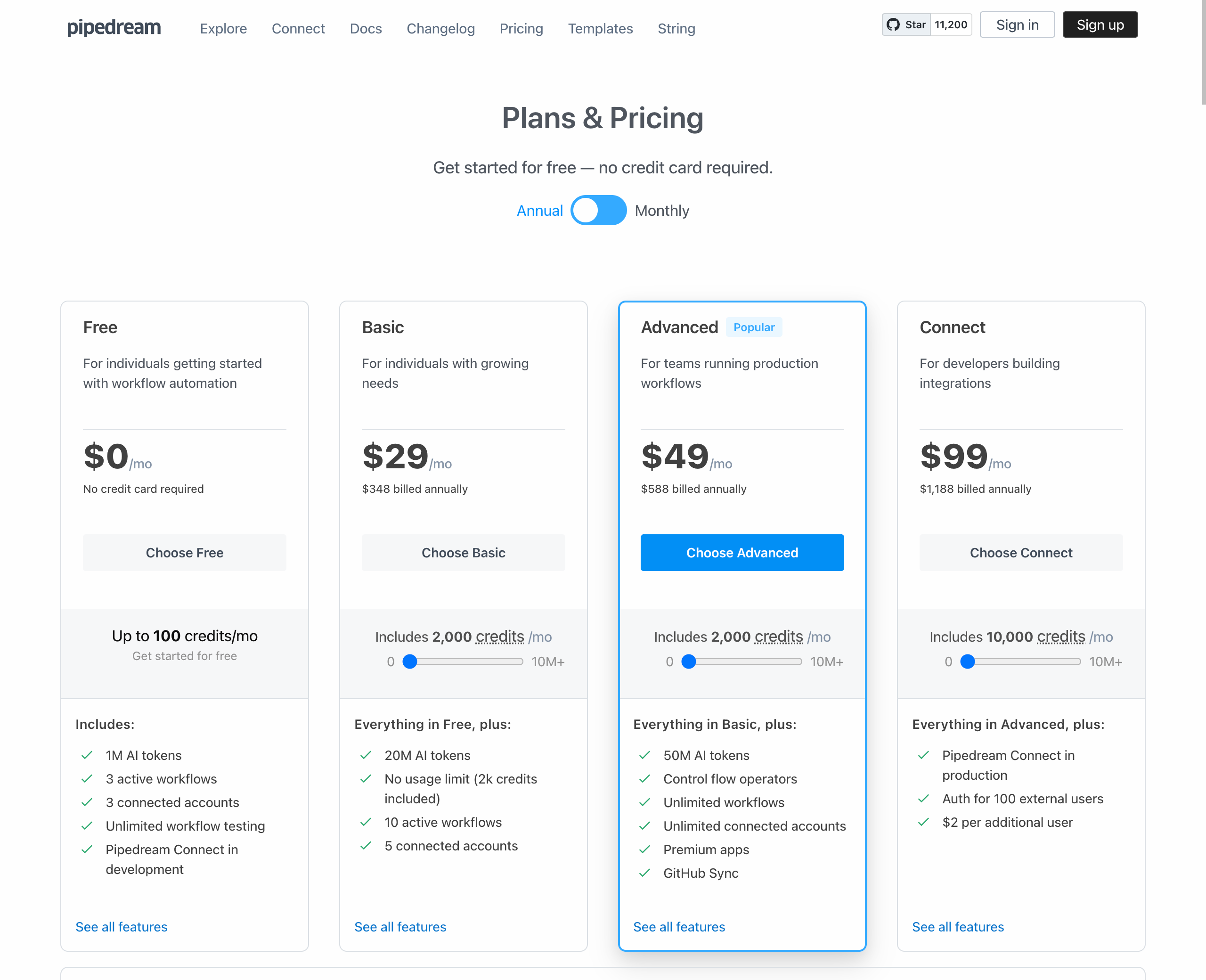
Free: $0/month – 100 credits/mo, 3 active workflows, 3 connected accounts, 1M AI tokens
Basic: $29/month (billed annually) – 2,000 credits/mo, 10 active workflows, 5 connected accounts, 20M AI tokens
Advanced: $49/month (billed annually) – 2,000 credits/mo, unlimited workflows, unlimited connected accounts, premium apps, GitHub Sync, 50M AI tokens
Connect: $99/month (billed annually) – 10,000 credits/mo, Pipedream Connect in production, auth for 100 external users
Business: Custom pricing – volume pricing, dedicated support, HIPAA, SLAs, and custom invoicing
6.
Integrately
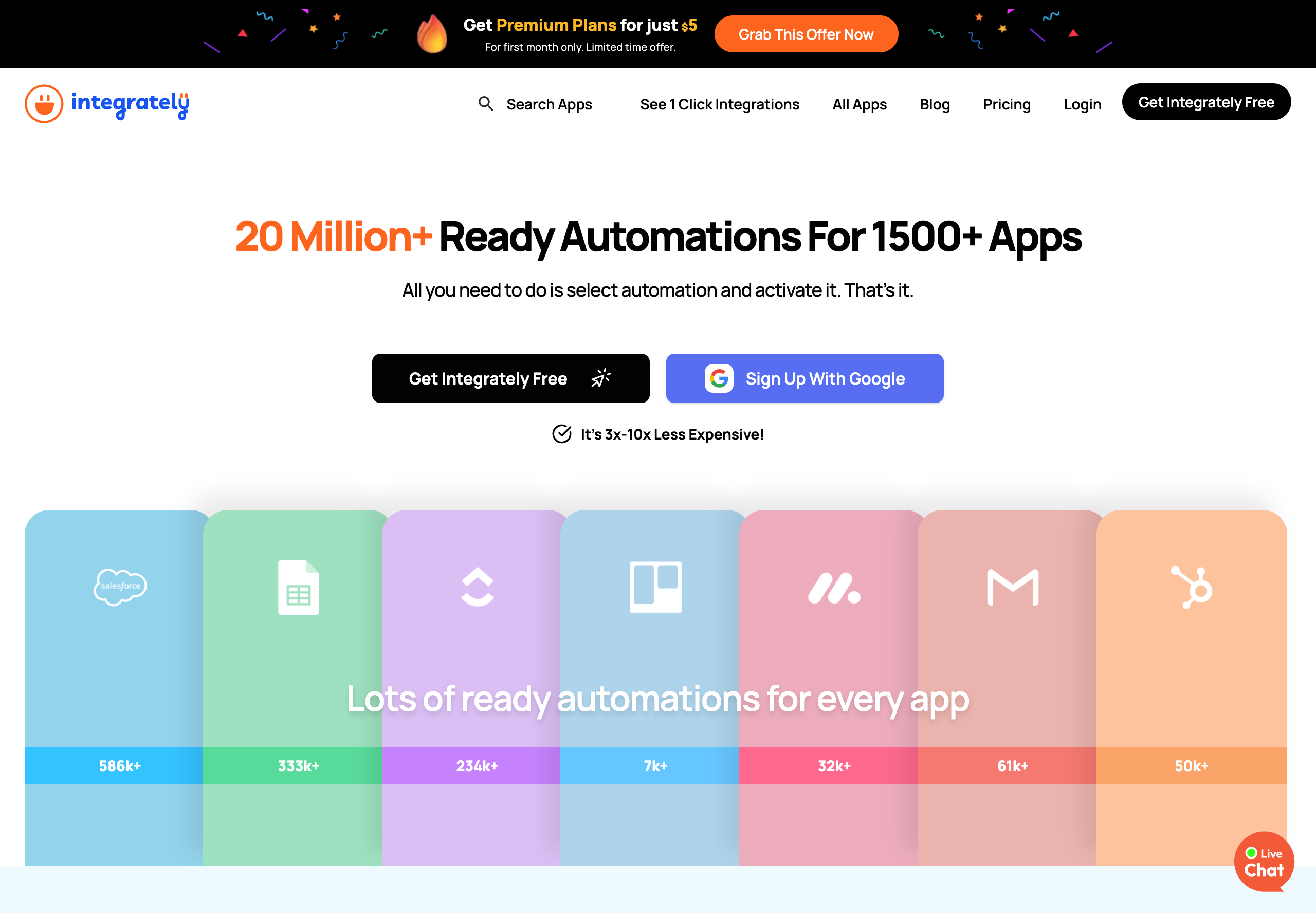
Integrately is an automation platform that connects 1,500+ apps through a library of over 20 million pre-built automations. Its core selling point is simplicity: Users select an automation from the library, connect their accounts, and activate it in just a few clicks. Integrately positions itself as 3x–10x less expensive than competitors like Zapier and Make. The platform supports multi-step workflows, conditional logic, branching, webhooks, and a scheduler on paid plans.
Product details
Massive pre-built automation library: Over 20 million ready-made automations across 1,500+ apps — just select and activate.
Aggressive pricing: Plans start at $19.99/mo (billed annually), significantly undercutting Zapier and Make for comparable task volumes.
SmartConnect feature: Automatically configures app connections so users don't have to map fields or set up triggers manually.
Free triggers: Unlike Make, Integrately doesn't count trigger checks as tasks, which can result in dramatically lower task consumption.
Limited advanced workflow capabilities: Features like branching and auto-retry are locked to higher-tier plans.
No AI agent capabilities: Focused purely on traditional app-to-app integrations with no native AI or LLM features.
Pricing
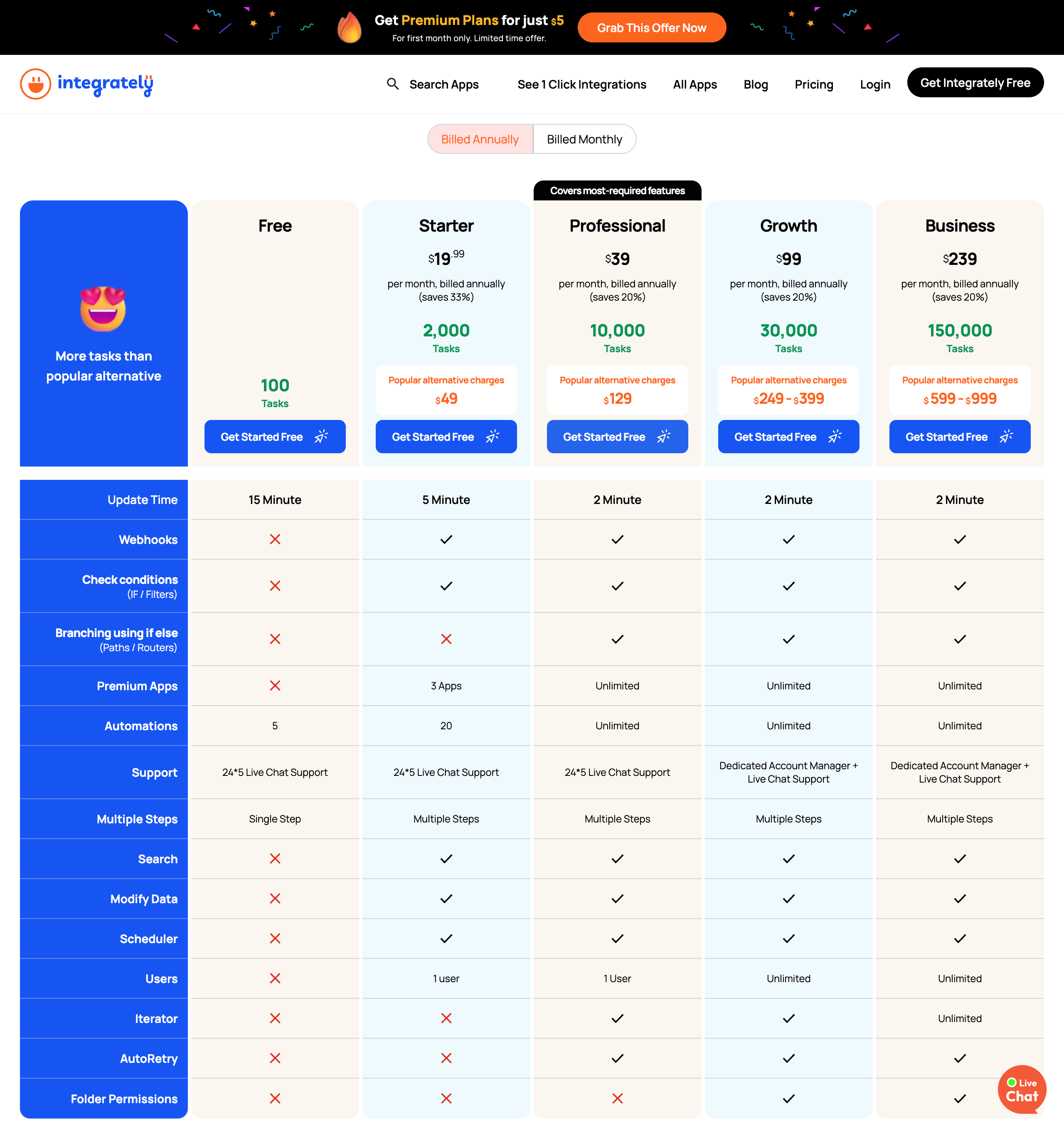
Free: $0/month – 100 tasks, 5 automations, single-step only, 15-min update time
Starter: $19.99/month (billed annually) – 2,000 tasks, 20 automations, multi-step, webhooks, 3 premium apps, 1 user
Professional: $39/month (billed annually) – 10,000 tasks, unlimited automations, branching, iterator, auto-retry, 1 user
Growth: $99/month (billed annually) – 30,000 tasks, unlimited everything, dedicated account manager, unlimited users
Business: $239/month (billed annually) – 150,000 tasks, unlimited everything, dedicated account manager
7.
Albato
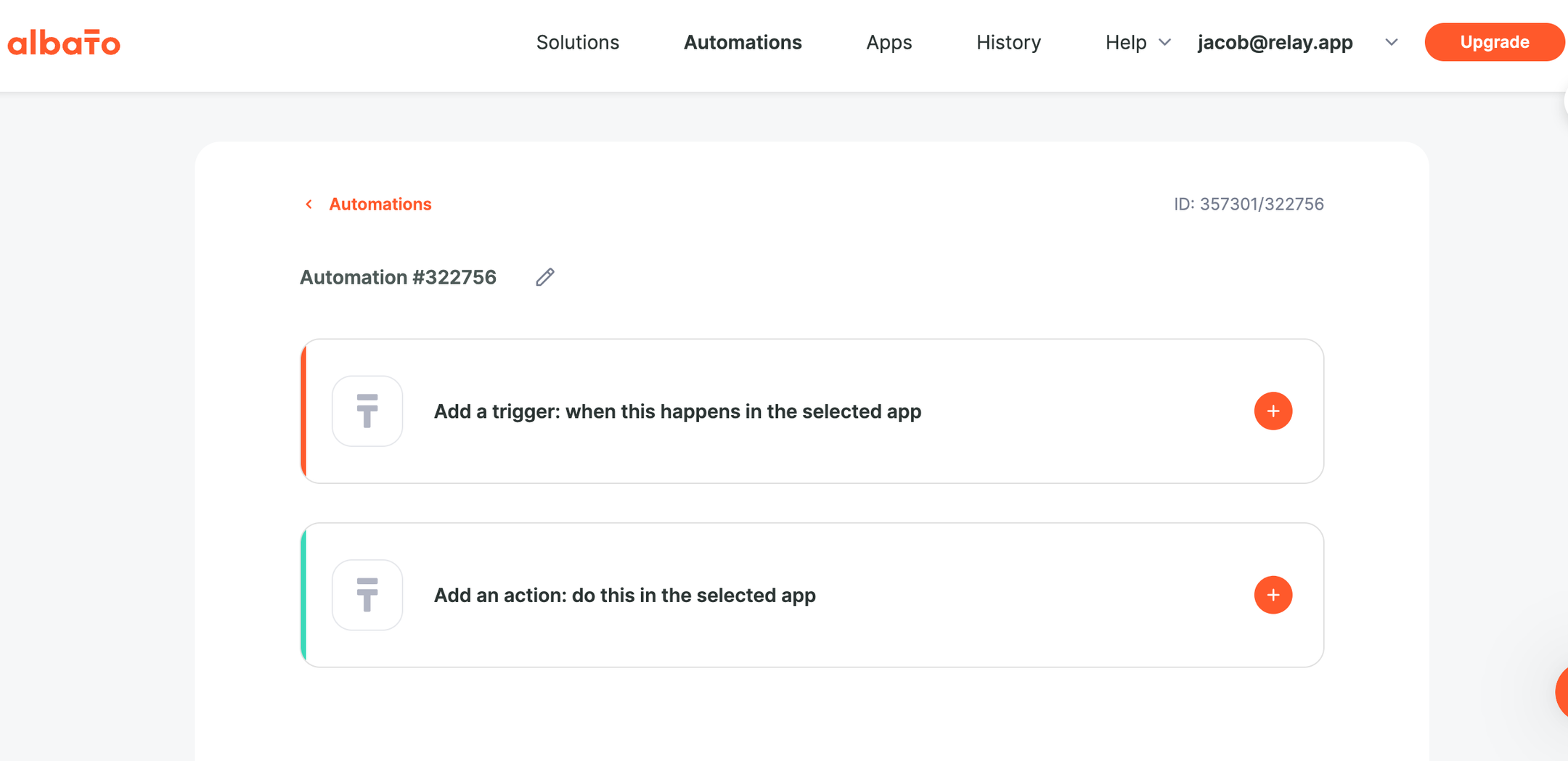
Albato is an AI-driven no-code integration platform (iPaaS) that connects 1,000+ apps and offers 20+ built-in automation tools including routers, webhooks, filters, and JSON parsing. The platform emphasizes affordability, positioning itself as a cost-effective alternative to Zapier and Make, claiming 60% lower automation costs. Albato includes AI integrations with ChatGPT, Gemini, Claude, and other models directly within workflows, with AI Agents coming soon, plus a custom App Integrator that lets users connect any API without code. It also offers a white-label embedded integration product for SaaS companies.
Product details
Very affordable pricing: Plans start at $15/mo (annual), significantly cheaper than Zapier or Make for similar transaction volumes.
Clean, beginner-friendly UI: Users consistently praise the intuitive interface and visual workflow builder as easy to pick up.
Custom App Integrator: Connect any API without code — helpful for niche tools not in the native library.
Responsive human support: Live chat with fast response times and a team that actively incorporates user feedback.
Rich integration library: Integrates with over 1,000 other apps natively.
Pricing
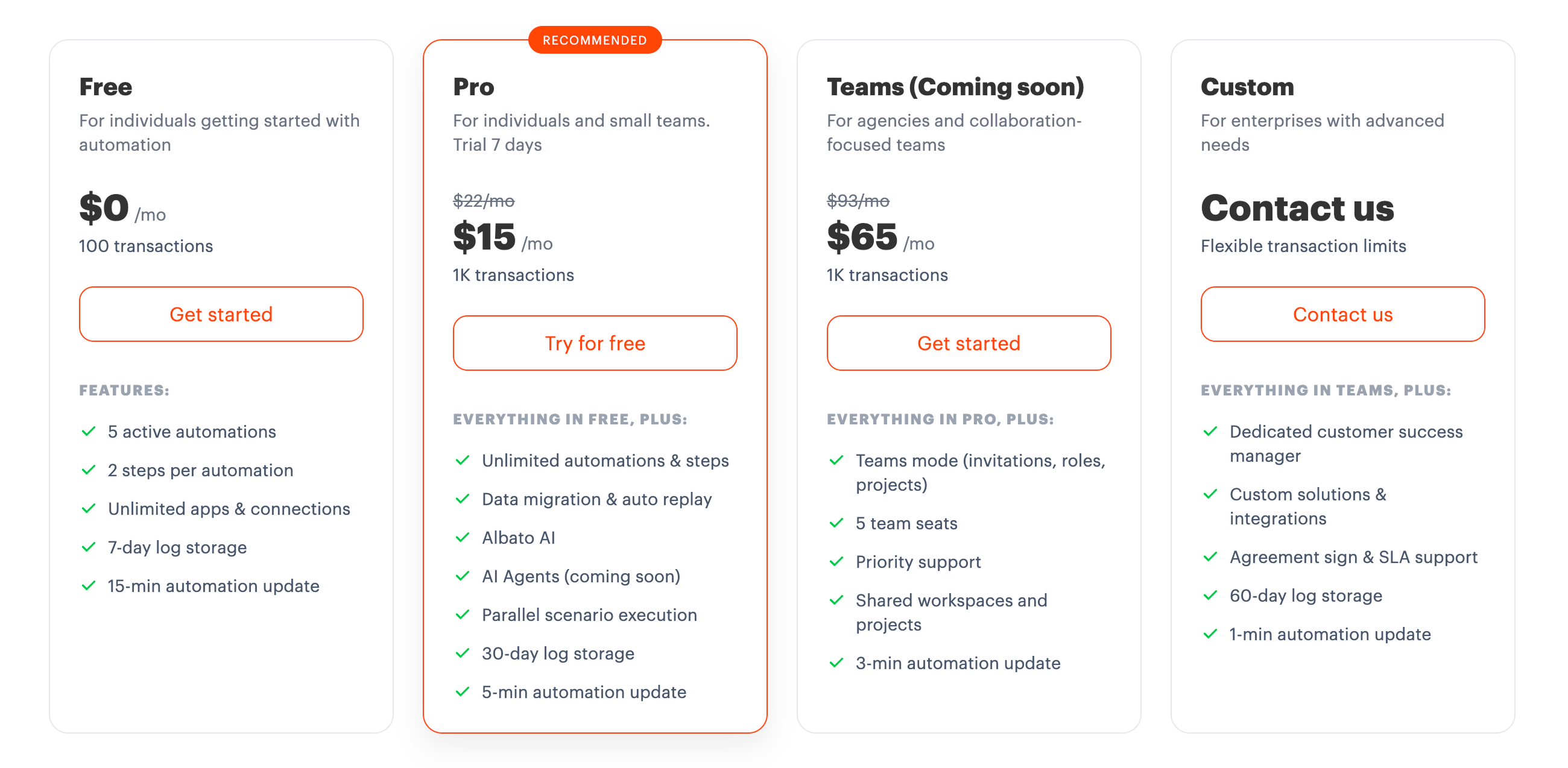
Free: $0/month – 100 transactions, 5 active automations, 2 steps per automation, 7-day log storage.
Pro: $15/month (billed annually) / $22/month (billed monthly) – 1K+ transactions (scalable up to 2M), unlimited automations & steps, Albato AI, 5-min update interval.
Teams (Coming soon): $65/month (billed annually) / $93/month (billed monthly) – 5 team seats, priority support, roles & shared workspaces, 3-min update interval.
Custom: Contact sales – dedicated CSM, custom integrations, SLA support, 1-min update interval.
8.
Relevance AI
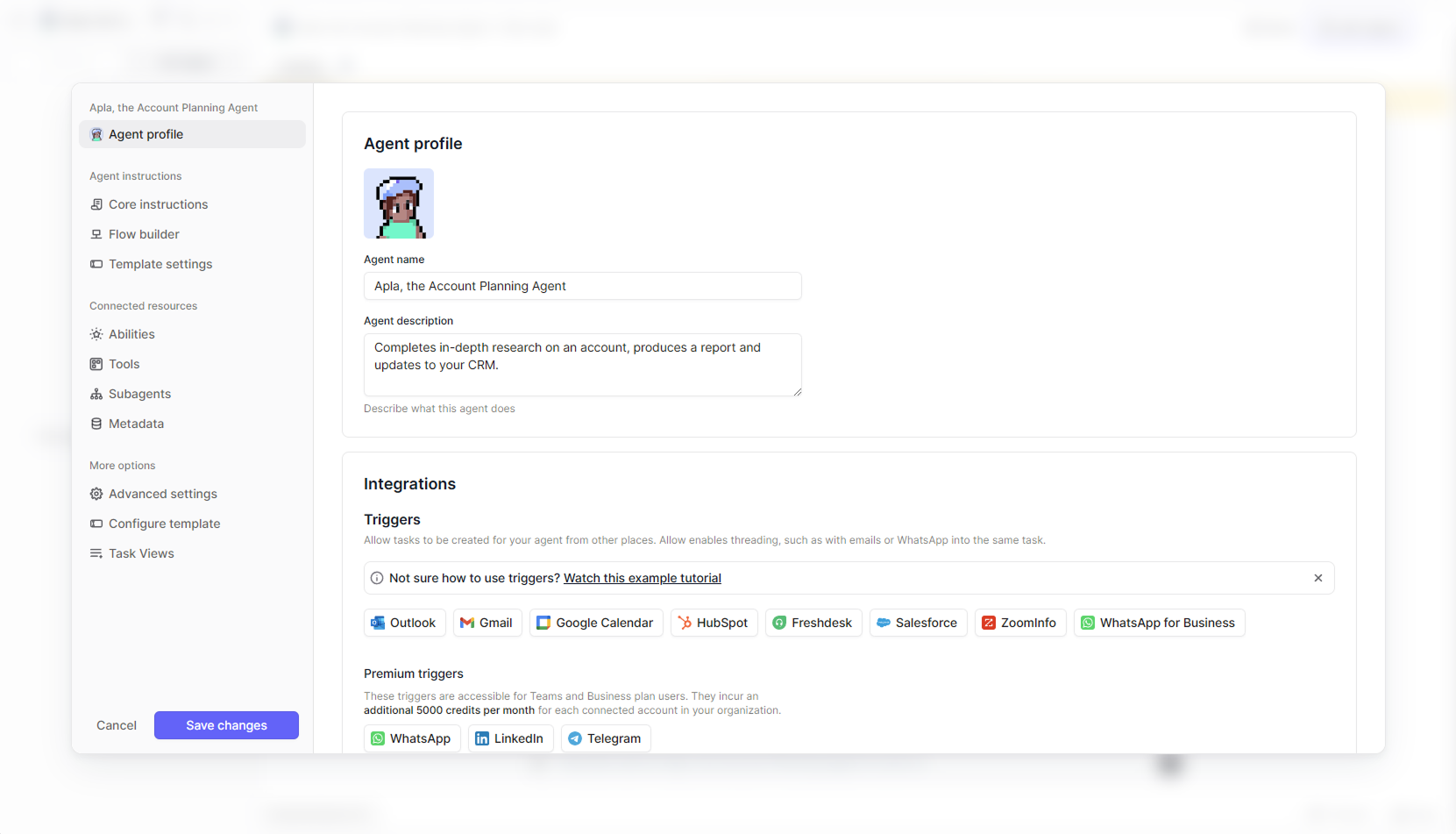
Relevance AI is an AI workforce platform built for sales and GTM teams. Its flagship AI teammate, SuperGTM, handles tasks like lead qualification, outbound prospecting, account research, and customer support, either as a copilot that assists reps or as fully autonomous workforces triggered by pipeline events. The platform includes a no-code builder that lets you create AI agents by describing tasks in plain English, plus pre-built templates and 2,000+ integrations. Relevance AI follows a progressive autonomy model, from assisted to fully self-driving.
Product details
Purpose-built for GTM teams: Pre-built agent templates for BDR, research, inbound qualification, and customer support workflows.
Multi-agent workforces: Handle entire processes like inbound, outbound, and onboarding end-to-end with autonomous agent teams.
2,000+ integrations: Connects to HubSpot, Salesforce, Slack, Gmail, and many more out of the box.
Enterprise-grade security: SOC 2 Type II, GDPR, SSO, RBAC, data residency, and version control included.
Pricing
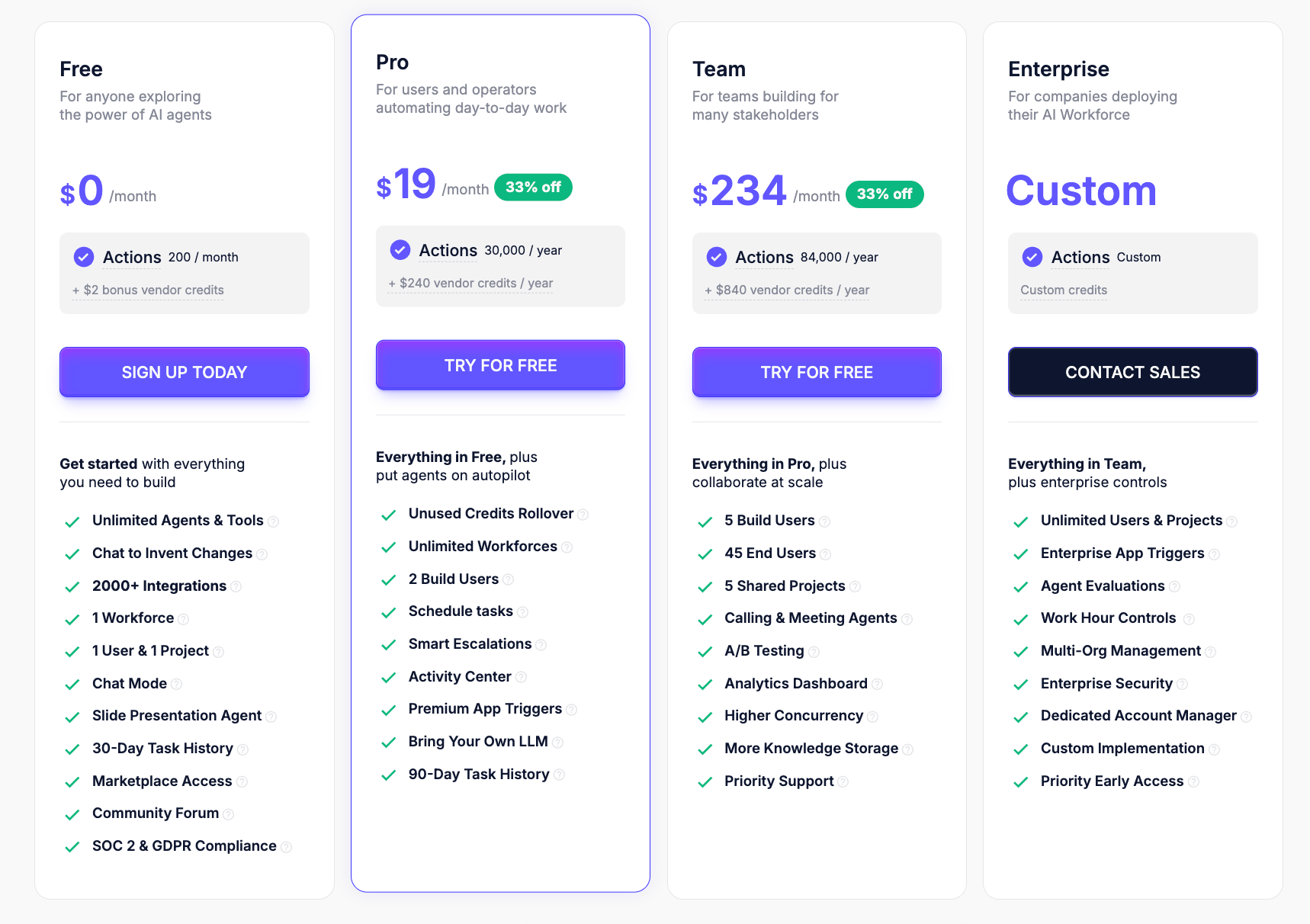
Free: $0/month – 200 actions/month, 1 user, 1 workforce, unlimited agents & tools
Pro: $19/month (billed annually) – 30,000 actions/year, 2 build users, unlimited workforces, bring your own LLM
Team: $234/month (billed annually) – 84,000 actions/year, 5 build users, 45 end users, A/B testing, calling & meeting agents
Enterprise: Custom pricing – unlimited users & projects, agent evaluations, dedicated account manager, custom implementation
9.
Pabbly Connect
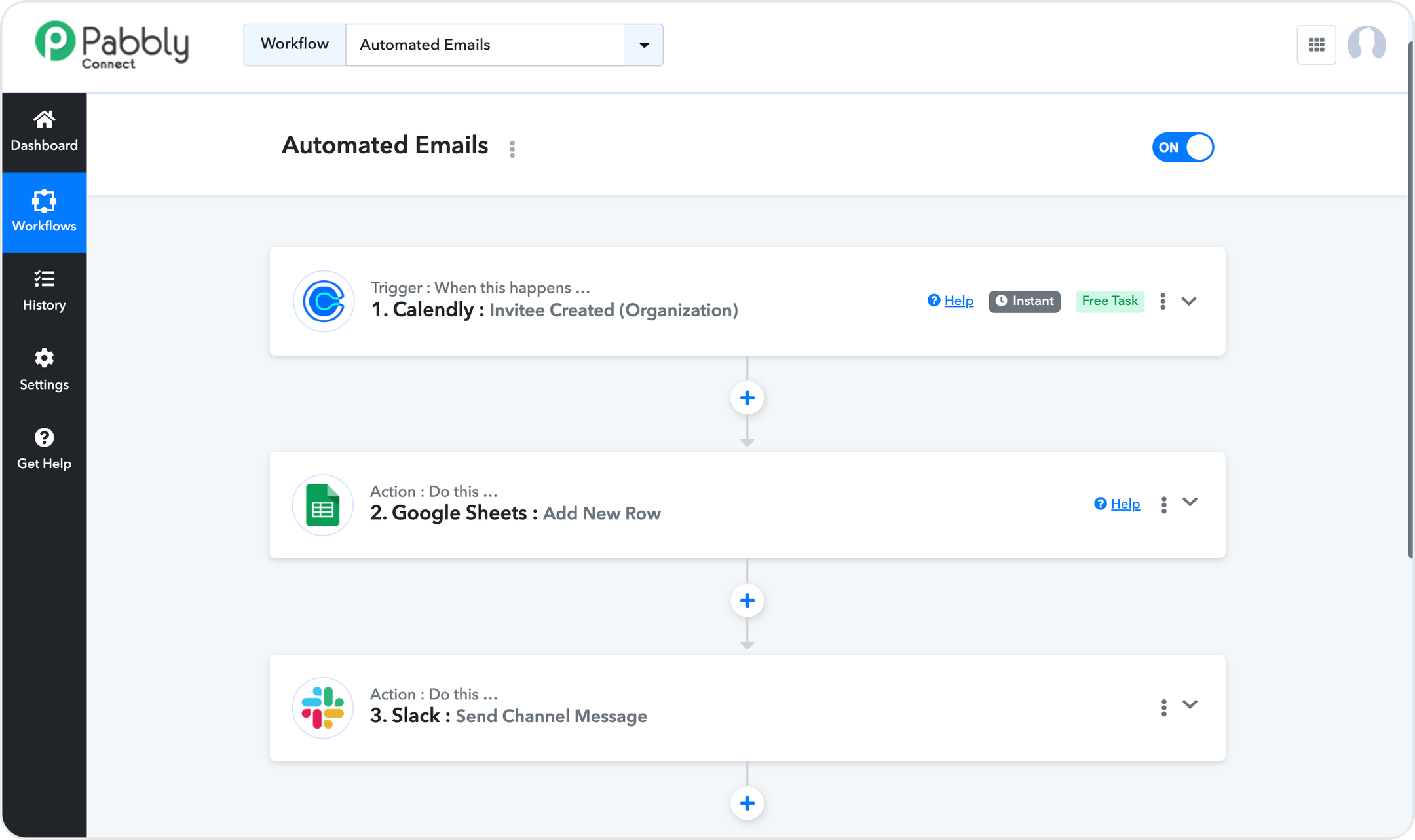
Pabbly Connect is a no-code automation platform that connects 2,000+ apps with a focus on affordability and generous task counting. Its standout feature is that triggers and internal steps (filters, routers, formatters) are free; only action steps consume your task quota, which means your monthly allowance stretches further than competitors like Zapier or Make. Pabbly offers multi-step workflows, scheduling, delays, iterators, path routers, and JavaScript/Python code modules. The platform also includes an AI Assistant and MCP server support. Pabbly is particularly popular for its lifetime deal option ($349 one-time payment), making it one of the most cost-effective automation tools on the market.
Product details
Extremely affordable pricing: Unique lifetime deal option ($349 one-time) that no major competitor offers.
Free triggers and internal steps: Only action steps count toward your task quota, stretching your plan much further.
Unlimited plan available: Unlimited tasks, workflows, team members, and premium apps in a single plan.
No feature gating across plans: Routers, premium apps, and advanced features are included on every tier.
Solid integration library: 2,000+ apps.
UI feels a bit dated: Less polished compared to newer platforms.
AI capabilities are basic: The AI Assistant is limited compared to dedicated AI agent builders.
Pricing
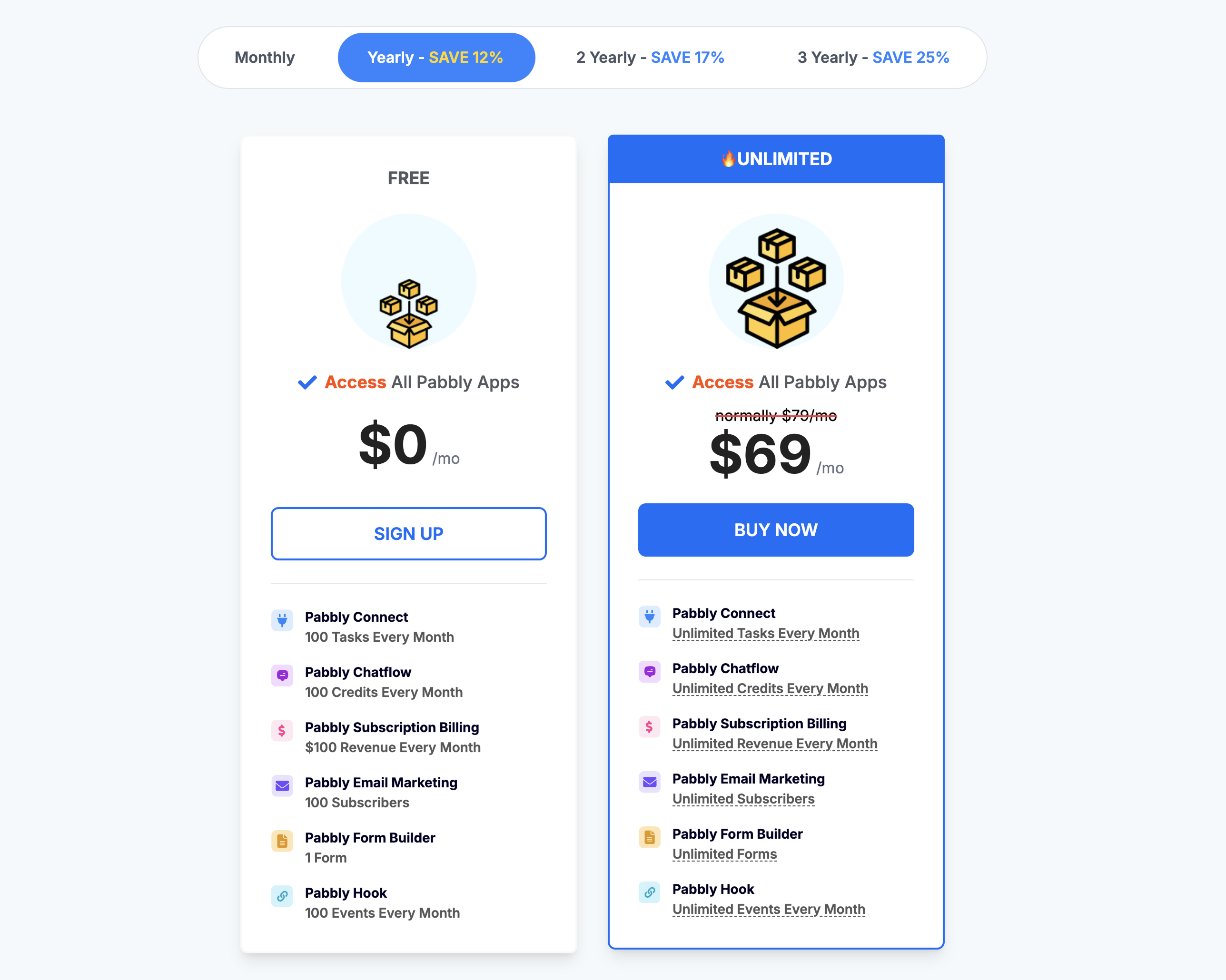
Free: $0/mo — 100 tasks/month, unlimited workflows and operations
Standard: $19/mo ($14/mo on 3-year plan) — 10,000 tasks/month
Unlimited: $79/mo ($59/mo on 3-year plan) — Unlimited tasks/month
Lifetime Deal: $349 one-time payment — 10,000 tasks/month with lifetime access
10.
ActivePieces
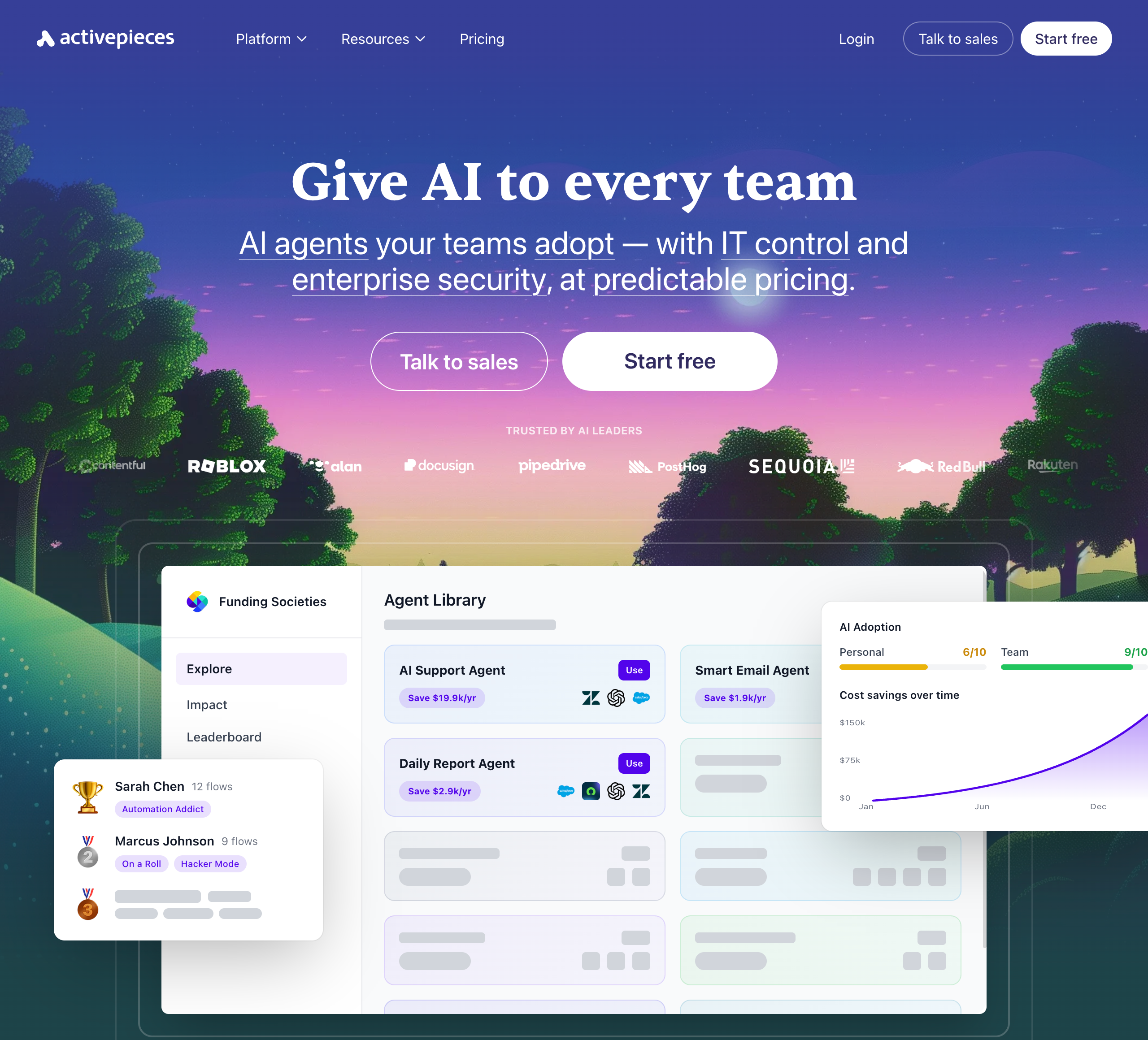
Activepieces is an open-source, AI-first automation platform that lets teams build AI agents and workflows without code. It offers 670+ integrations, an AI Agent Builder with human approval steps, and an AI Adoption Stack designed to drive organization-wide AI usage. The platform emphasizes enterprise control. Its open-source core appeals to technical teams who want full control over their automation infrastructure. Its enterprise-oriented feature set and self-host focus make it a good choice for technical enterprise teams.
Product details
Open-source and self-hostable: MIT-licensed core with Docker and Helm support, giving technical teams full control over their data and infrastructure.
670+ integrations: Broad connector library covering major apps like Gmail, Slack, HubSpot, Salesforce, and OpenAI.
AI Adoption Stack: Includes analytics, gamification, leaderboards, and a pre-built agent library to drive org-wide AI usage.
Enterprise governance: SSO, SCIM, custom RBAC, audit logs, and SOC 2 Type II compliance for IT-controlled deployments.
Steeper learning curve: Self-hosting and advanced governance features add complexity that may overwhelm non-technical users.
Pricing
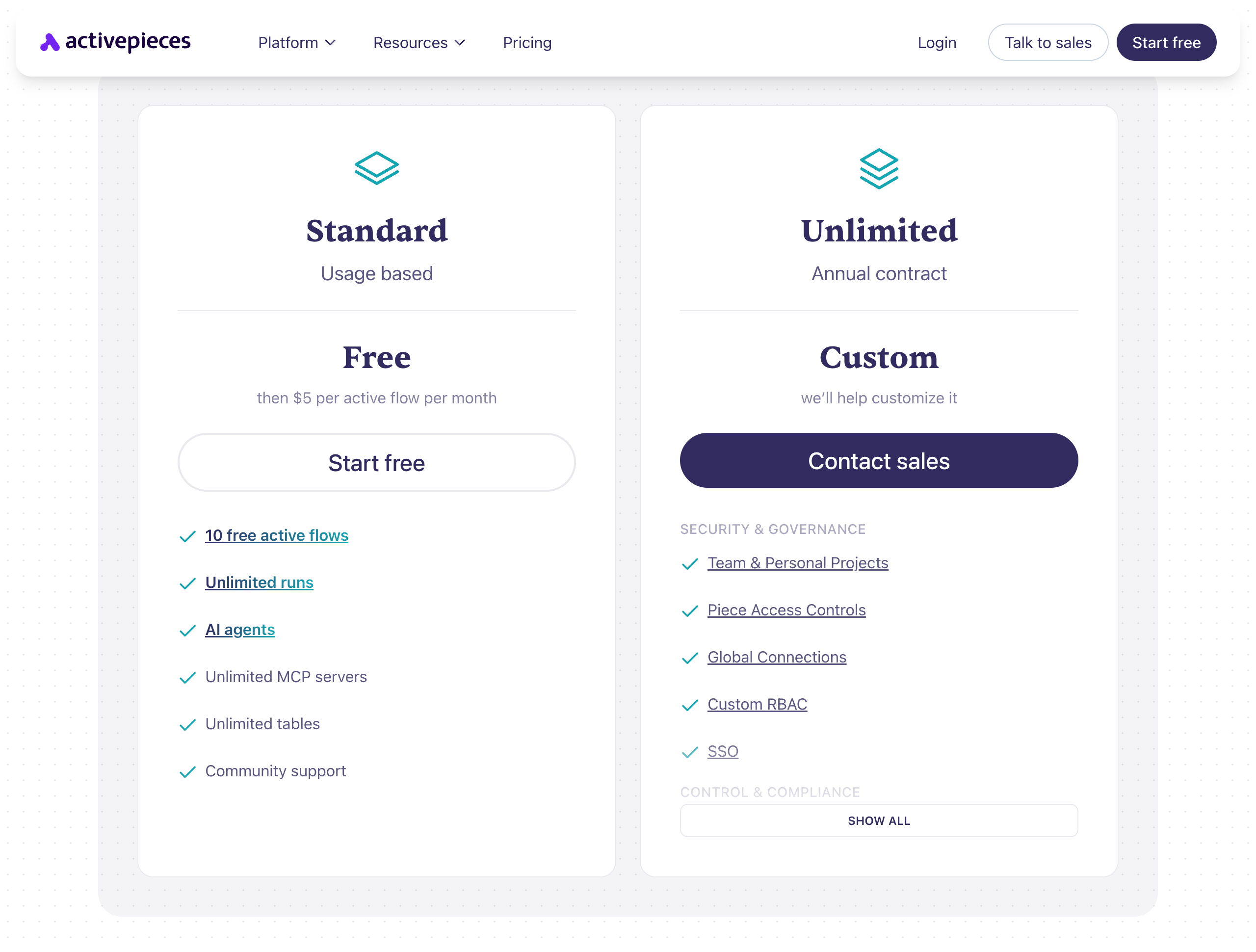
Standard: Free to start – includes 10 free active flows, unlimited runs, AI agents, unlimited MCP servers, and unlimited tables. Then $5 per active flow per month.
Unlimited: Custom pricing (annual contract) – includes team & personal projects, piece access controls, global connections, custom RBAC, SSO, audit logs, and dedicated support.
Community Edition: Free, MIT-licensed, self-hosted – core features only, requires technical skills to deploy.
The bottom line
The automation landscape in 2026 looks completely different than it did even two years ago. It's no longer just about connecting App A to App B. The best tools now let you build AI agents, orchestrate multi-agent workflows, and keep a human in the loop where it matters most.
Here's our quick take on who should use what:
If you want the most modern UX and the easiest way to build AI agents, start with Relay.app. It's user-friendly, includes built-in AI credits and human-in-the-loop controls, and lets you create agentic workflows in plain language.
If you need multi-agent AI workflows on a visual canvas, Gumloop gives you serious depth with multi-model support under a single subscription, Slack-native agent interaction, and enterprise-grade security.
If you're an engineer who wants open-source and self-hosting, n8n combines a visual editor with full code flexibility (JavaScript and Python), execution-based pricing, and a massive open-source community behind it.
If you're a power user who needs maximum visual control over complex automations, Make is still the best canvas-based builder for those willing to invest the time learning routers, iterators, and aggregators.
If you're a developer who wants code-level control, Pipedream lets you write custom logic in Node.js, Python, Go, or Bash across 3,000+ integrations. Worth noting: Pipedream was acquired by Workday in early 2026, so its roadmap will increasingly focus on the Workday ecosystem. The standalone platform remains available for now, but keep an eye on how the product evolves.
If you want simple, affordable automation for everyday tasks, Integrately has 20 million+ pre-built automations and aggressive pricing, Albato offers a clean UI with custom API support starting at $15/month, and Pabbly Connect is hard to beat on cost-per-task value, especially with its lifetime deal.
If you want purpose-built AI agents for sales and GTM, Relevance AI has pre-built agent templates and multi-agent workforces designed for pipeline automation.
And if you want an open-source, self-hostable alternative with strong governance, ActivePieces offers an AI Adoption Stack, 670+ integrations, and MIT-licensed self-hosting.
All 10 tools on this list have free plans or trials, so we recommend giving one or two a test run. You're no longer stuck with Zapier's pricing or limitations. There's an automation solution out there that fits your workflow and your budget in 2026. Happy automating!
Jacob Bank
Founder/CEO at Relay.app

Jacob is the Founder and CEO of Relay.app. Prior to founding Relay.app, Jacob was a Director of Product Management at Google, where he led the product teams for Gmail, Google Calendar, and several other Google Workspace products. Before that, Jacob was the Co-founder and CEO of Timeful (acquired by Google in 2015), a smart calendar that leveraged insights from behavioral psychology and AI to help people spend time on their most important priorities. He has a BA in Computer Science from Cornell University and was pursuing a PhD in the AI Lab at Stanford before dropping out to found Timeful.
FAQs
Who is Zapier's main competitor?
What's the best AI automation tool for small businesses and entrepreneurs?
How does Relay.app's AI workflow builder compare to Zapier's AI tools?
Can I ask questions about past workflow runs in Relay.app?
Can OpenAI workspace agents connect to external apps?
