A ranked guide to the 7 best AI tools for small businesses in 2026. Pick what fits your team based on pricing, ease of use, and AI features.


If you run a small business, you don't have time to babysit software. You need tools that save hours, not ones that turn into a second full time job to manage.
The good news is that AI has finally caught up to what SMBs actually need. You can automate customer follow ups, draft proposals, run meetings, build a quick web app, and keep your knowledge base clean without hiring a developer or a dedicated ops person.
The bad news? The market is noisy. Every product page promises "AI powered" everything, and the pricing is all over the place. So we put together a ranked list of the 7 tools that are genuinely worth your money this year.
Here's what we looked at when ranking them:
Real AI capabilities, not just a chatbot bolted on
Pricing that makes sense at SMB scale, including free tiers and predictable token costs
Ease of use for non technical founders and small teams
Integrations with the apps you already pay for
Human-in-the-loop controls so AI doesn't go rogue on your customers
Security and reliability you can actually trust with customer data
Let's get into it.
The 7 best AI tools for small businesses, ranked
1.
Relay.app
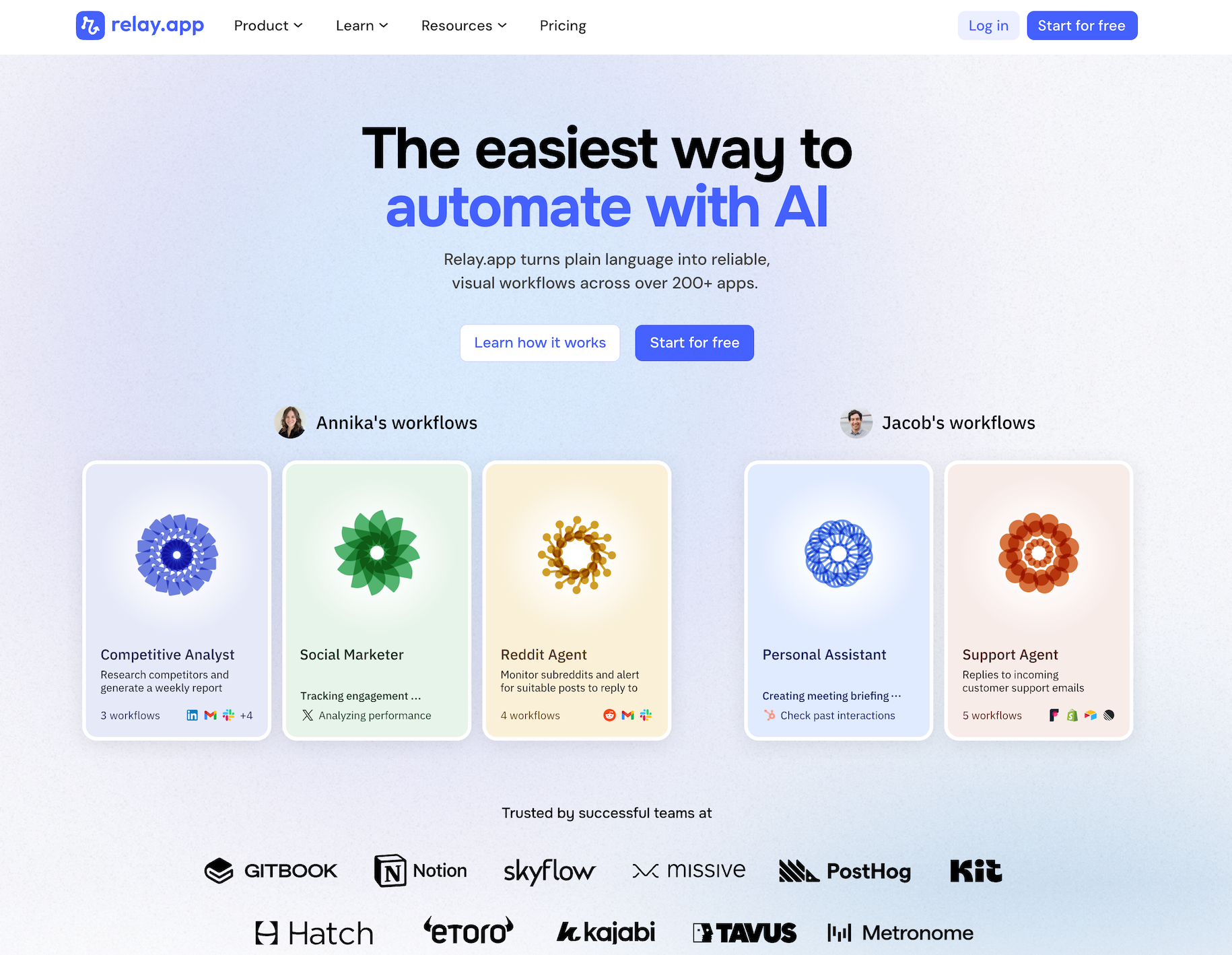
Relay.app is the easiest way to automate with AI. It turns plain language into reliable, visual workflows across over 200 apps. Non-technical users who have struggled with complex tools like Zapier or Make can create reliable AI workflows in minutes just by using plain language. Relay.app handles everything from creation to analysis, while built-in human-in-the-loop features ensure that you stay in control when the stakes are high.
Product details
Ease of use: Relay.app is designed for teams of all technical abilities to automate in minutes.
AI Agent creation: Use natural language to build and improve complex AI workflows effortlessly.
Human-in-the-loop: Add checkpoints to pause workflows for human approval or data entry when needed.
Collaborative features: Share workflows and app connections across your team for seamless multiplayer automation.
Built-in AI models: Access the best models from OpenAI, Anthropic, and more using included AI credits.
Stateful data with Tables: Store and update structured data directly within Relay.app to use across flows.
Technical power: Advanced users can leverage custom JavaScript, MCP servers, and custom HTTP requests.
200+ native integrations: Deeply connected with popular tools like Notion, Gmail, and HubSpot.
Pricing
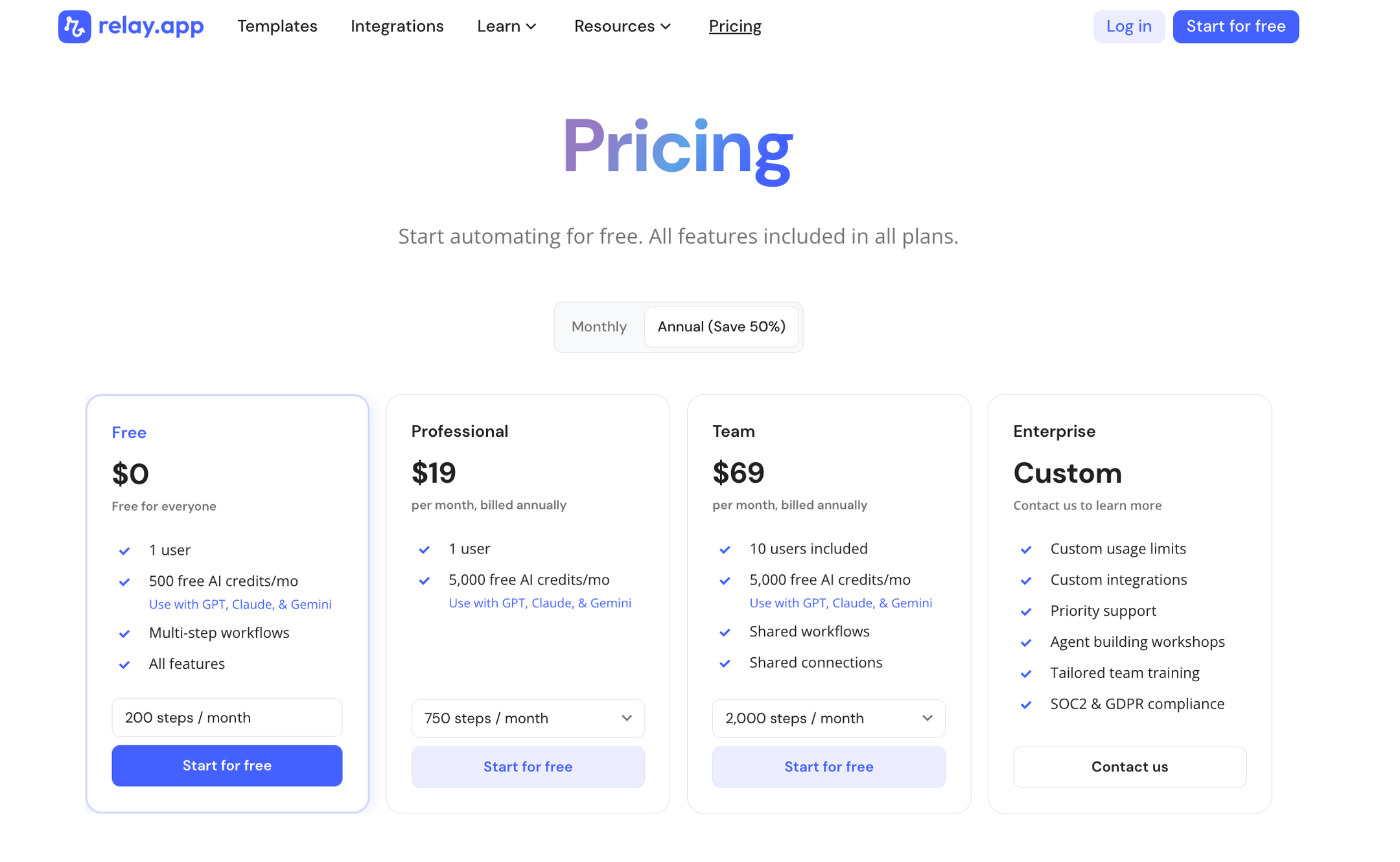
Relay.app offers a range of plans including a generous free tier. All plans include free test runs so you can validate your workflows before they go live.
Free: $0/month for 1 user, 200 steps, and 500 AI credits
Professional: $19/month (billed annually) for 1 user, 750 steps, and 2,000 AI credits
Team: $59/month (billed annually) for up to 10 users, 1,500 steps, and 2,000 AI credits
Enterprise: Custom pricing for organizations with advanced usage or security requirements
2.
Claude Cowork
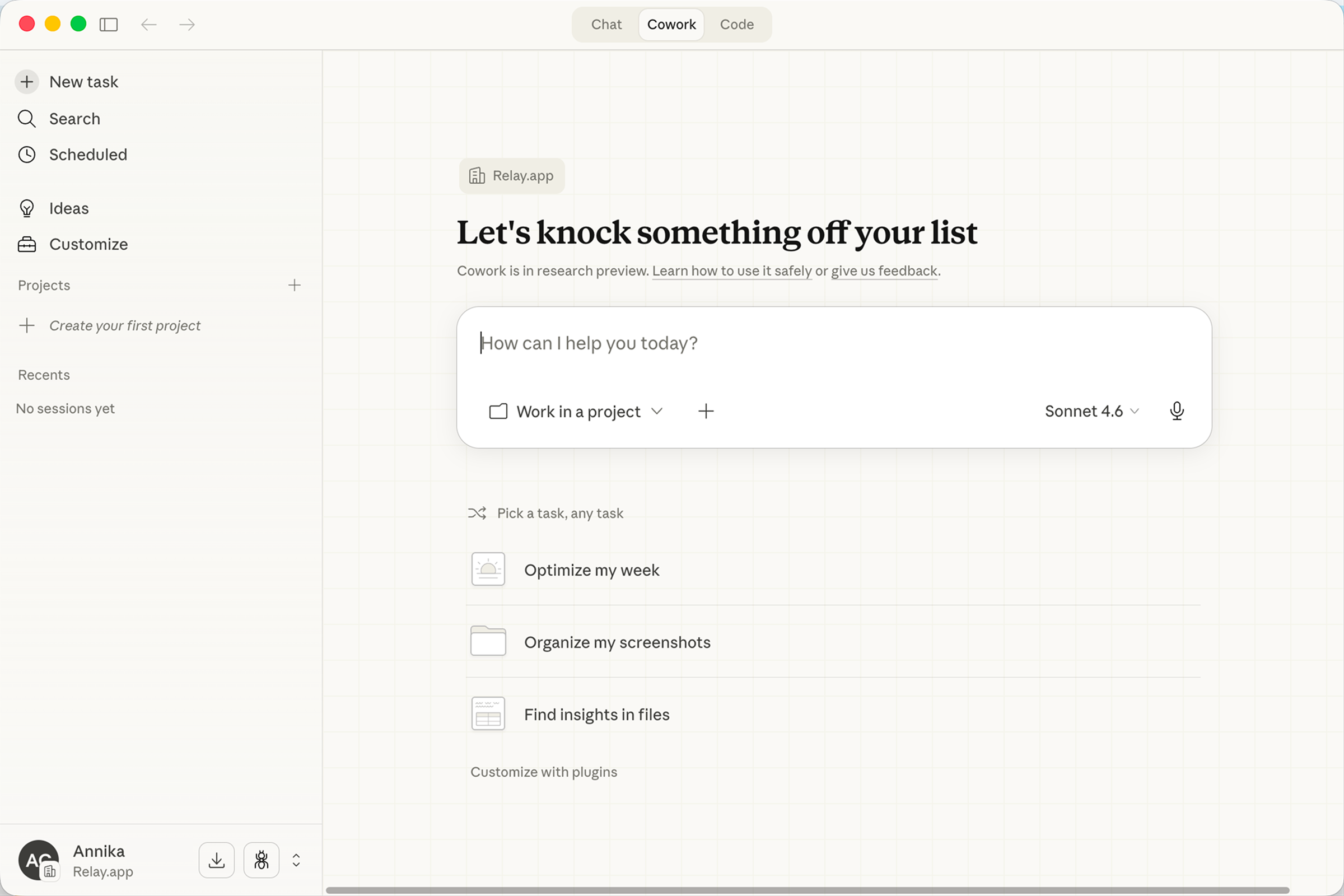
Claude Cowork is an agentic AI assistant built into Anthropic's Claude AI that allows users to delegate complex, multi-step tasks for autonomous execution. Cowork can read documents, extract key points, check calendars, build slide decks, and write summaries from a single prompt. It integrates seamlessly with popular tools like Google Workspace, Slack, Notion, Linear, and Microsoft 365 through robust connectors and remote MCP, while supporting custom Skills to create repeatable workflows.
Product details
Autonomous task execution: Delegate complex tasks like summarizing meetings, building decks, and writing reports.
Growing integration ecosystem: Connects to Google Workspace, Slack, Notion, Linear, Microsoft 365, and more through connectors and remote MCP.
Custom Skills: Create reusable instructions so Claude can repeat tasks consistently without re-prompting.
Cross-platform access: Available on web, desktop, iOS, and Android as part of the Claude experience.
Exclusive to Claude AI: Built into the Anthropic ecosystem as a fully integrated tool relying on its own models.
Pricing
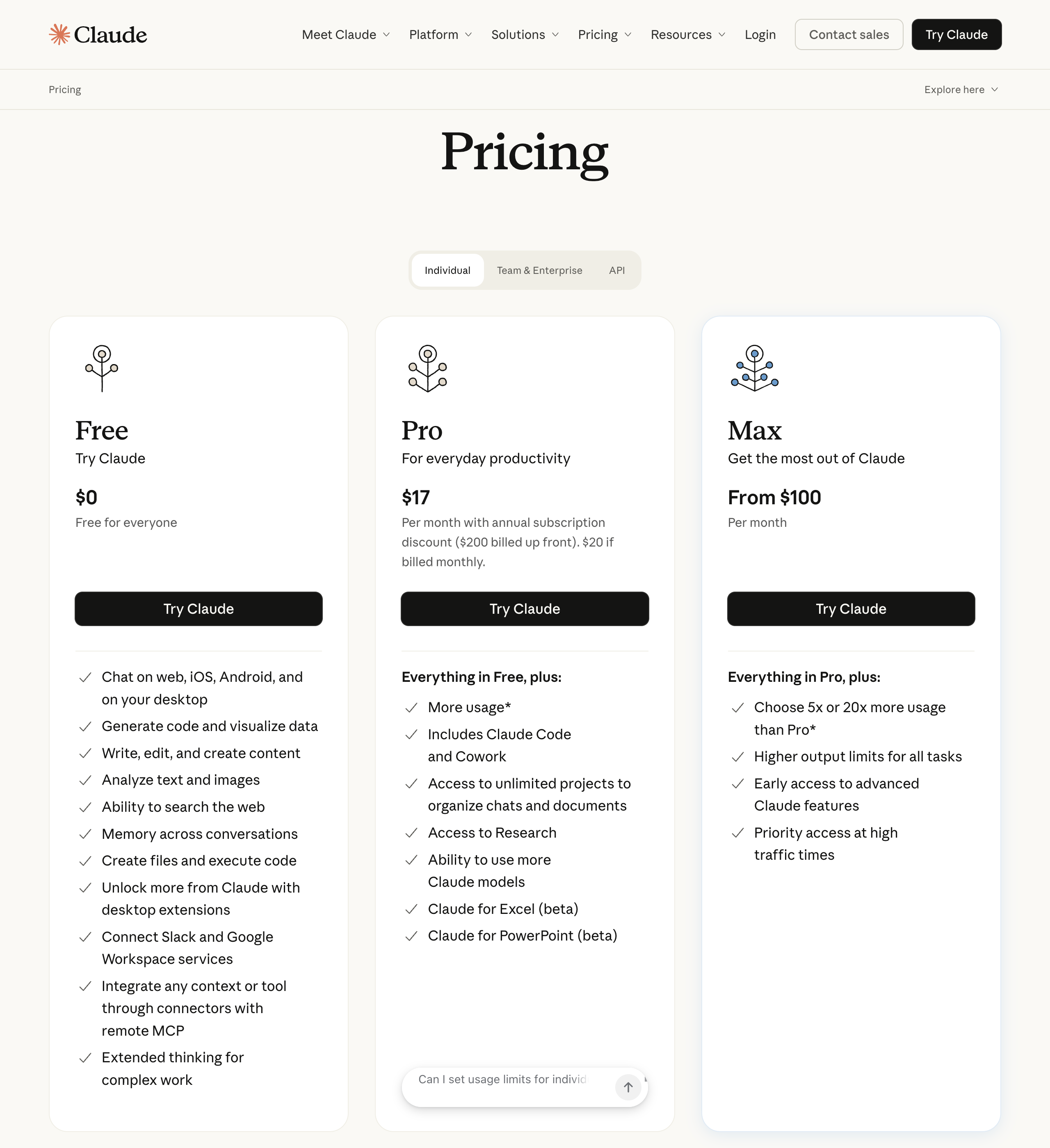
Free: $0/month for chat, web search, code execution, desktop extensions, and connectors (does not include Cowork access)
Pro: $20/month ($17/month billed annually) for Cowork, Claude Code, unlimited projects, Research, and Microsoft 365 integrations
Max: Starting at $100/month for everything in Pro, plus 5x to 20x more usage, higher output limits, and priority access
Team: $25/seat/month ($20/seat billed annually) for standard seats with Cowork, SSO, enterprise search, and admin controls
Enterprise: $20/seat/month plus usage at API rates for Team features, SCIM, audit logs, custom data retention, and a HIPAA-ready offering
3.
Gamma
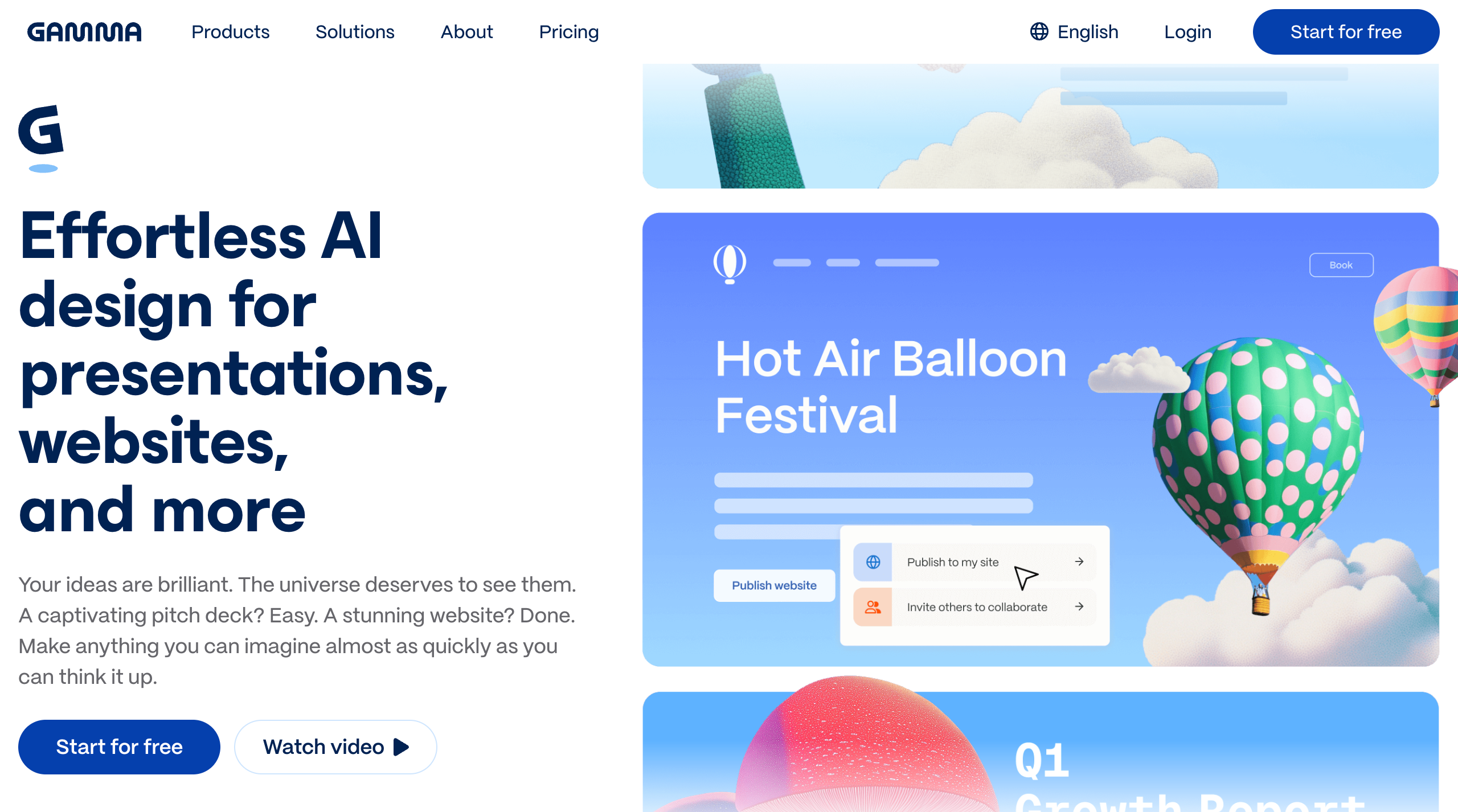
Gamma is an AI-first design platform that serves as a modern alternative to traditional slide decks and document editors. It enables users to transform rough ideas or existing content into polished presentations, websites, documents, and social media graphics in seconds using natural language prompts. While traditional tools focus on static pages, Gamma's flexible card system allows content to breathe and expand, making it ideal for teams that need to communicate complex ideas quickly. By combining a powerful design agent with advanced multi-model AI, Gamma streamlines the creation process for over 50 million users who want to focus on their message rather than the manual work of formatting.
Product details
AI creation: Generate presentations, documents, websites, social media posts, and graphics instantly from a simple text prompt.
Flexible cards: Content lives on responsive cards that expand to fit text and media perfectly.
Multi-model AI: Access top-tier intelligence from over 20 advanced models including Claude, GPT-4, and Gemini.
Professional styling: Apply polished themes and layouts in one click without any design skills.
Web publishing: Turn any project into a live, hosted website or a shareable link instantly.
Versatile exports: Move your work to PowerPoint, PDF, PNG, or Google Slides with ease.
Engagement analytics: Track how viewers interact with your content using detailed built-in analytics.
Developer API: Connect Gamma to your workflows to automate the generation of visual assets.
Pricing
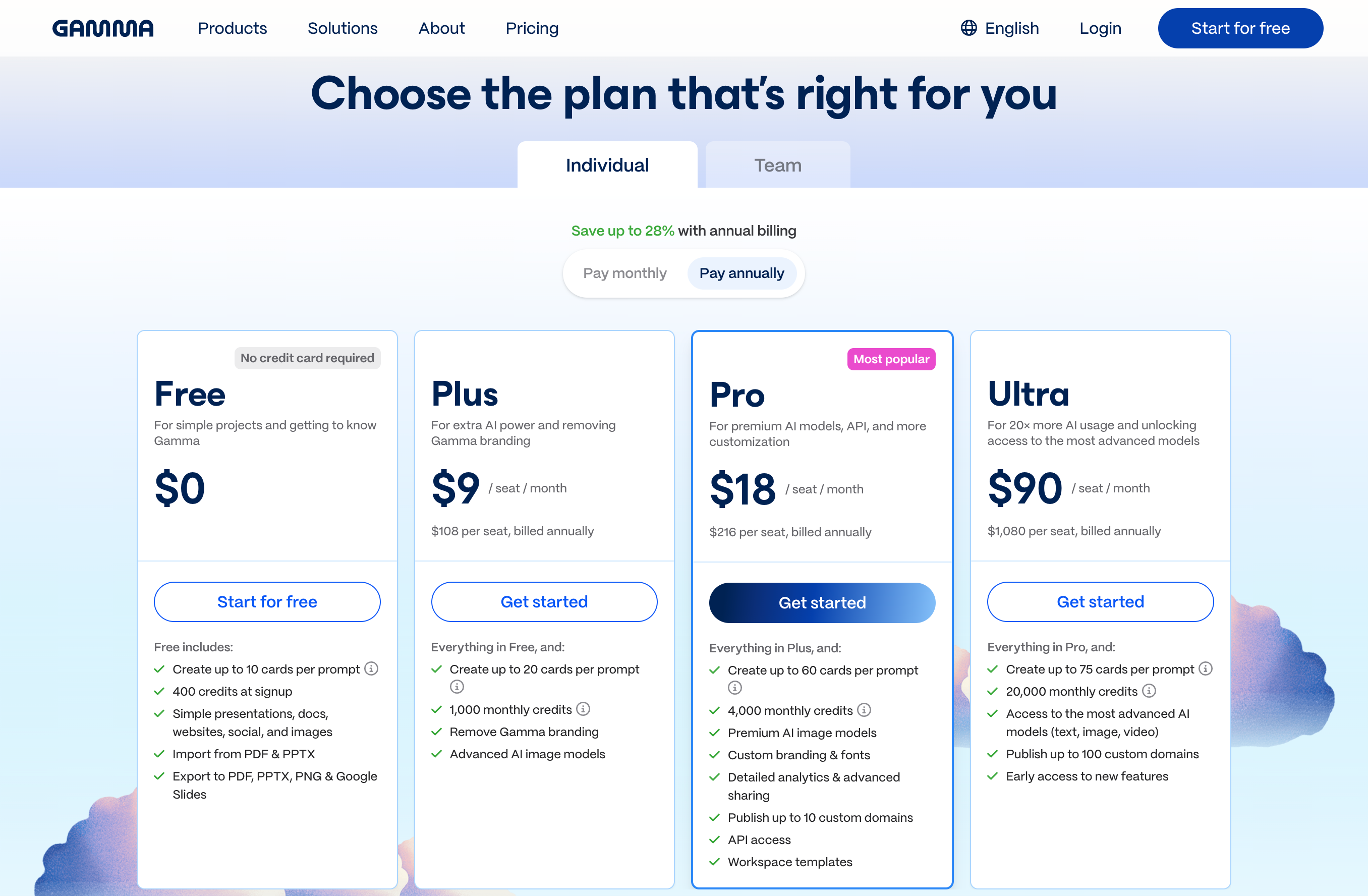
Gamma offers a free tier for individual projects along with paid subscriptions for increased AI usage and team features.
Free: $0/month for 400 starter credits and basic export capabilities
Plus: $9/seat/month (billed annually) for 1,000 monthly credits and removal of Gamma branding
Pro: $18/seat/month (billed annually) for 4,000 monthly credits and API access
Ultra: $90/seat/month (billed annually) for 20,000 monthly credits and access to the most advanced AI models
4.
Lovable
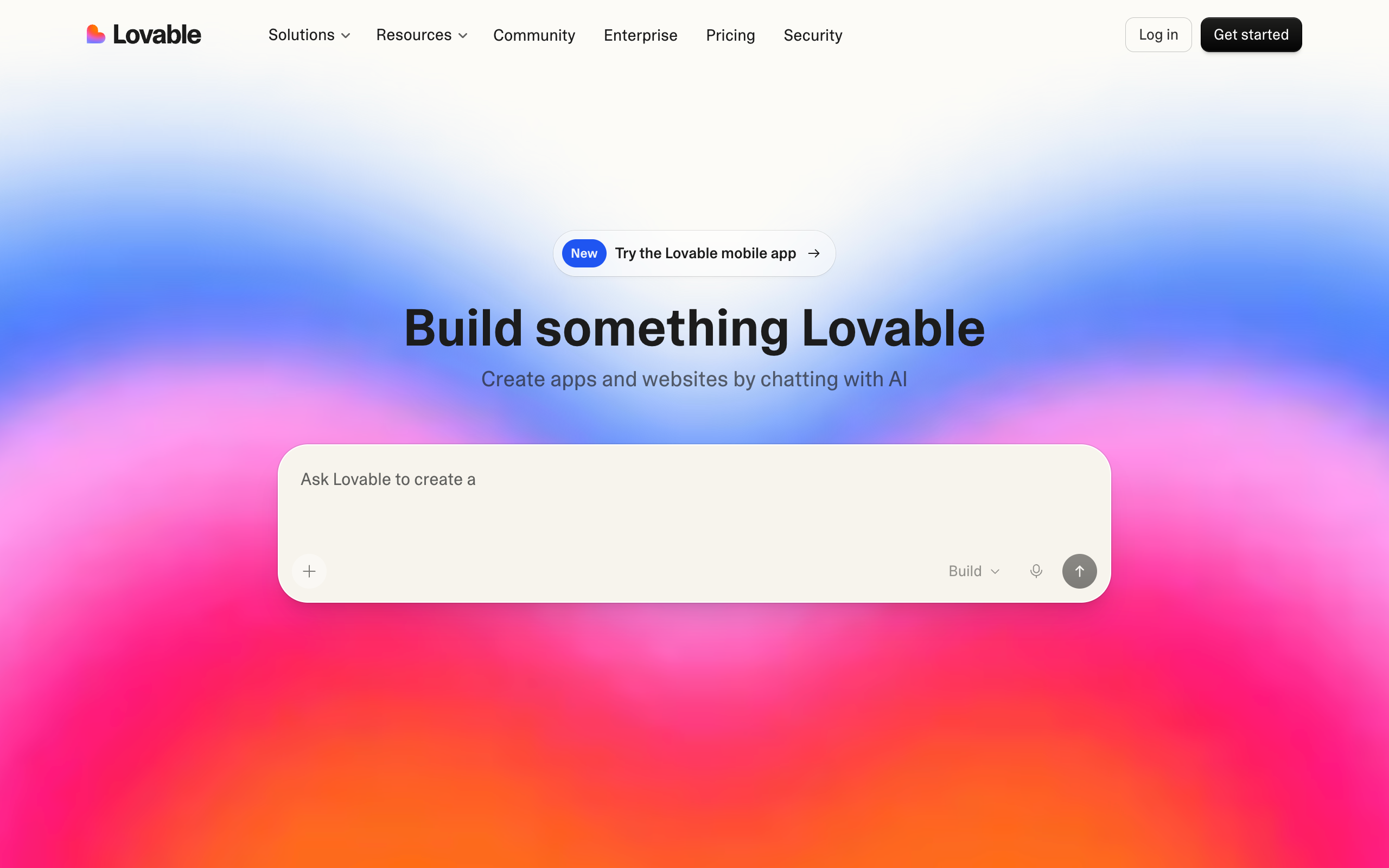
Lovable is an AI-powered app builder designed to help founders, designers, and developers create full-stack web applications and websites using natural language. By using vibe coding, which involves chatting with an AI engineer, users can transform ideas or screenshots into working prototypes and production-ready sites in real-time. The platform handles the technical heavy lifting of the React, Vite, and Supabase stack, allowing users to iterate quickly and deploy their creations with a single click.
Product details
Natural language building: Users can create and iterate on apps by simply describing what they want to build.
Real-time prototyping: Watch your vision transform into a functional application as the AI builds it in real-time.
Full-stack capabilities: The platform generates production-ready code using a modern React, Vite, and Supabase stack.
Screenshot-to-code: Drop in screenshots or design documents to jumpstart the development process.
Agent mode: Lovable can think, plan, and act on its own to handle complex development tasks automatically.
GitHub integration: Seamlessly transition from AI-generated code to a managed repository for professional engineering workflows.
Multi-platform access: Manage projects on the go with the mobile app or organize workflows with the desktop app.
Extensive templates: Start projects quickly with pre-built templates for SaaS, ecommerce, portfolios, and blogs.
Pricing
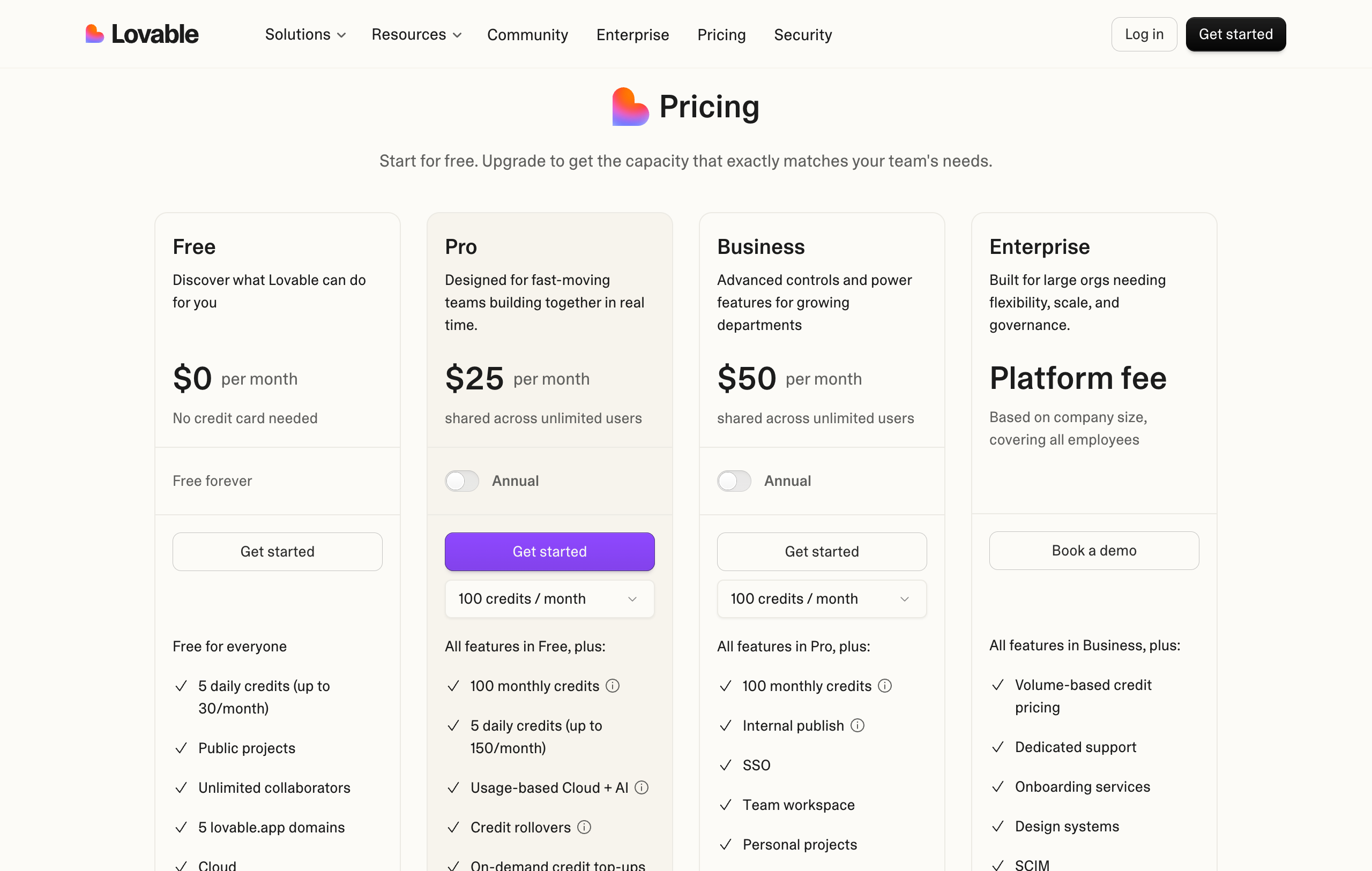
Lovable offers several tiers based on credit needs and collaboration features, including a free entry point for new builders.
Free: $0/month for 5 daily credits, public projects, and unlimited collaborators
Pro: $25/month (billed annually) for 100 monthly credits, unlimited users, and custom domains
Business: $50/month (billed annually) for 100 monthly credits, team workspaces, and SSO
Enterprise: Custom platform fee based on company size for volume-based pricing and dedicated support
5.
Notion
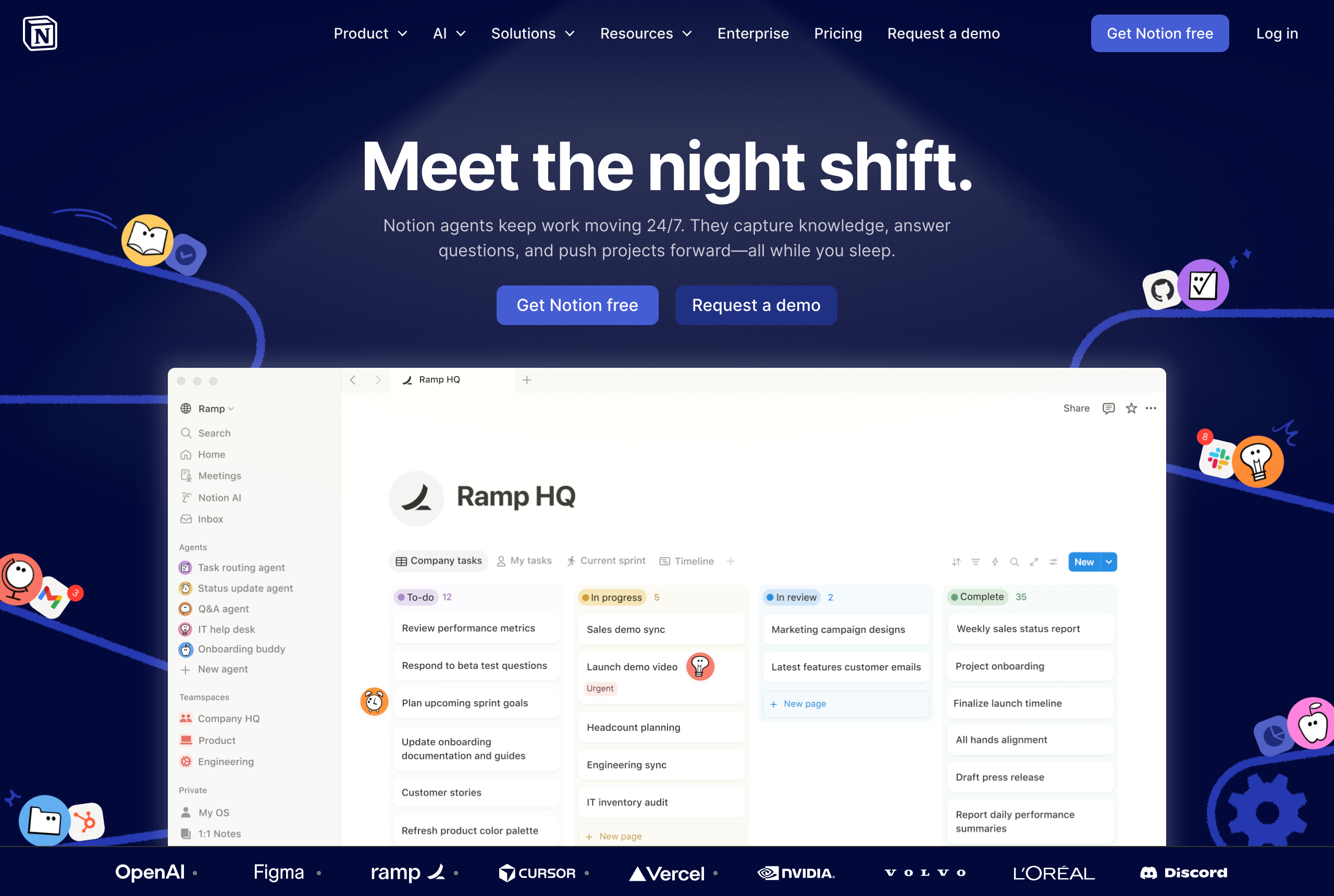
Notion is an all-in-one AI workspace designed for individuals and teams to organize notes, projects, and documents in a single, highly customizable environment. By centralizing knowledge, tasks, and collaboration, it helps users eliminate tool sprawl and build a shared source of truth for their work. Recently, Notion has evolved into an AI-native platform, introducing autonomous agents and advanced search capabilities that help users automate repetitive tasks and find information across all their connected apps.
Product details
All-in-one workspace: Combines notes, docs, tasks, and wikis into one platform to reduce tool fragmentation.
Custom Agents: Users can create autonomous agents to handle repetitive tasks like triaging feedback or routing assignments.
AI-powered search: Find information instantly across Notion and connected apps like Slack, GitHub, and Google Drive.
Flexible database system: Highly customizable databases with multiple views including boards, tables, calendars, and timelines.
Connected tools: Seamlessly integrates with Notion Calendar and the new AI-powered Notion Mail for a unified productivity suite.
Template ecosystem: Access a massive library of community-built templates to quickly set up specialized workflows.
Granular permissions: Detailed controls allow teams to share specific pages or database rows securely with collaborators.
Human-centric design: A block-based editor that makes it easy for non-technical users to build sophisticated internal tools.
Pricing
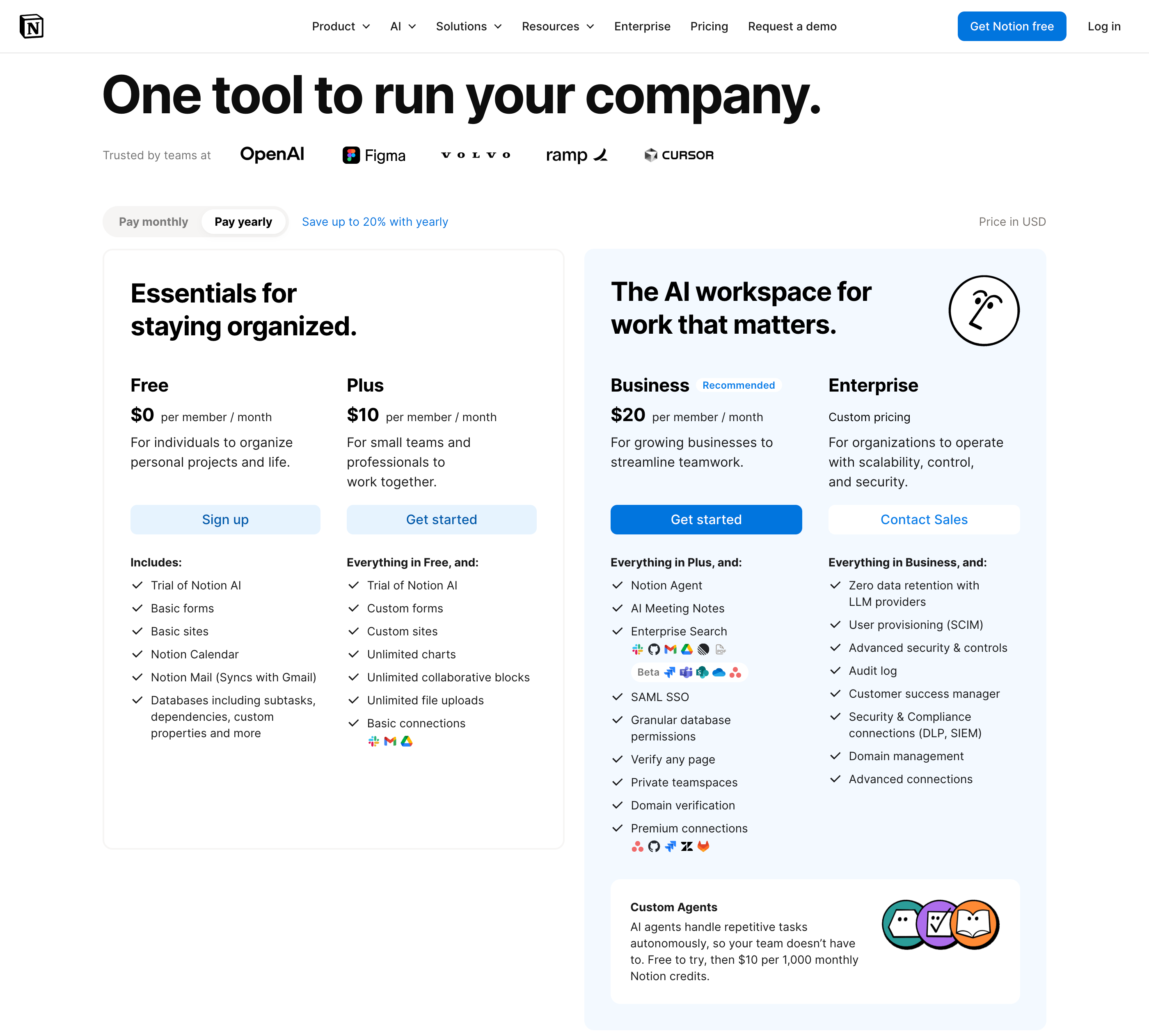
Notion offers a tiered pricing structure that scales from personal use to large-scale enterprise needs. Note that Notion AI features and Custom Agents often require additional credits or specific plan levels.
Free: $0/month for individuals to organize personal projects with basic databases and page publishing
Plus: $10/member/month for small teams needing unlimited blocks, unlimited file uploads, and custom site options
Business: $20/member/month for growing businesses to access AI agents, enterprise search, and private teamspaces
Enterprise: Custom pricing for organizations requiring advanced security, SCIM provisioning, and audit logs
6.
Descript
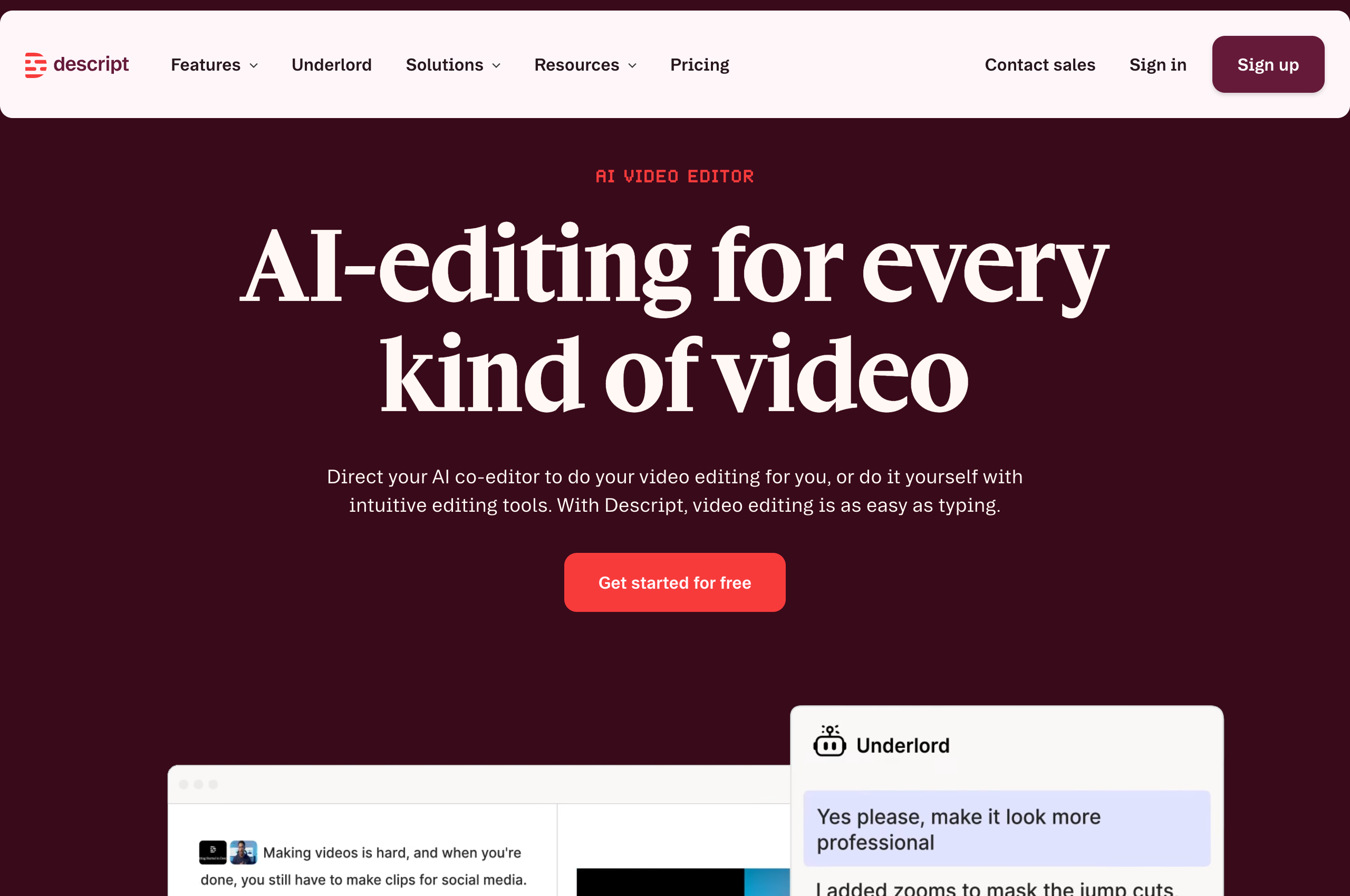
Descript is an AI-powered video and podcast editor that makes content creation as simple as editing a text document. Designed for creators, marketers, and business teams, the platform automatically transcribes recordings so you can cut video or audio just by deleting text. Beyond its core transcription-based editing, Descript features "Underlord," an AI co-editor that handles tasks like removing filler words, enhancing audio quality, and generating social media clips, allowing users to produce professional-grade content without advanced technical skills.
Product details
Text-based editing: Edit your video and audio files by simply editing the automatically generated transcript.
Underlord AI co-editor: Automate tedious tasks like removing filler words, shortening gaps, and creating social clips.
Studio Sound: Enhance audio quality instantly to make recordings sound like they were done in a professional studio.
Eye Contact: Use AI to adjust your gaze so it appears you are looking at the camera while reading a script.
Green Screen: Remove or replace backgrounds in one click without the need for physical green screen equipment.
Voice Cloning: Create a realistic text-to-speech clone of your own voice to fix audio mistakes by typing.
Multitrack recording: Record remote interviews or podcasts with separate tracks for every participant.
Social media clips: Automatically identify and export viral-worthy highlights optimized for social channels.
Pricing
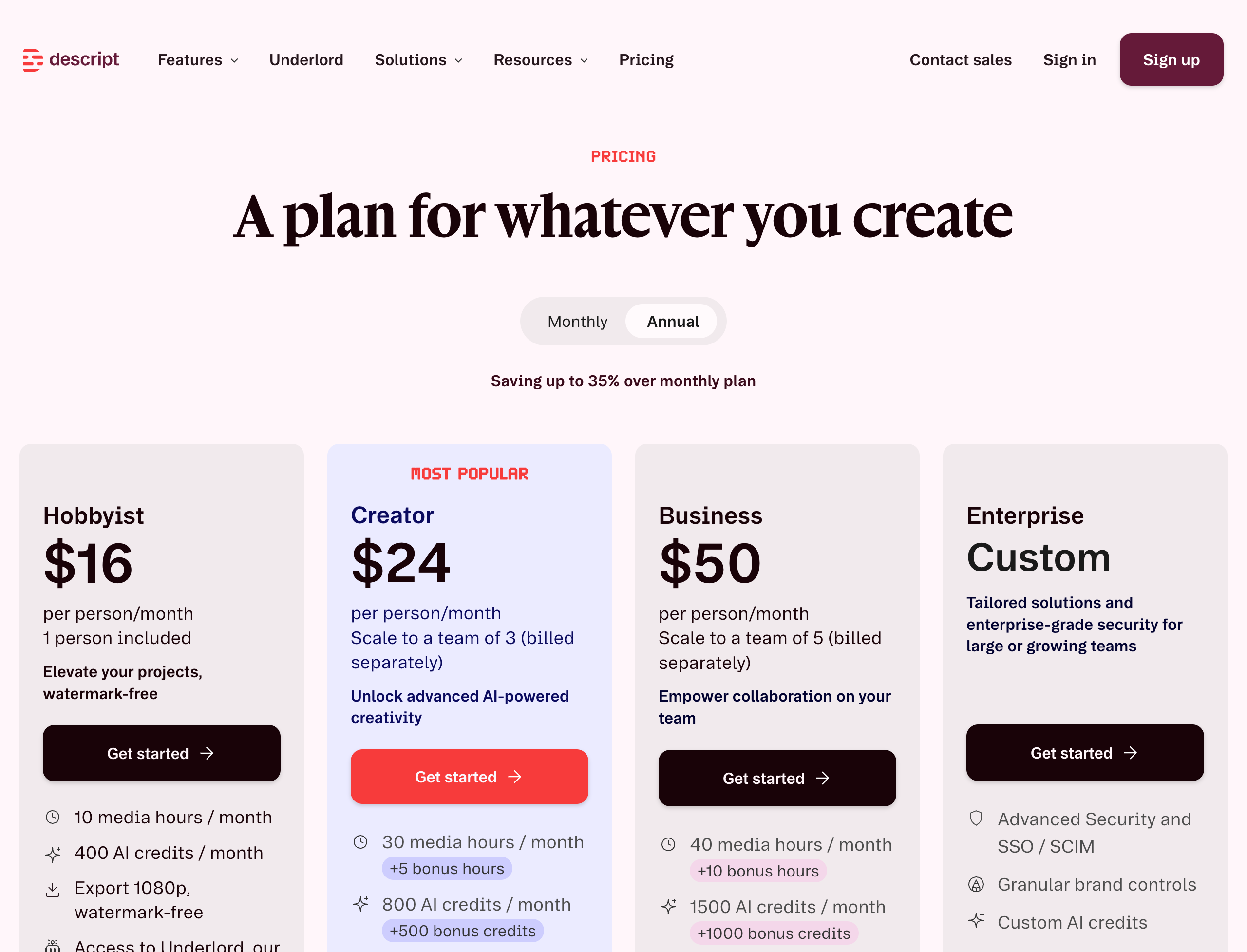
Descript offers a tiered pricing structure including a free version for small projects.
Free: $0/month for 1 media hour, 100 AI credits, and 720p watermark-free exports
Hobbyist: $24/month ($16/month billed annually) for 10 media hours, 400 AI credits, and 1080p exports
Creator: $35/month ($24/month billed annually) for 30 media hours, 800 AI credits, and 4k exports
Business: $65/month ($50/month billed annually) for 40 media hours, 1500 AI credits, and brand controls
Enterprise: Custom pricing for organizations with advanced security and SSO requirements
7.
Fireflies
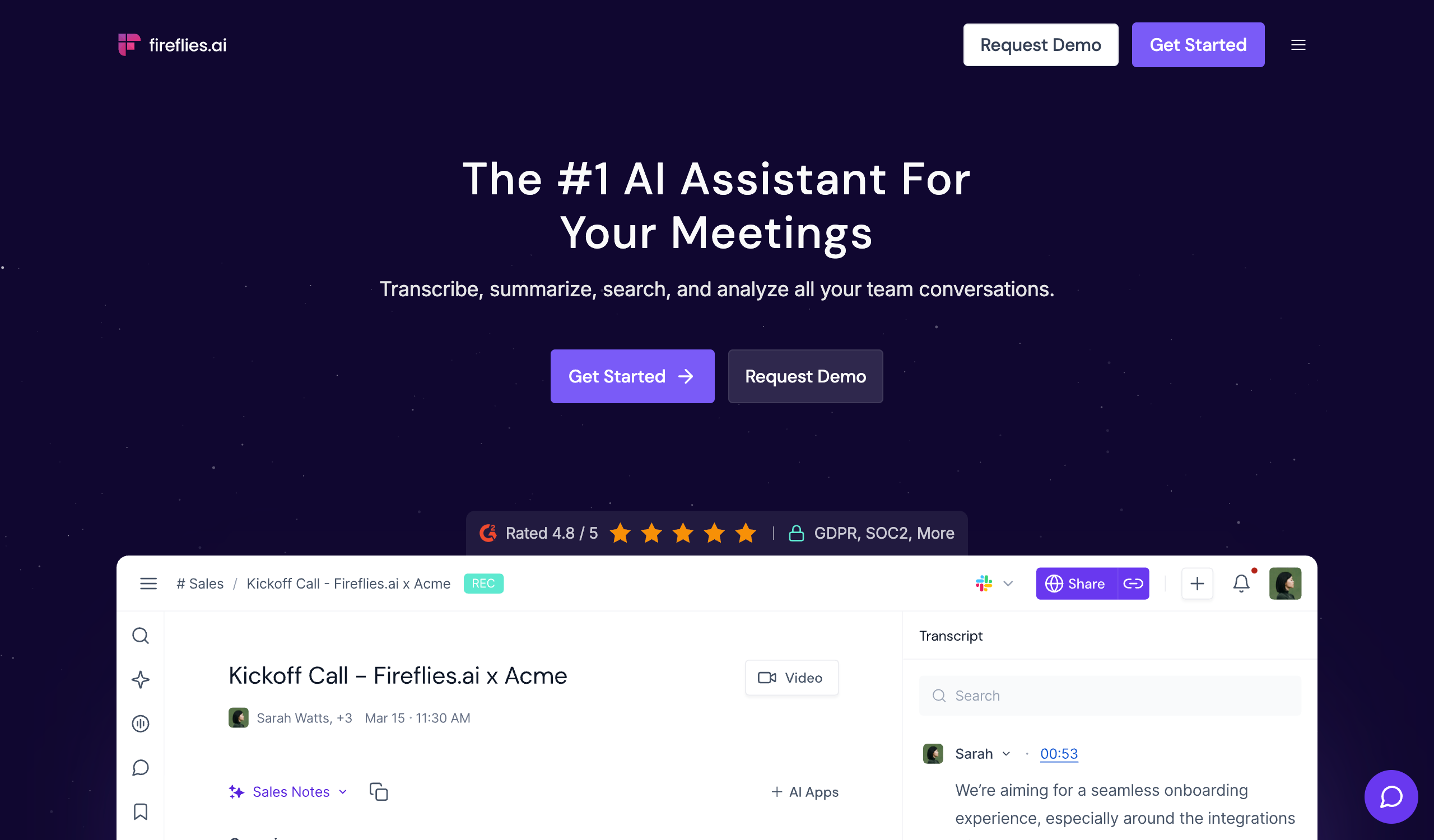
Fireflies is an AI-powered meeting assistant that automatically records, transcribes, and summarizes conversations across major video conferencing platforms. It helps teams eliminate manual note-taking by capturing high-accuracy transcripts and providing actionable insights like meeting minutes and sentiment analysis. With its intelligent search capabilities and conversational AI assistant, AskFred, users can quickly retrieve information from past calls and sync data directly into their existing CRMs and workflows.
Product details
Seamless recording: Automatically capture and transcribe meetings on Zoom, Google Meet, Microsoft Teams, and other platforms.
High accuracy: Delivers 95% accurate transcriptions in over 100 languages with automatic speaker identification.
AI-driven summaries: Generate comprehensive meeting notes, key action items, and custom summaries instantly after every session.
AskFred assistant: Use a dedicated conversational AI to get answers to questions about your entire meeting history.
Conversation intelligence: Analyze speaker talk-time and sentiment to provide deeper insights into team interactions.
Advanced search: Locate specific topics, phrases, or action items across thousands of hours of meetings in seconds.
Extensive integrations: Connect with over 40 apps including Salesforce, Slack, and HubSpot to automate data entry.
Fireflies MCP: Bring meeting insights directly into other AI tools like Claude, ChatGPT, and Devin.
Pricing
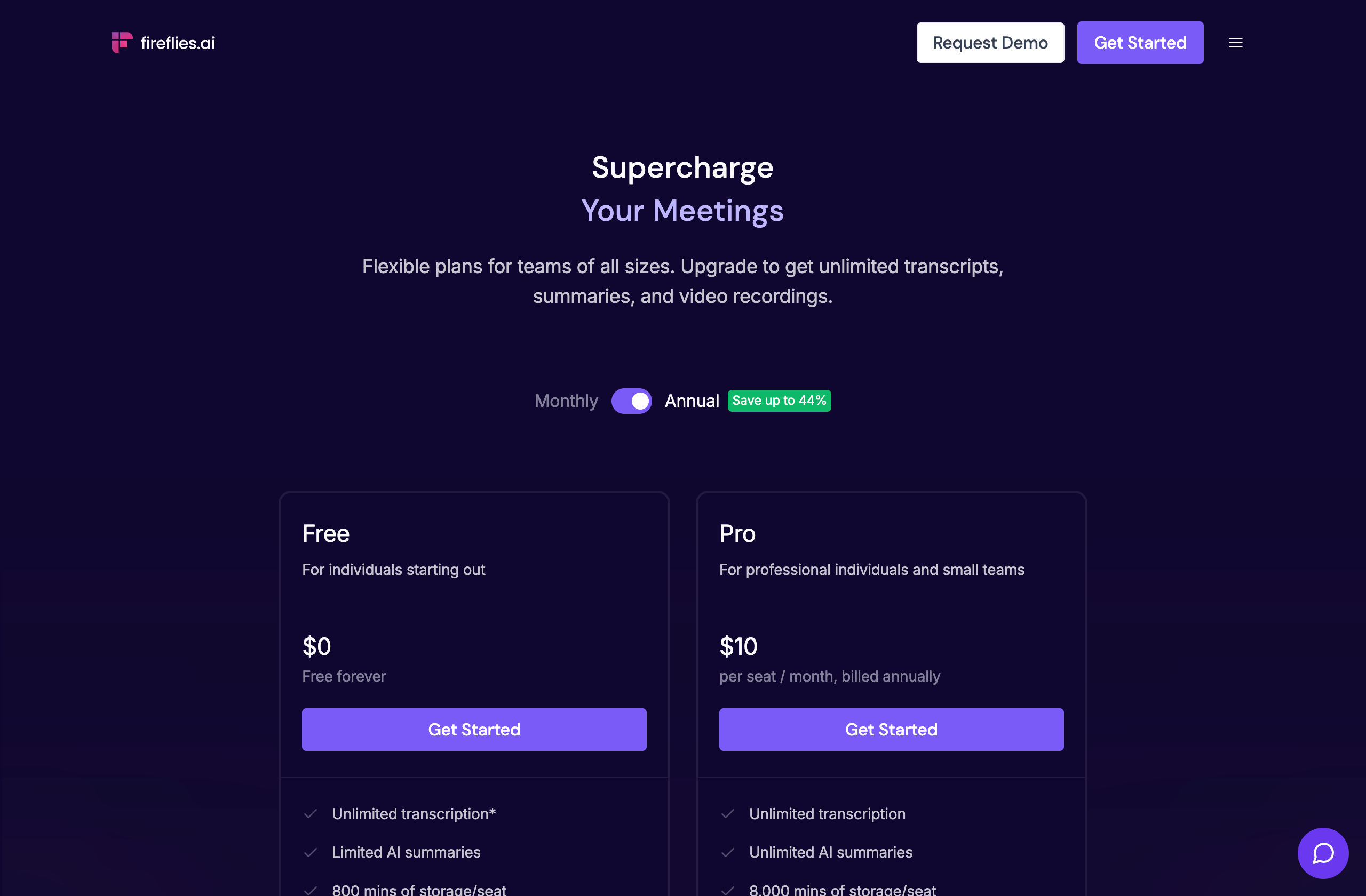
Fireflies offers a free tier for individuals along with paid subscriptions for teams requiring advanced analysis and unlimited storage.
Free: $0/month for unlimited transcription, limited AI summaries, and 800 minutes of storage
Pro: $10/seat/month (billed annually) for unlimited AI summaries, 8,000 minutes of storage, and AI skills
Business: $19/seat/month (billed annually) for unlimited storage, video recording, and conversation intelligence
Enterprise: $39/seat/month (billed annually) for HIPAA compliance, SSO, and dedicated support
How to pick the right one for your business
There's no single winner here. The best tool depends on what you're trying to automate, how technical your team is, and how much you're willing to spend.
A few quick rules of thumb:
If you want AI native automation with human approvals built in, start with Relay.app. The free plan is generous enough to prove value before you pay anything.
If you want a hands-off AI teammate for research, document drafting, and multi step desktop tasks, Claude Cowork is the strongest pick.
If your bottleneck is decks, docs, and websites, Gamma will get you from idea to polished output in minutes.
If you need a simple internal tool or marketing site, Lovable lets you ship one without touching code.
If your team lives in docs and project trackers, Notion is still the easiest way to centralize knowledge with AI on top.
If you make video or podcast content, Descript turns editing into something a non editor can actually do.
If your week is back-to-back meetings, Fireflies will quietly handle notes, summaries, and CRM updates for you.
Whatever you pick, start small. Automate one painful process, measure the time you get back, and expand from there. That's how SMBs actually win with AI in 2026.
Jacob Bank
Founder/CEO at Relay.app

Jacob is the Founder and CEO of Relay.app. Prior to founding Relay.app, Jacob was a Director of Product Management at Google, where he led the product teams for Gmail, Google Calendar, and several other Google Workspace products. Before that, Jacob was the Co-founder and CEO of Timeful (acquired by Google in 2015), a smart calendar that leveraged insights from behavioral psychology and AI to help people spend time on their most important priorities. He has a BA in Computer Science from Cornell University and was pursuing a PhD in the AI Lab at Stanford before dropping out to found Timeful.
FAQs
Which Relay.app plan should I start with?
Which workflow tool should I use if I'm not really technical?
What does human-in-the-loop mean?
Which automation platforms don't require coding to use?
How do Relay.app's AI credits work?
Are AI automation tools expensive to run because of token costs?
What's the difference between AI agents and workflows?
