It's time to automate your customer health monitoring. Score every renewal account on usage and support signals and report out a ranked list of at-risk customers.

Customer success teams often spot churn risk too late. By the time the renewal falls through, the warning signs have been sitting in HubSpot, Mixpanel, and Intercom for weeks. The problem is that nobody had time to stitch those tools together for every account, every week. If you're doing it manually, it's a ton of work!
This is exactly the kind of repeatable, multi-app process you should be automating. Instead of pinging your CSMs for status updates, you can put a weekly health check on autopilot, let Claude score each renewal account as red/yellow/green, and drop a ranked at-risk brief into Slack before standup.
Ready to make this happen for your team? Here's a Relay.app workflow that takes care of it end to end. Import the template as a prompt, and customize the apps, AI model, or any step to match your stack and process.
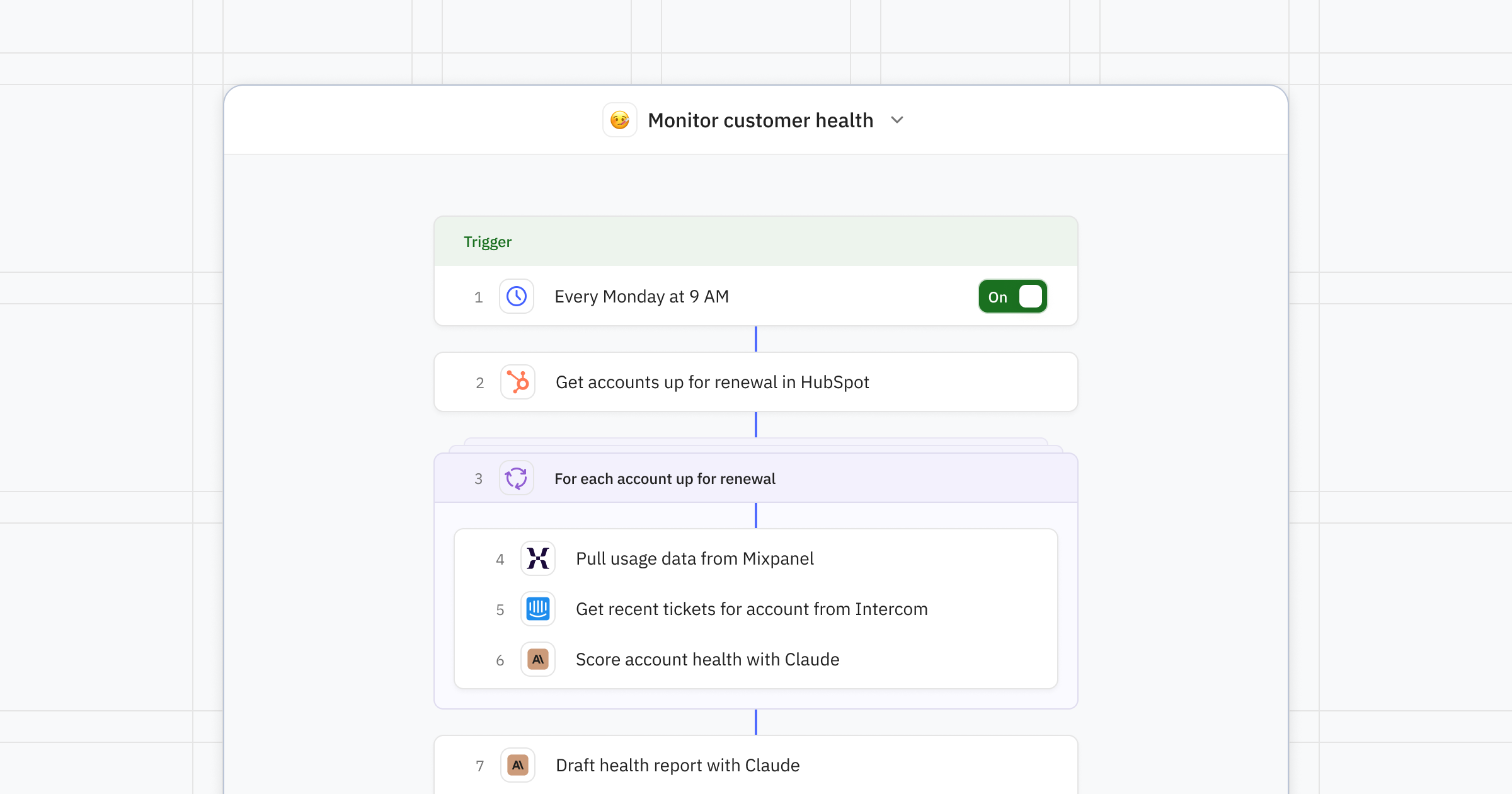
How the workflow runs
This workflow kicks off on a schedule, loops over renewal accounts, generates a health score with AI, and optionally gets a human-in-the-loop review before the report goes out.
1. Start the report on a schedule
The workflow runs on a predefined schedule, like every Monday morning at 9AM before your CS standup. If you prefer a different trigger, you could start from a Slack /command, webhook, or renewal date instead.
2. Pull accounts coming up on renewal in your CRM
Automatically find all the accounts that are up for renewal in the next 60 days (or whatever horizon you choose) in your CRM, like HubSpot, Salesforce, Attio, or Pipedrive.
3. Gather health signals
To score your customer's health, you'll need to pull usage and ticket data. For example, you can look at the last 30 days of usage from Mixpanel for logins, feature adoption, DAU/WAU trends, and at the recent support tickets in Intercom. PostHog + Zendesk or Snowflake + Front work just as well.
4. Generate an AI health score
Next, an AI step asks Claude (or the AI model provider of your choice) to score each account as red/yellow/green from the combined signals. It will then surface the top two risk signals per account and suggest a next step.
5. Write the report
Once every account has a score, Claude can synthesize the top 10 at-risk accounts into a Slack-ready brief: ARR, renewal date, top risk signals, and a suggested next step.
6. Get a quick review from a CS lead
Want a human-in-the-loop to double check the report before it's shared broadly? DM or email a Customer Success lead to approve, edit, or skip the AI-generated report.
7. Share the report
Once the report is approved, the brief can land in your Customer Success team's Slack channel or inbox, with each account's CSM @-mentioned.
Where this pays off
Renewal forecasting. Spot the accounts that need intervention 4–8 weeks out, not the day of the call.
CSM prioritization. Give every CSM a ranked list each Monday so they can prioritize the highest value customers who are most at-risk of churning.
Exec visibility. Leadership sees red accounts the same time CSMs do.
Expansion signals. Just flip the scoring prompt, and the same flow surfaces green accounts you can target for upsell!
About
Relay.app
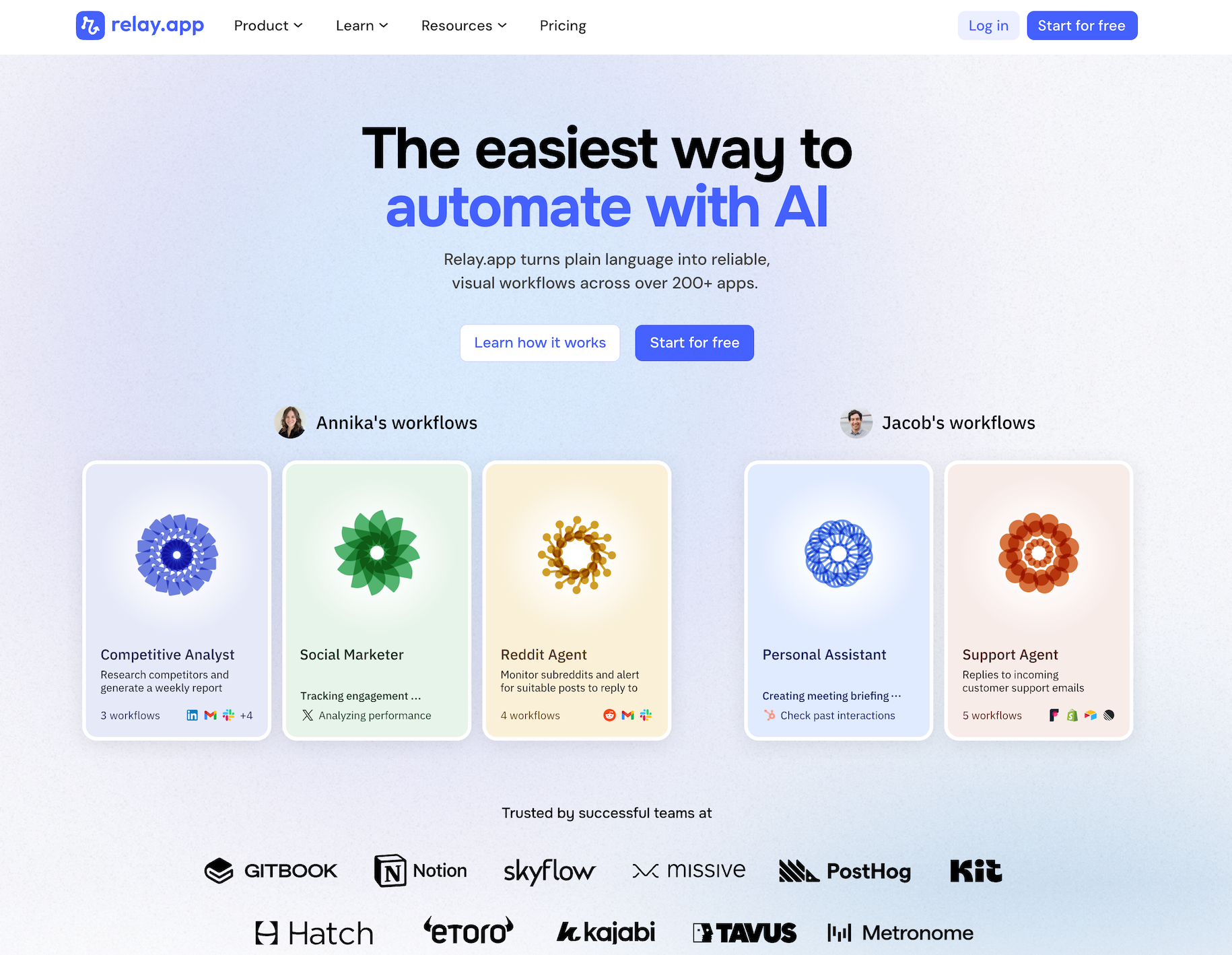
Relay.app is the easiest way to automate with AI. It turns plain language into reliable, visual workflows — with 200+ deeply built native integrations, plus an AI assistant that can write a connection to virtually any app with an API on the fly. Non-technical users who have struggled with complex tools like Zapier or Make can create reliable AI workflows in minutes just by using plain language. Relay.app handles everything from creation to analysis, while built-in human-in-the-loop features ensure that you stay in control when the stakes are high.
Product details
Ease of use: Relay.app is designed for teams of all technical abilities to automate in minutes.
AI Agent creation: Use natural language to build and improve complex AI workflows effortlessly.
200+ native integrations: Deeply built, first-class with popular tools like Notion, Gmail, and HubSpot.
Connect to anything else: Don't see your app on the list? Just describe what you need and Relay.app's AI assistant writes the API call for you — no docs-diving or code required. If it has an API, Relay.app can talk to it.
Human-in-the-loop: Add checkpoints to pause workflows for human approval or data entry when needed.
Collaborative features: Share workflows and app connections across your team for seamless multiplayer automation.
Built-in AI models: Access the best models from OpenAI, Anthropic, and more using included AI credits.
Stateful data with Tables: Store and update structured data directly within Relay.app to use across flows.
Technical power: Advanced users can go further with custom JavaScript, MCP servers, and custom HTTP requests.
Pricing
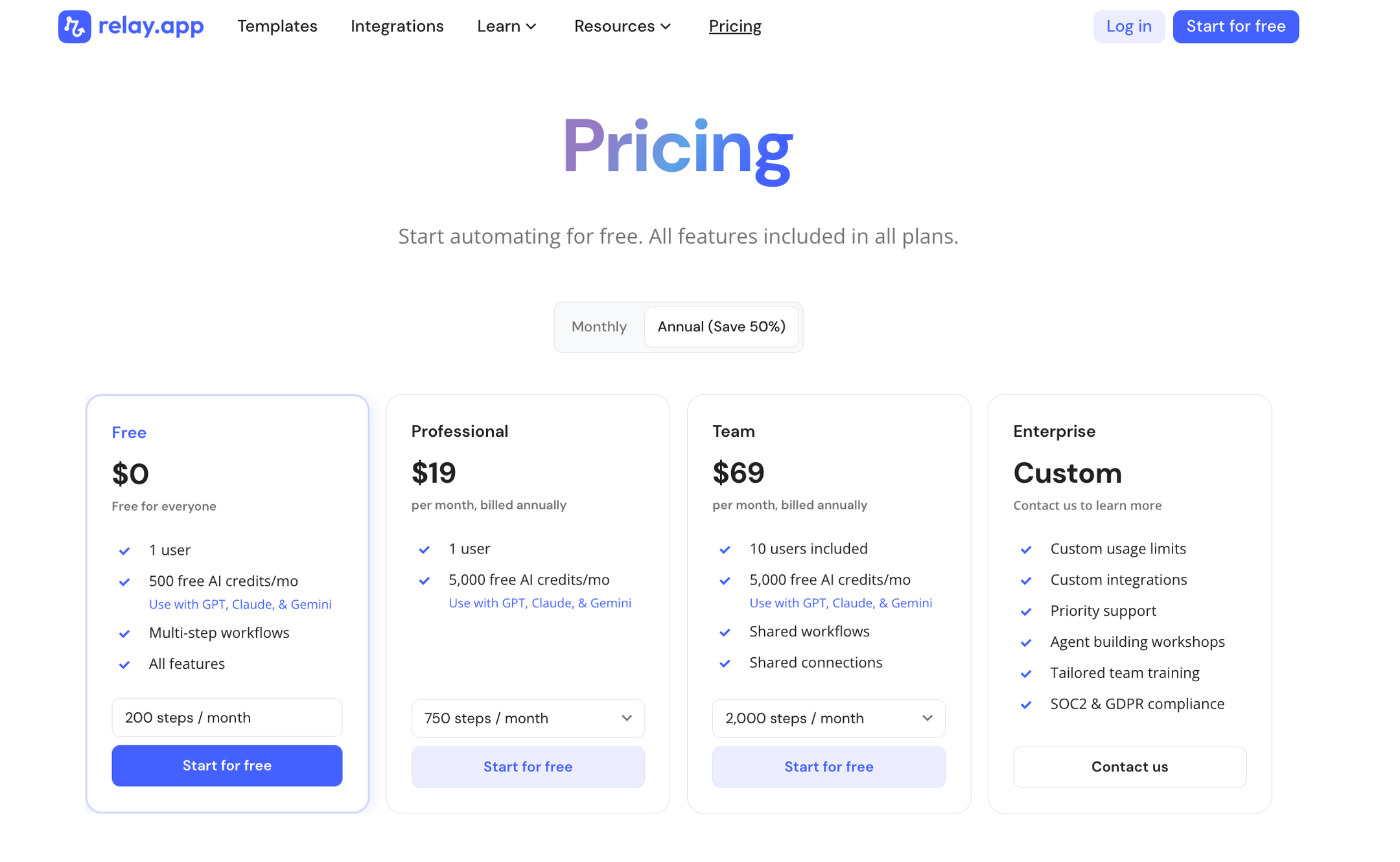
Relay.app offers a range of plans including a generous free tier. All plans include free test runs so you can validate your workflows before they go live.
Free: $0/month for 1 user, 200 steps, and 500 AI credits
Professional: $19/month (billed annually) for 1 user, 750 steps, and 2,000 AI credits
Team: $59/month (billed annually) for up to 10 users, 1,500 steps, and 2,000 AI credits
Enterprise: Custom pricing for organizations with advanced usage or security requirements
Build it in Relay.app
Ready to automate how your team monitors customer health? Get started from this customer health monitoring template. Relay.app's AI agent will guide you to customize the details of your process and select the right apps for your team. Make specific changes in the intuitive visual editor, or just ask the AI agent to make edits and optimizations for you.
Get started today and have your first ranked at-risk brief ready before Monday's standup.





Annika Crowley
Founding Designer

Annika is the Founding Designer at Relay.app. Prior to Relay.app, Annika led design for Gmail & Google Chat, where she designed AI tools like Smart Compose. Before Google, Annika worked at startups including an AI calendar company called Timeful.
FAQs
What's the best AI automation tool for small businesses and entrepreneurs?
What does human-in-the-loop mean?
How do Relay.app's AI credits work?
Can Relay.app handle specific use cases better than a general AI agent like ChatGPT or Claude?
Do I need technical skills to debug and maintain automations in Relay.app?
Can Relay.app's AI assistant help me edit and fix my workflows?
