Relay.app vs. Zapier: A head-to-head comparison of AI capabilities, ease of use, integrations, human-in-the-loop controls, and pricing to help you pick the right automation platform in 2026.

If you're trying to decide between Relay.app and Zapier, you're looking at two of the strongest no-code automation platforms available right now. But they're built with very different philosophies.
Zapier is the OG in this space. It's been around for over a decade, connects to thousands of apps, and has expanded aggressively into AI agents, chatbots, Canvas, and MCP support. If your main priority is connecting a massive tech stack with enterprise-grade reliability, Zapier delivers.
Relay.app is the AI-native contender. It's built from the ground up for teams that want to create AI-powered workflows fast, regardless of technical ability. You describe what you want in plain language, and the Relay.app Agent builds it for you. It's proactive, handling everything from workflow creation to analysis across 200+ apps.
I've tested both platforms extensively, and here's the short version: Relay.app wins on ease of use, AI integration, and human-in-the-loop controls. Zapier wins on integration breadth and enterprise maturity. The right pick depends on what matters most to your team.
Let's break it down across the criteria that actually matter in 2026.
Relay.app vs Zapier: Which automation platform is right for you?
What is
Relay.app
?
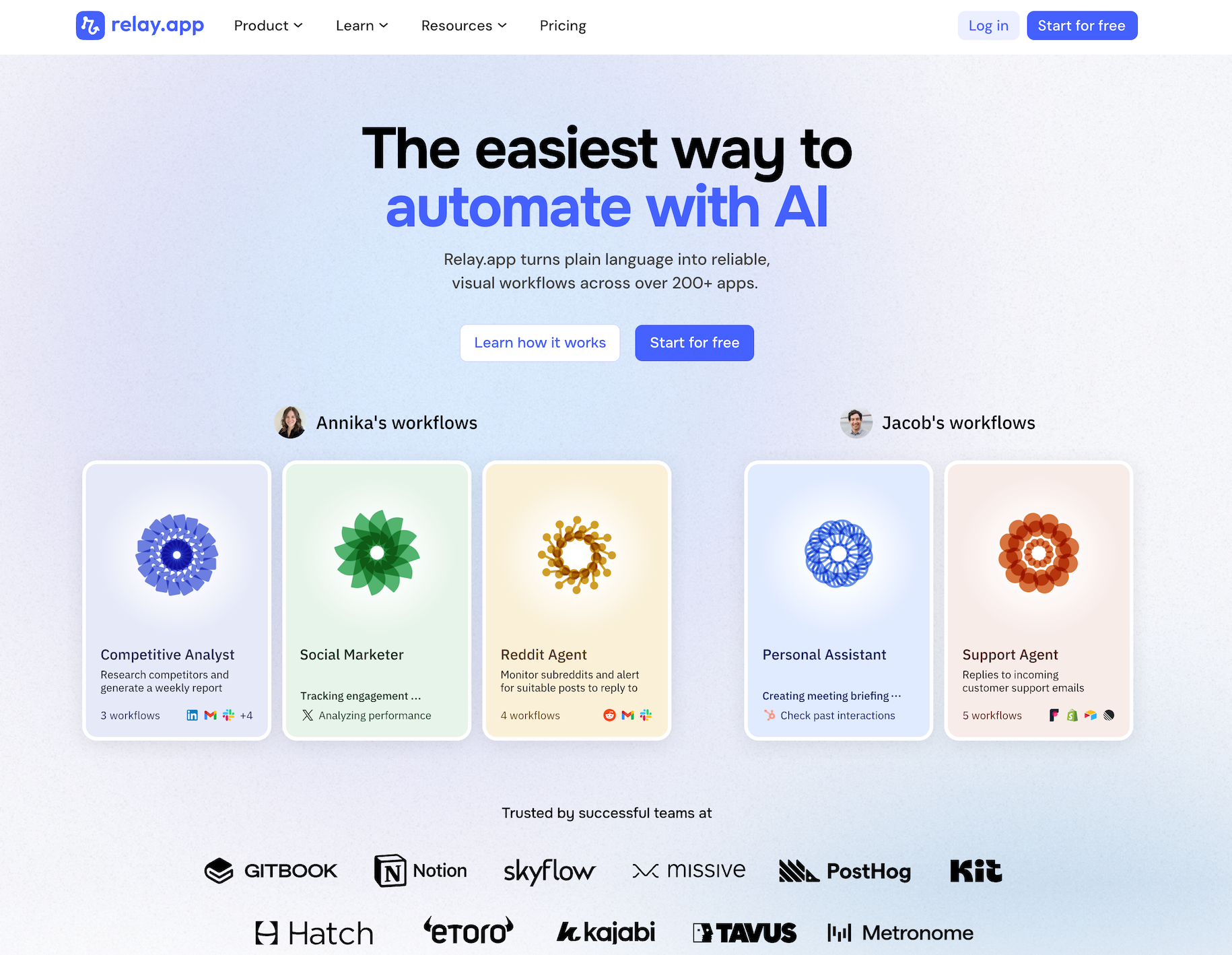
Relay.app is the easiest way to automate with AI. It turns plain language into reliable, visual workflows across over 200 apps. Non-technical users who have struggled with complex tools like Zapier or Make can create reliable AI workflows in minutes just by using plain language. Relay.app handles everything from creation to analysis, while built-in human-in-the-loop features ensure that you stay in control when the stakes are high.
Product details
Ease of use: Relay.app is designed for teams of all technical abilities to automate in minutes.
AI Agent creation: Use natural language to build and improve complex AI workflows effortlessly.
Human-in-the-loop: Add checkpoints to pause workflows for human approval or data entry when needed.
Collaborative features: Share workflows and app connections across your team for seamless multiplayer automation.
Built-in AI models: Access the best models from OpenAI, Anthropic, and more using included AI credits.
Stateful data with Tables: Store and update structured data directly within Relay.app to use across flows.
Technical power: Advanced users can leverage custom JavaScript, MCP servers, and custom HTTP requests.
200+ native integrations: Deeply connected with popular tools like Notion, Gmail, and HubSpot.
Pricing
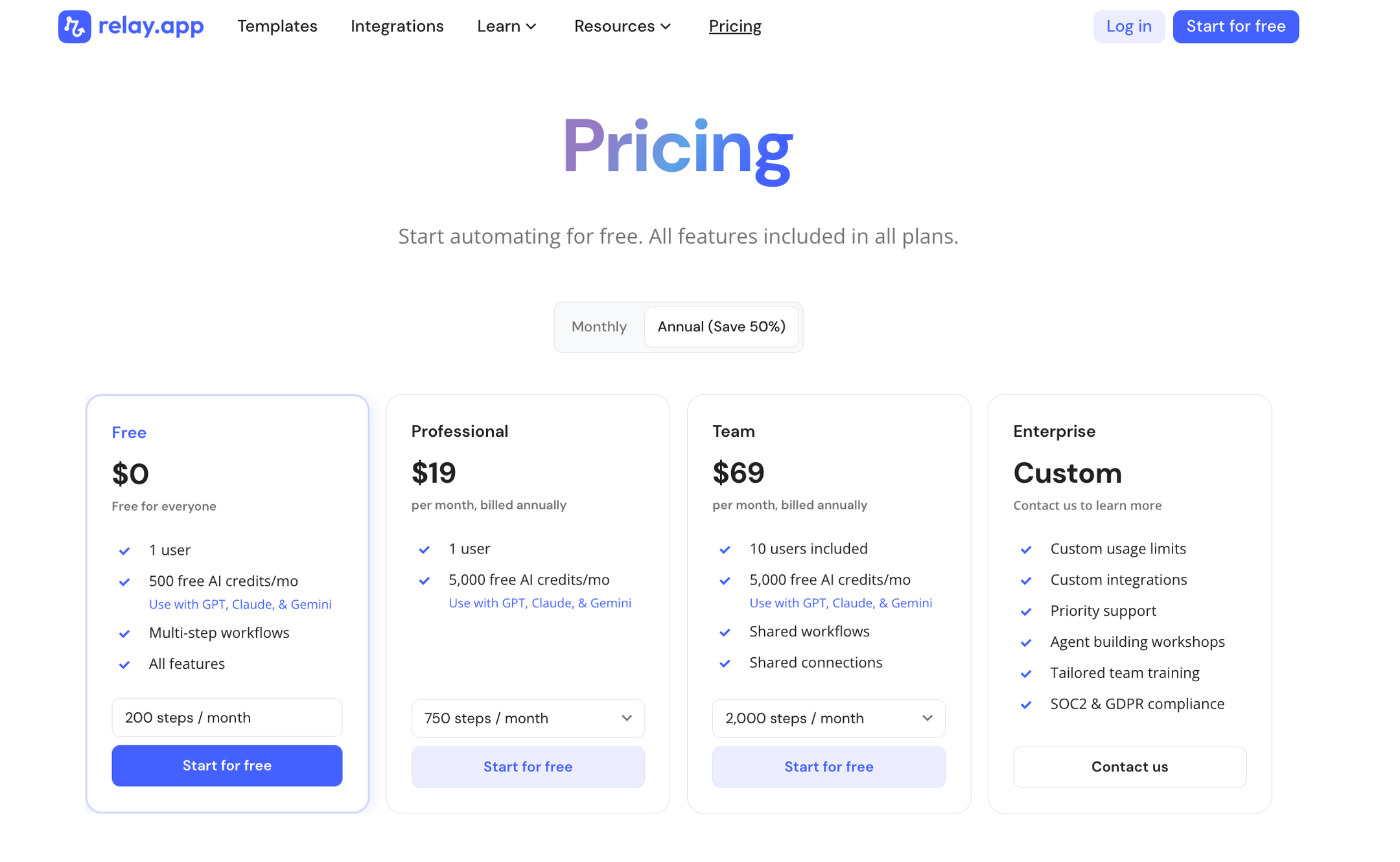
Relay.app offers a range of plans including a generous free tier. All plans include free test runs so you can validate your workflows before they go live.
Free: $0/month for 1 user, 200 steps, and 500 AI credits
Professional: $19/month (billed annually) for 1 user, 750 steps, and 2,000 AI credits
Team: $59/month (billed annually) for up to 10 users, 1,500 steps, and 2,000 AI credits
Enterprise: Custom pricing for organizations with advanced usage or security requirements
What is
Zapier
?
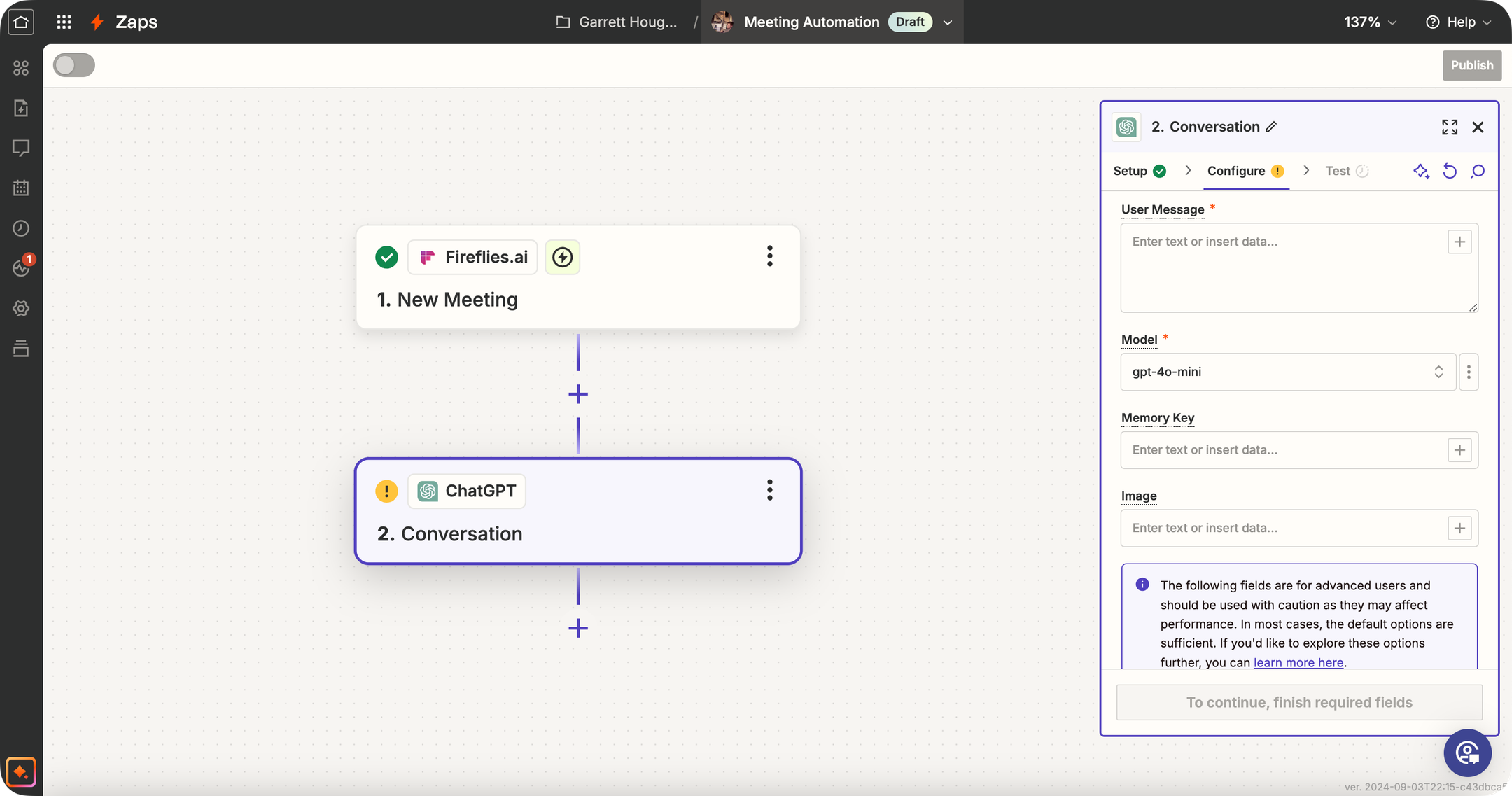
Zapier is one of the best-known automation tools (the "OG" of no-code workflows) that has significantly expanded its AI capabilities. Traditionally, Zapier connects your apps: "When X happens in app A, do Y in app B." Now, Zapier offers dedicated AI Agents, AI Chatbots, Canvas, and Model Context Protocol (MCP) support. While Zapier isn't an AI-specialized platform like some others, its primary strength is the 9,000+ app integrations it supports. This means you can trigger AI agents based on almost any event (new email, form submission, CRM update, you name it) and then have the AI perform an action or generate content as part of the Zap.
Product details
Massive integration ecosystem: Zapier connects with over 9,000 apps, so your AI agent can interact with nearly any tool your business uses.
Mature product and platform: Zapier has a reputation for dependable execution of workflows, extensive documentation, and a lot of community support.
Extensive template library: Thousands of pre-built Zap templates (including many with AI) can help get you started quickly.
Expanding AI toolkit: Zapier offers dedicated AI Agents, Chatbots, Canvas, and MCP support alongside its core automation platform.
Enterprise-grade governance: Administrators can define strict action restrictions, manage connections, and bring their own AI models (BYOM) securely.
Legacy complexity: Being a long-time champion of the space means they have many years of added features, making it more difficult to evolve quickly compared to modern alternatives.
Pricing
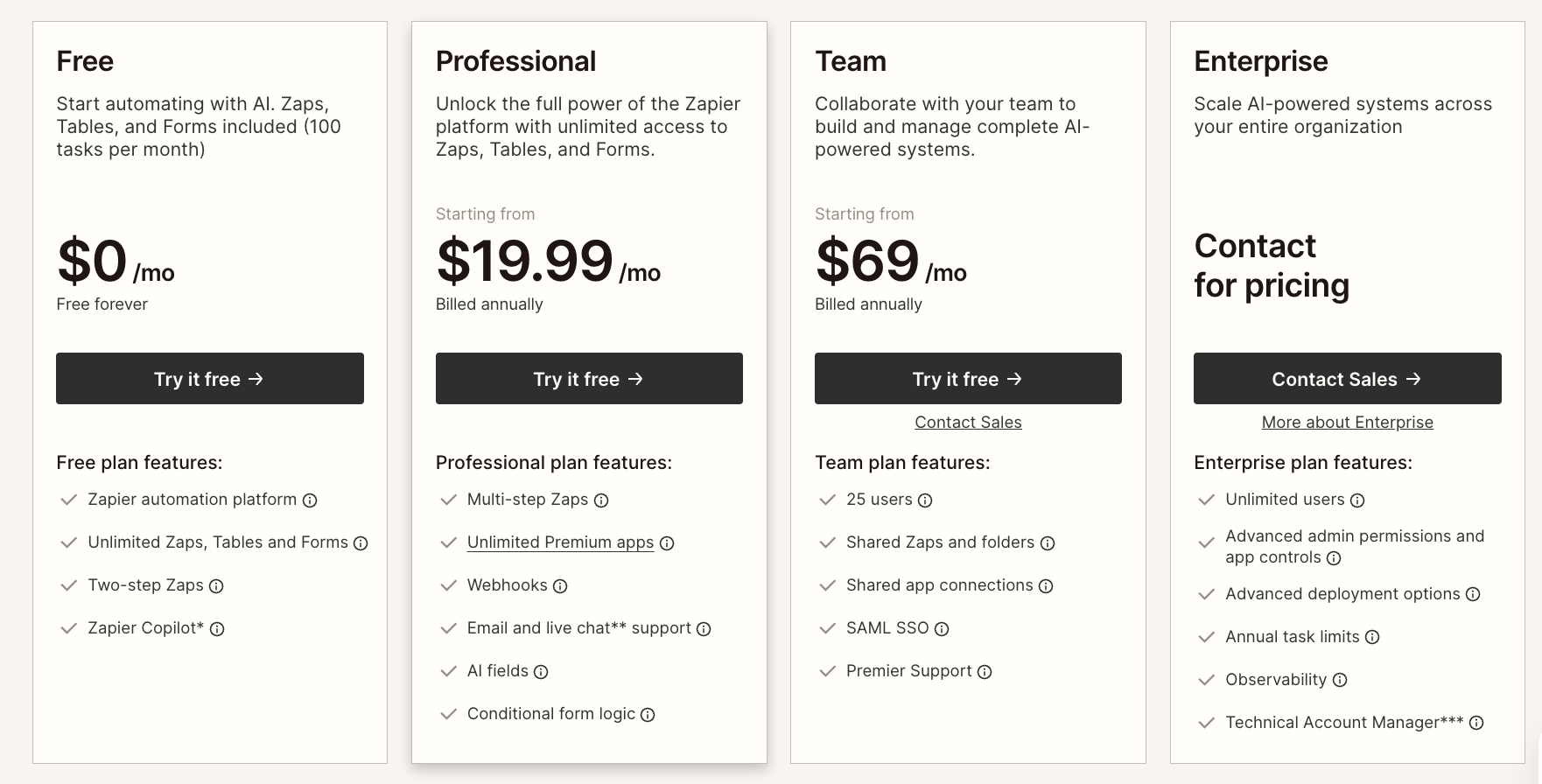
Zapier offers task-based plans for workflow automation alongside separate usage tiers for AI Agents and Chatbots.
Free: $0/month for 100 tasks, two-step Zaps, Tables, Forms, and Zapier MCP
Professional: $19.99/month (billed annually) for multi-step Zaps, unlimited premium apps, and AI fields
Team: $69/month (billed annually) for 25 users, shared Zaps, and SAML SSO
Enterprise: Custom pricing for unlimited users, advanced admin controls, and observability
AI Agents: Free for 400 activities/month or $33.33/month for 1,500 activities
Chatbots: Free for 2 chatbots, $13.33/month for 5 chatbots, or $66.67/month for 20 chatbots
AI capabilities
This is where the two platforms diverge the most.
Relay.app is AI-native. The best models from OpenAI and Anthropic are built right in and run on Relay.app's included AI credits. You don't need to set up API keys or manage token billing across providers, though you can bring your own keys if you want. The Relay.app Agent lets you create, edit, improve, and analyze workflows using natural language. I genuinely believe it's the fastest way to go from idea to working, reliable AI workflow.
Zapier has been expanding its AI toolkit aggressively with AI Agents, Chatbots, Copilot, Canvas, and MCP support. Copilot is solid for building and managing Zaps via prompts, and Canvas lets you visually orchestrate multi-product workflows that span agents, chatbots, forms, and tables. It's a broader AI ecosystem, but it can feel fragmented. Zapier's AI features are spread across multiple separate products rather than being deeply unified in the workflow builder.
✅ Relay.app edge: Simpler, more integrated AI experience. Just describe what you want and Relay.app will do it for you.
✅ Zapier edge: Broader AI product suite (agents, chatbots, Canvas) for complex orchestration scenarios.
Ease of use
Both platforms are no-code and beginner-friendly, but the experience feels different.
Relay.app is consistently praised for its clean, intuitive interface. Non-technical users who've struggled with other automation tools can get workflows running in minutes. The visual workflow builder shows you exactly what happens at each step, and the Relay.app Agent handles the heavy lifting of setup and configuration. It's designed so that teams of all technical abilities can automate quickly.
Zapier is also easy to use, especially for simple Zaps. But we've found it can be unintuitive when you need to select exactly the right data while configuring a step. As workflows get more complex, you'll spend more time managing multiple Zaps, configuring filters, and navigating between products like Tables, Interfaces, and Agents. There's more surface area to learn. Their Copilot is great for new users and can build you a Zap from a prompt.
✅ Relay.app edge: People love the simplicity, easy editing by chat, and the beautiful UI.
✅ Zapier edge: Familiar and well-documented with a massive template library and years of community content.
Human-in-the-loop
Human-in-the-loop oversight has long been a differentiator for Relay.app, though Zapier has started closing the gap.
Relay.app was built around the idea that people should stay involved in AI workflows to keep an eye on AI outputs and quality. You can add approvals, reviews, and manual input steps wherever a process needs them. This is essential for AI workflows where you need someone to check what the AI generated before it goes out to a customer or into your CRM.
Zapier has added built-in human-in-the-loop steps for collecting data and requesting approval, which are solid additions.
✅ Relay.app edge: Human-in-the-loop is native, available on all plans, and deeply integrated into every workflow.
✅ Zapier edge: Covers the basics with approval and data collection steps.
Integrations
Integrations are Zapier's strongest suit, letting you connect to over 8,000 apps. If you're running a complex tech stack across CRM, marketing, finance, support, and project management tools, Zapier almost certainly has the connectors you need. The depth of triggers and actions per app is hard to beat.
Relay.app has 200+ deep native integrations with the most popular tools, plus custom HTTP requests and webhooks for anything else. For most small-to-mid-size teams, it covers what you need. What sets Relay.app's integrations apart is that they're intentionally designed to be as usable as possible.
✅ Zapier edge: 8,000+ integrations with unmatched ecosystem breadth.
✅ Relay.app edge: 200+ integrations, each designed to be user-friendly, plus custom HTTP for anything missing.
Pricing
Relay.app has a generous free tier to get you going. All plans include free test runs so you can validate workflows before they go live:
Free: 200 automation steps + 500 AI credits/month
Professional: $19/month (billed annually) for 1 user, 750 steps, and 2,000 AI credits
Team: $59/month (billed annually) for up to 10 users, 1,500 steps, and 2,000 AI credits
Enterprise: Custom pricing
Zapier also has a free tier, but AI Agents and Chatbots are priced separately:Free: 100 tasks/month with two-step Zaps, plus Tables, Forms, and MCP
Professional: From $19.99/month (billed annually) with multi-step Zaps and unlimited premium apps
Team: From $69/month (billed annually) for 25 users, shared Zaps, and SAML SSO
Enterprise: Custom pricing
AI Agents add-on: Free tier (400 activities/mo) or Pro ($33.33/mo for 1,500 activities)
Chatbots add-on: Free tier (2 chatbots), Pro ($13.33/mo), or Advanced ($66.67/mo)
The big difference: Relay.app includes AI models and credits in its plans, while Zapier's AI add-ons are priced separately. That can add up fast if you're leaning into AI workflows.
Advanced capabilities
Relay.app supports custom JavaScript, MCP servers, complex branching and looping logic, webhooks, and custom HTTP calls. It also offers stateful data with Tables so you can store and update structured data directly within your workflows. Even though the UI feels simple, it's not a simple tool. Technical users can build sophisticated workflows in Relay.app too.
Zapier has a broader set of advanced products: Canvas for visual diagramming, Tables for built-in databases, Interfaces for forms and dashboards, and MCP support for connecting AI tools. If you need a full-blown automation operating system, Zapier gives you more building blocks.
✅ Zapier edge: More advanced products (Canvas, Tables, Interfaces, MCP).
✅ Relay.app edge: Custom code, MCP servers, and branching/looping in a cleaner, simpler package.
Collaboration
Relay.app is built for multiplayer automation. You can share workflows and app connections across your team, making it easy to collaborate on building and maintaining automations together. The Team plan supports up to 10 users out of the box.
Zapier offers team collaboration on its Team and Enterprise plans, with shared Zaps, SAML SSO, and admin controls. If you need granular permissions and enterprise-grade team management, Zapier has more options here.
✅ Relay.app edge: Seamless sharing of workflows and connections, collaborative by default.
✅ Zapier edge: More granular admin controls and enterprise team management features.
The bottom line
Here's how I'd sum it up:
Choose Relay.app if:
You're a solopreneur, small team, or non-technical user
You value a great user experience and want the easiest path from idea to working AI workflow
You want built-in access to top AI models without managing API keys or separate billing
Human-in-the-loop approvals and reviews are important to your processes
Your team relies on popular apps and you want collaboration built in from day one
Choose Zapier if:You're at enterprise scale and need advanced admin controls, SSO, and observability
You use niche apps and need access to an 8,000+ app integration library
You want a full AI orchestration platform spanning agents, chatbots, Canvas, and workflows
You prefer a massive template library and established community resources
Both are excellent platforms. But if you're building AI workflows and want the fastest, most intuitive experience with built-in human oversight, start with Relay.app. You can try it free and see for yourself.
Jacob Bank
Founder/CEO at Relay.app

Jacob is the Founder and CEO of Relay.app. Prior to founding Relay.app, Jacob was a Director of Product Management at Google, where he led the product teams for Gmail, Google Calendar, and several other Google Workspace products. Before that, Jacob was the Co-founder and CEO of Timeful (acquired by Google in 2015), a smart calendar that leveraged insights from behavioral psychology and AI to help people spend time on their most important priorities. He has a BA in Computer Science from Cornell University and was pursuing a PhD in the AI Lab at Stanford before dropping out to found Timeful.
FAQs
Who is Zapier's main competitor?
What's the best AI automation tool for small businesses and entrepreneurs?
Are AI automation tools expensive to run because of token costs?
How does Relay.app's AI workflow builder compare to Zapier's AI tools?
Can I ask questions about past workflow runs in Relay.app?
